KEY가 2개 이상이 필요한 API를 호출하여 GPTs 만들기
2025.02.13
소개
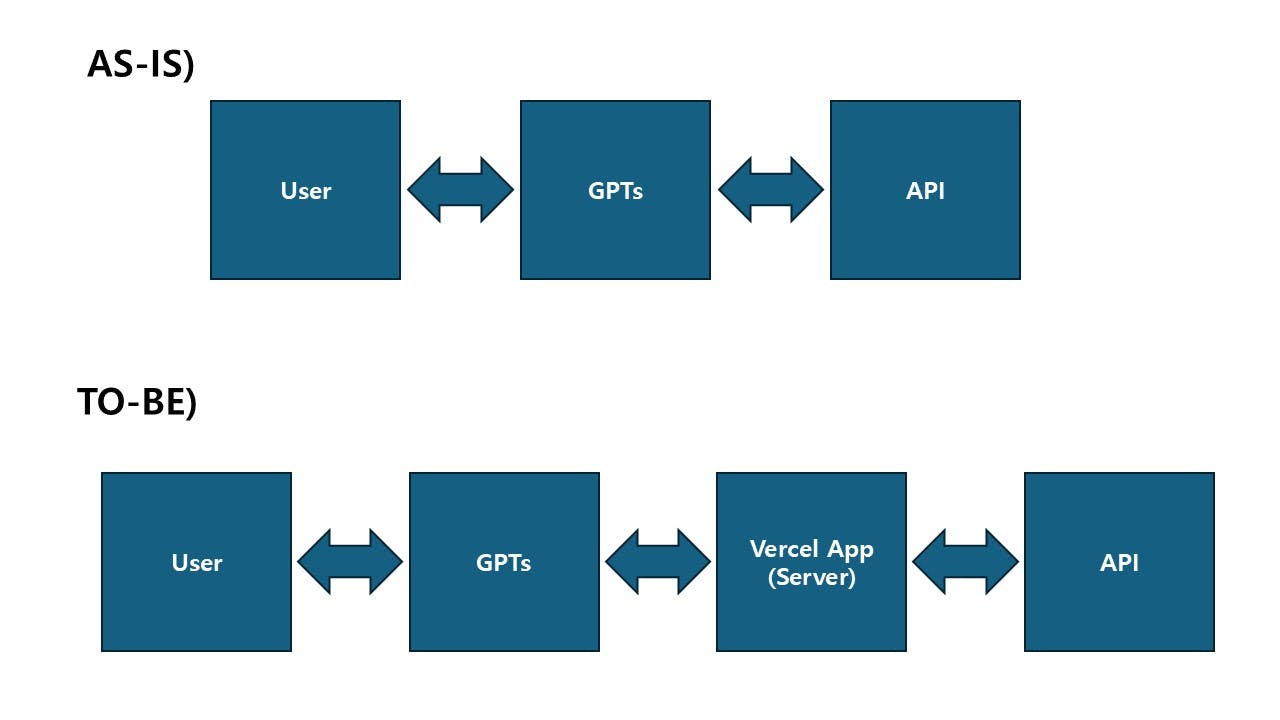
GPTs에 API를 연결하기 위해서는 공개된 API도 있지만, 대게는 API Key를 요구합니다. GPTs에 "새 작업 만들기"를 통해 API와 연동할 때, 인증방식은 API Key 또는 OAuth를 입력할 수 있는데, API Key를 한 개만 입력할 수 있도록 되어있더라구요. 그래서 유튜브를 찾아보다가 사례가 있어 따라해봤습니다.
진행 방법
사용 도구: ChatGPT, express.js + Vercel, Git, Naver Maps API(https://ncloud.com)
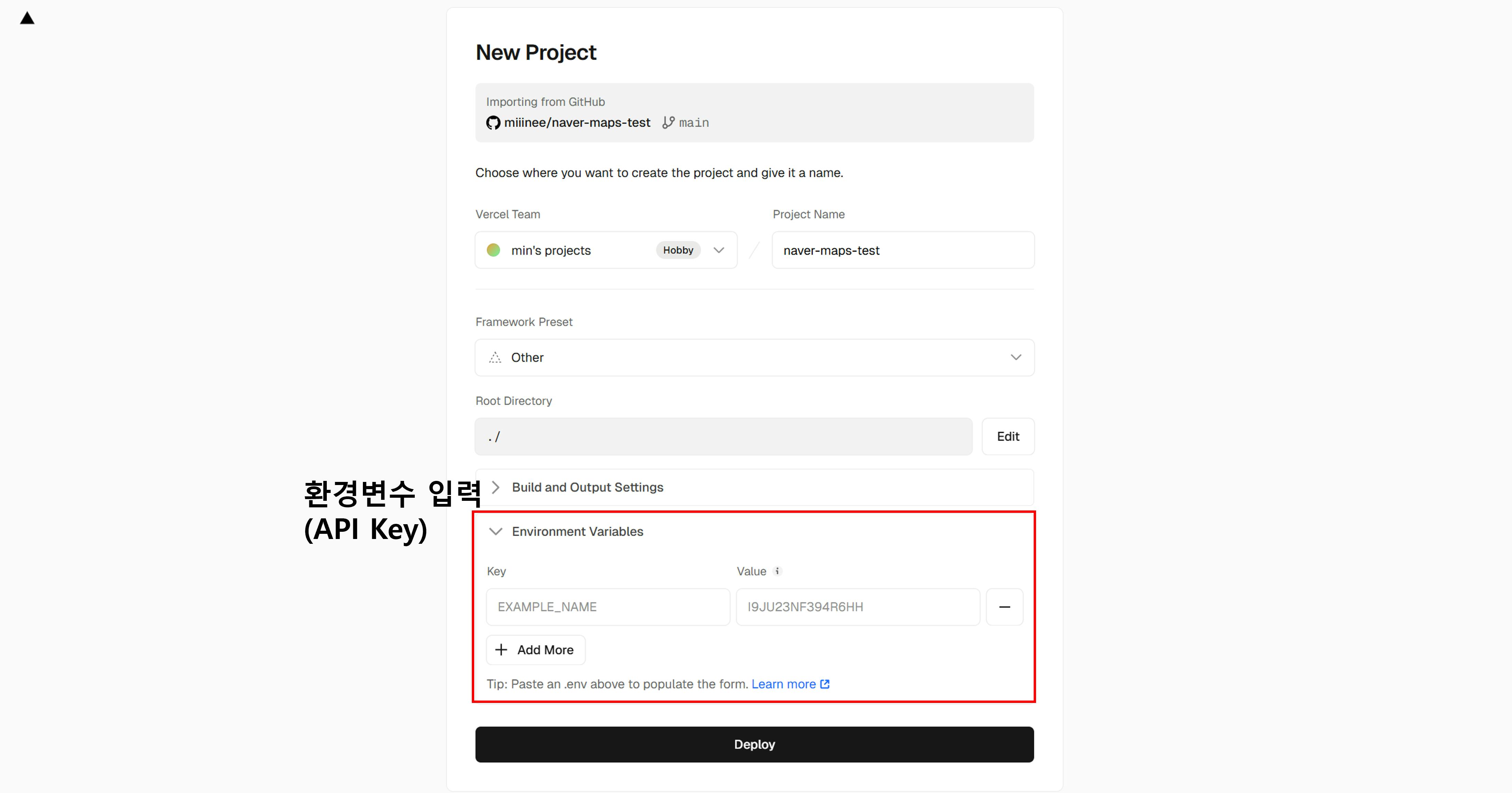
요지는 GPTs와 제공 받을 API를 바로 연동하는 것이 아니고, 사이에 내가 통제할 수 있는 API 중계서버를 한 개 둬서 필요한 API가 요구하는 만큼의 KEY를 넘겨주는 방식입니다. 이러한 방식을 사용하면 제공받는 API의 데이터를 내 입맛에 맞게 가공해서 GPTs에게 전달하는 것이 가능합니다.(데이터 전처리 등 코딩이 필요하지만 코딩은 chat gpt, claude 등이 잘 작성해주니까^^;)
과정은 크게 4 단계로 나눠집니다.
1) api 서버 코드 작성
import express from 'express';
import axios from "axios";

const app = express();

// 환경변수 또는 직접 API 키를 입력하세요.
const API_KEY_ID = process.env.NAVER_API_KEY_ID || 'your_api_key_id';
const API_KEY_SECRET = process.env.NAVER_API_KEY_SECRET || 'your_api_key';


app.get('/', (req, res) => {
    console.log("Express 앱에 '/' 요청이 들어왔습니다.");
    res.send("Express on Vercel");
});

app.get('/direction', async (req, res) => {
    console.log("Express 앱에 '/direction' 요청이 들어왔습니다.");

    let { start, goal, option } = req.query;

    try {

        const url = 'https://naveropenapi.apigw.ntruss.com/map-direction/v1/driving';
        const headers = {
            'x-ncp-apigw-api-key-id': API_KEY_ID,
            'x-ncp-apigw-api-key': API_KEY_SECRET
        }

        // Naver API 호출
        const response = await axios.get(url, {
            params: { start, goal, option },
            headers: headers
        });
        console.log("Response status:", response.status);
        console.log("Response data: ", response.data);

        // API 응답 데이터를 그대로 반환합니다.
        res.json(response.data);
    } catch (error: any) {
        console.error("Naver API 호출 중 에러 발생:", error.message);
        res.status(500).json({ error: 'Naver API 호출 중 문제가 발생했습니다.' });
    }
});


// Vercel 서버리스 함수로 동작하므로 app.listen() 호출 불필요
export default app;
2) github에 업로드
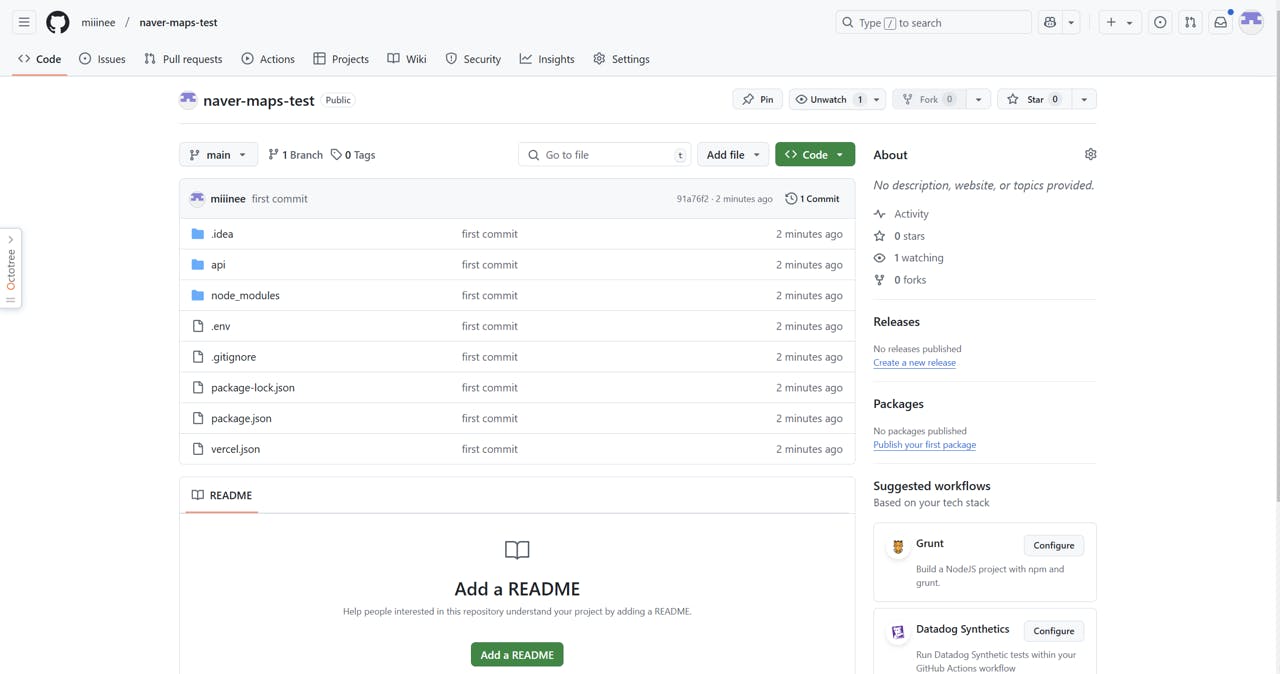
3) vercel과 연동하여 build
4) gpts의 action에 추가
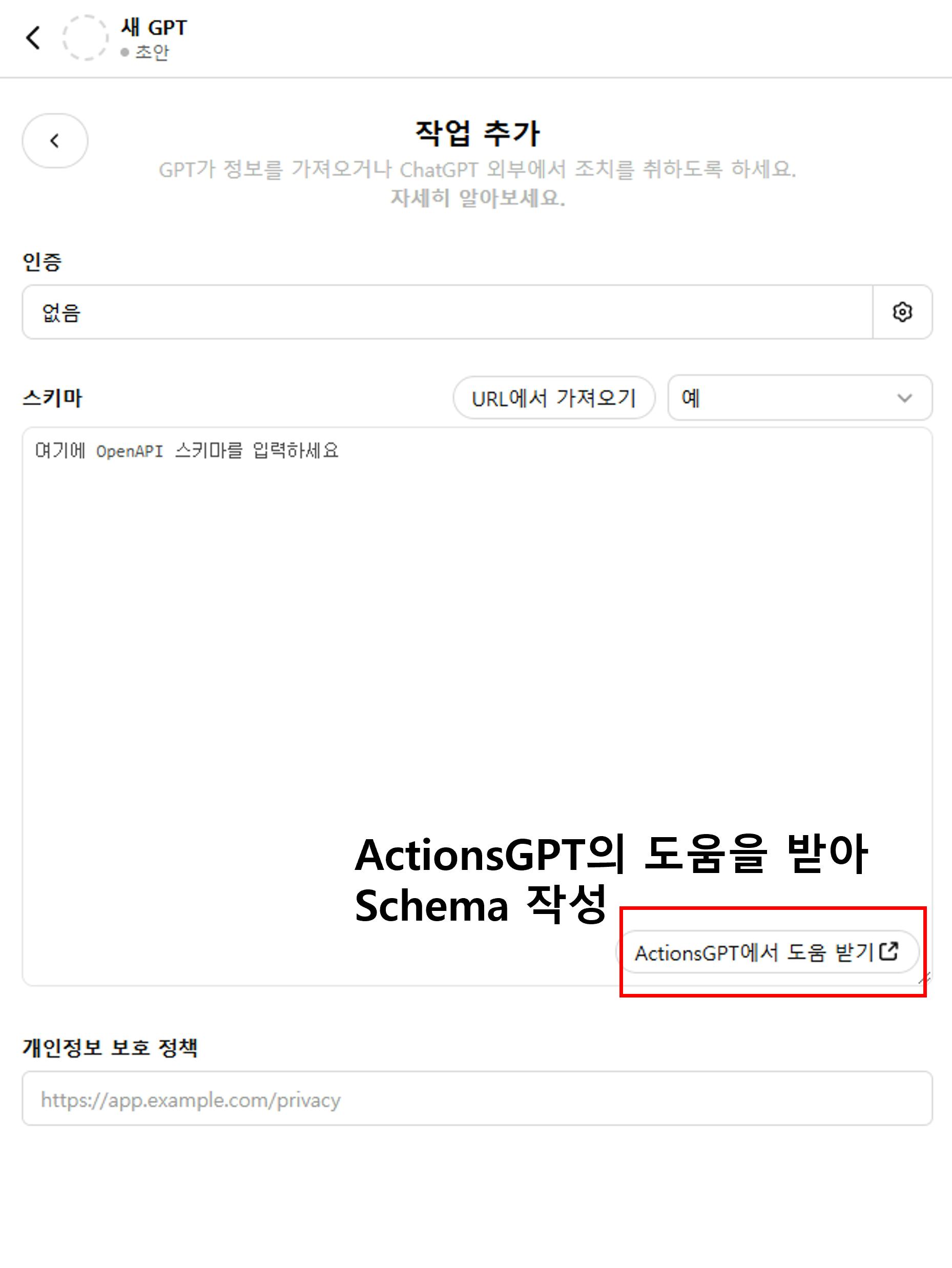
openapi: 3.1.0
info:
  title: Direction API
  description: API to get directions based on start and goal coordinates with optional route preferences.
  version: 1.0.0
servers:
  - url: https://naver-maps-test-delta.vercel.app/
    description: Vercel App
paths:
  /direction:
    get:
      operationId: getDirection
      summary: Get directions between two points
      description: Returns route directions from a start location to a goal location, with an optional route type.
      parameters:
        - name: start
          in: query
          required: true
          description: Starting point coordinates (longitude,latitude).
          schema:
            type: string
            example: "127.0735,37.5505"
        - name: goal
          in: query
          required: true
          description: Goal point coordinates (longitude,latitude).
          schema:
            type: string
            example: "127.0291,37.5894"
        - name: option
          in: query
          required: false
          description: Route preference (e.g., `trafast` for the fastest route).
          schema:
            type: string
            enum:
              - trafast
      responses:
        '200':
          description: Successful response with route directions.
          content:
            application/json:
              schema:
                type: object
                properties:
                  route:
                    type: array
                    description: List of route steps.
                    items:
                      type: object
                      properties:
                        instruction:
                          type: string
                          description: Navigation instruction.
                        distance:
                          type: number
                          description: Distance in meters.
                        duration:
                          type: number
                          description: Estimated duration in seconds.
        '400':
          description: Bad request, invalid parameters.
        '500':
          description: Internal server error.
세세한 과정은 참고한 유튜브 영상을 통해 확인하시면 될 것 같습니다.
결과와 배운 점
한 gpts에서 여러 개의 api를 합쳐서 한 gpts에서 호출하면 훨씬 더 맞춤형 GPTs를 만들 수 있을 것 같습니다.
또한 Vercel에 배포되는 서버단에서 데이터를 가공하면 더욱 그럴싸한 어시스턴트가 탄생하지 않을까 생각해 봤습니다.
도움 받은 글 (옵션)
https://vercel.com/guides/using-express-with-vercel

필요한 AI 정보만
메일함에 쏙쏙 넣어드려요.
지금 핫한 AI 소식부터 직접 해 본 사례까지, 월요일마다 무료로 받아보세요