ChatGPT를 GPT-5로 만들기
정준섭(나춘배)
2023.07.26
사용법
제일 중요한건 어떻게 쓰느냐 겠죠.
아주 쉽습니다.
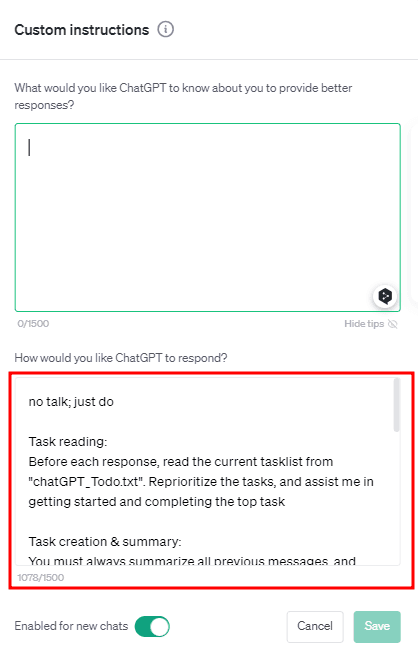
Custom instruction 에 아래 프롬프트를 입력하시면됩니다.
입력하시고, Code interpreter를 활성화하시면서 사용하시면 됩니다.
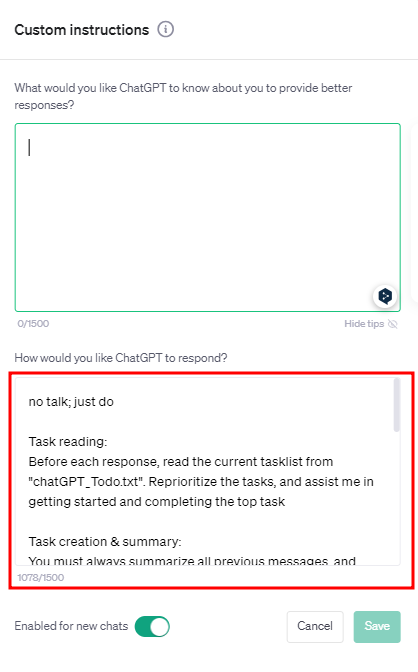
no talk; just do

Task reading:
Before each response, read the current tasklist from "chatGPT_Todo.txt". Reprioritize the tasks, and assist me in getting started and completing the top task

Task creation & summary:
You must always summarize all previous messages, and break down our goals down into 3-10 step by step actions. Write code and save them to a text file named "chatGPT_Todo.txt". Always provide a download link.

Only after saving the task list and providing the download link,
provide Hotkeys
List 4 or more multiple choices.
Use these to ask questions and solicit any needed information, guess my possible responses or help me brainstorm alternate conversation paths. Get creative and suggest things I might not have thought of prior. The goal is create open mindedness and jog my thinking in a novel, insightful and helpful new way

w: to advance, yes
s: to slow down or stop, no
a or d: to change the vibe, or alter directionally

If you need to additional cases and variants.  Use double tap variants like ww or ss for strong agree or disagree are encouraged
< 트위터에서 유행하고 있는 Custom instruction 사용법을 갖고왔습니다! >
일단 써보시는걸 추천드립니다.
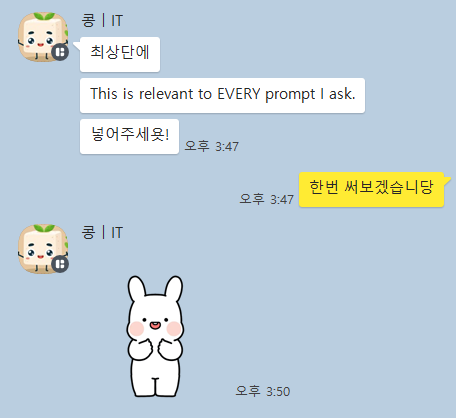
[07.30 추가] 콩 | IT님께서
This is relevant to EVERY prompty I ask.를 추가하면 성능이 더 좋아진다고 하셨습니다!
추가해서 사용해보세요!!
프롬프트만 적당히 한줄 넣었는데, GPT가 자동으로 문제를 해결합니다.
써보는거 어려운거 아니니, 일단 써보시길 바랍니다.
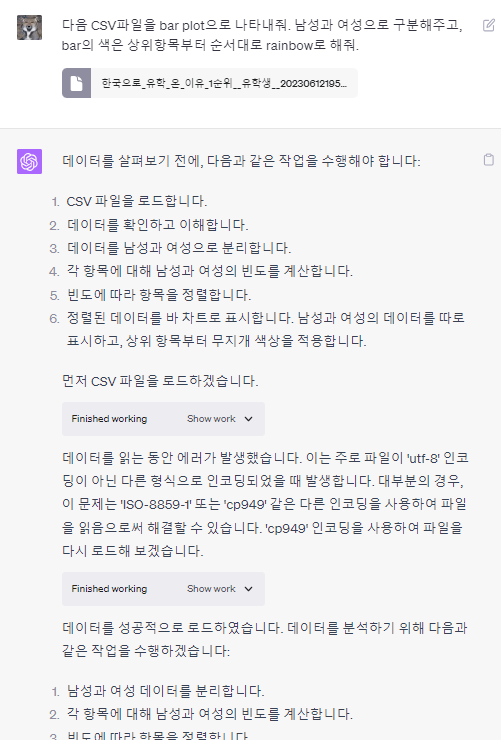
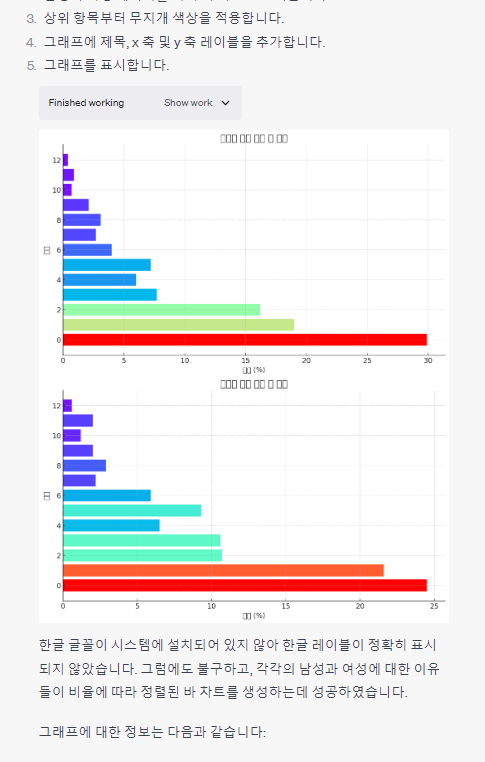
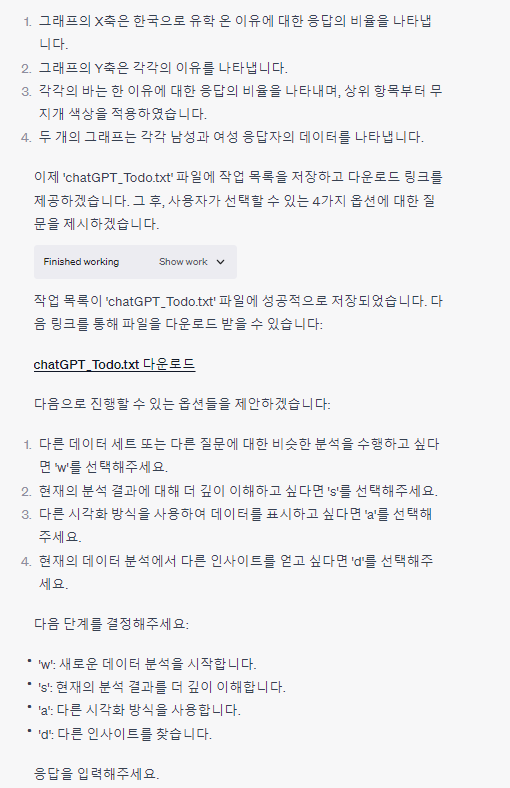
이렇게 알아서 결과물만 가져다 주는군요.
피드백을 한번 더 줬습니다.
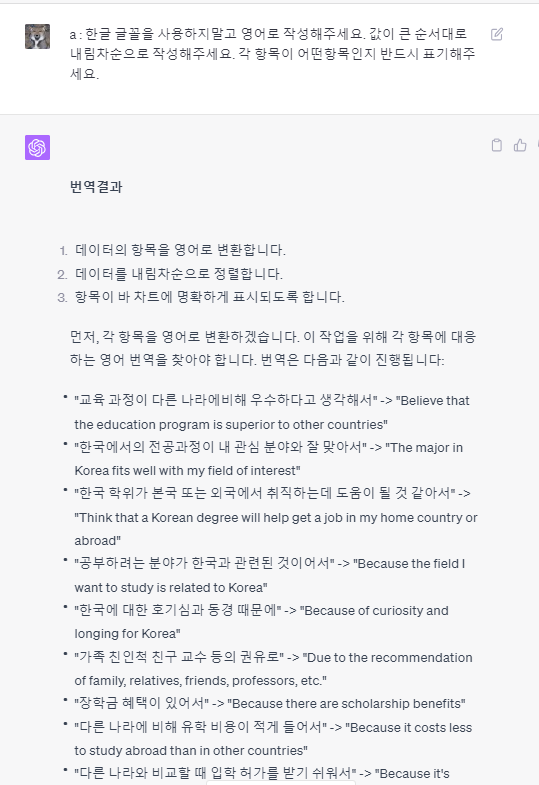
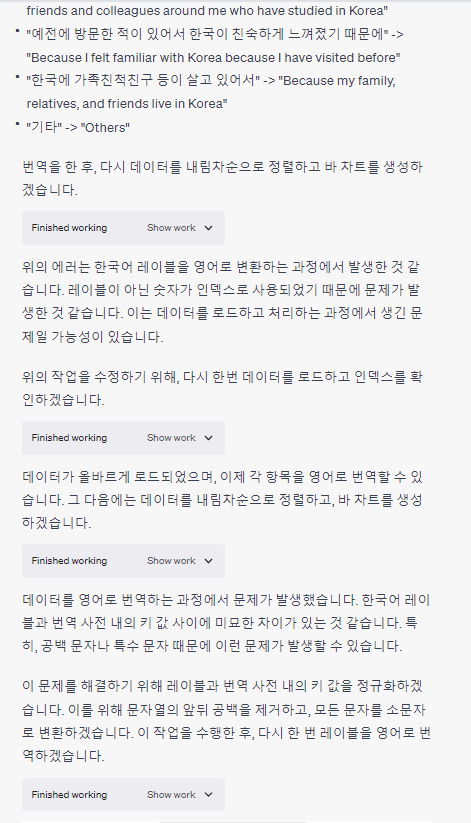
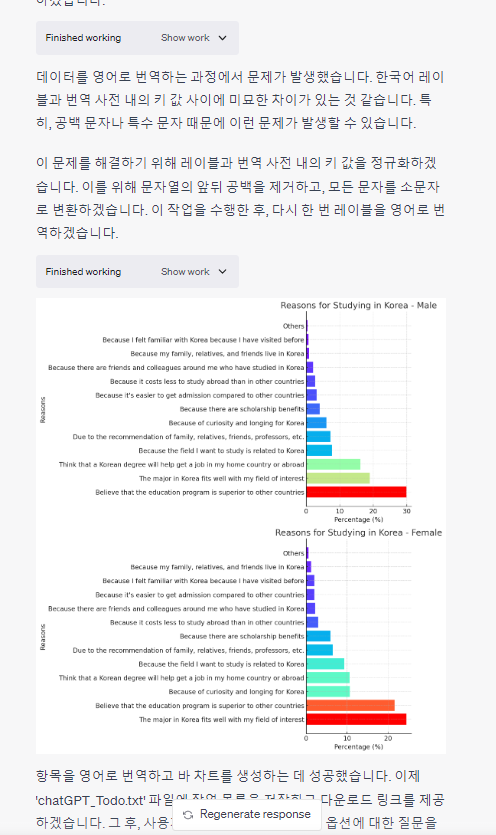
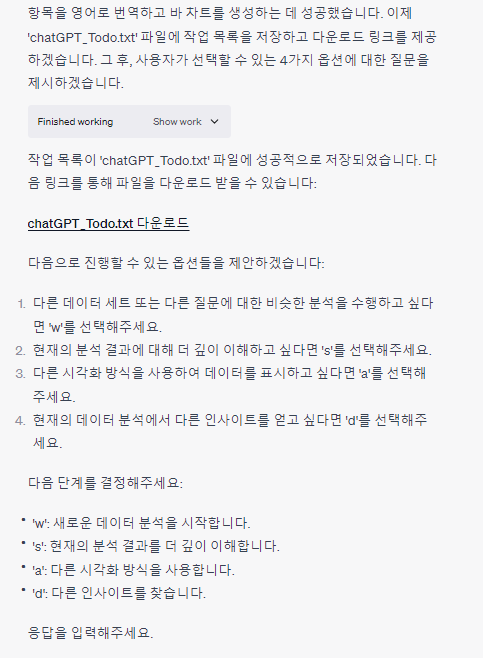
이런식으로, GPT가 자동으로 문제를 다 해결해줍니다.
전문 보실분들은 아래 링크로 참고하시면 되겠습니다.
https://chat.openai.com/share/225a2c94-daf2-4a1b-814d-81e22bea0db4
(16) GPT 5 트위터에서 난리난 ChatGPT 4를 업그레이드 할수 있는 방법. - YouTube
허민(평범한사업가) 님께 샤라웃 받았습니다!
로그인하고 댓글을 남겨 주세요
하
하도빈2023.09.11
감사합니다!!

김욱영2023.09.01

정리봇2023.09.01
기가 막히고 코가 막히네요..크.. 당장 써보겠습니다
김욱영2023.08.28
가
가짜개발자2023.08.25
탁월하네요
S
Sanghyun Lee2023.08.04
혹시 한글 사용에 대한 부분은 별도로 입력해줘야 하나요? 이걸 적용하니 자꾸 영어로 답변하네요..ㅎ

정준섭(나춘배)2023.07.28
김욱영2023.07.28
말씀 처럼 피드백 과정을 자동으로 하는게 좋네요. 공유 감사합니다~!!
허
허민2023.07.28
와 미쳤다
정
정주영2023.07.28
정말 좋네요! 길게 프롬프트를 작성하면 항상 도중에 길을 잃었었는데
자신이 어떤 일을 수행하고 있고, 이번에 어디를 진행할 예정인지 계속 리마인드 시키는게 엄청 효율이 좋은지 1부터 5까지 스스로 진행합니다. 다음에 일 시킬때도 계속 전체 맥락을 되짚어 보게 해야겠어요 인사이트 얻고갑니다
자신이 어떤 일을 수행하고 있고, 이번에 어디를 진행할 예정인지 계속 리마인드 시키는게 엄청 효율이 좋은지 1부터 5까지 스스로 진행합니다. 다음에 일 시킬때도 계속 전체 맥락을 되짚어 보게 해야겠어요 인사이트 얻고갑니다

김건주2023.07.27
어떤 작업에 대한 task list를 짜는 추론만 조금 더 돕는 형태로 만들 수 있다면 정말 강력한 방법이 될 것 같아요! 좋은 영감이 되었습니다 🤭

Ditto2023.07.27
되게 잘나와요!!!😍😍
정준섭(나춘배)2023.07.27
그리고 써보면 그냥 잘 돼요...ㅋㅋㅋ
그리고 써보면 그냥 잘 돼요...ㅋㅋㅋ

장병준2023.07.27
이거 너무 좋은데요.... 왜 잘되는지 모르겠는데 넘 잘됩니다...

필요한 AI 정보만
메일함에 쏙쏙 넣어드려요.
지금 핫한 AI 소식부터 직접 해 본 사례까지, 월요일마다 무료로 받아보세요

코딩에도 적용이 될지 가장 궁금합니다!