


소개
시도하고자 했던 것과 그 이유를 알려주세요.
회사 박람회를 다녀와서 기념 영상을 만들어야 하는데 google vids를 활용해서 좀 더 빠르고 전문적인 느낌이 나도록 만들고자 하였습니다.
진행 방법
어떤 도구를 사용했고, 어떻게 활용하셨나요?
Tip: 사용한 프롬프트 전문을 꼭 포함하고, 내용을 짧게 소개해 주세요.
Tip: 활용 이미지나 캡처 화면을 꼭 남겨주세요.
Tip: 코드 전문은 코드블록에 감싸서 작성해주세요. ( / 을 눌러 '코드 블록'을 선택)
Chatgpt - 박람회 기념 영상 스토리 라인 잡기
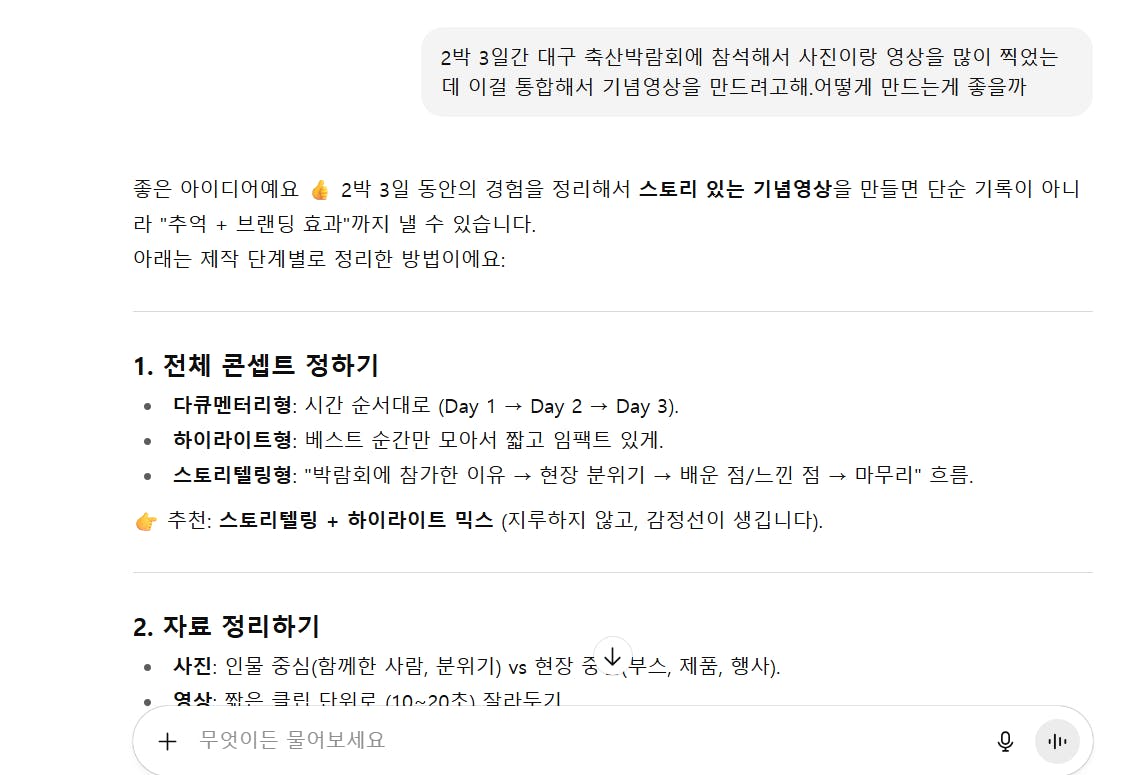
한국어 문자 메시지의 스크린 샷
반복적으로 원하는 방향대로 요청해서 내용을 수정
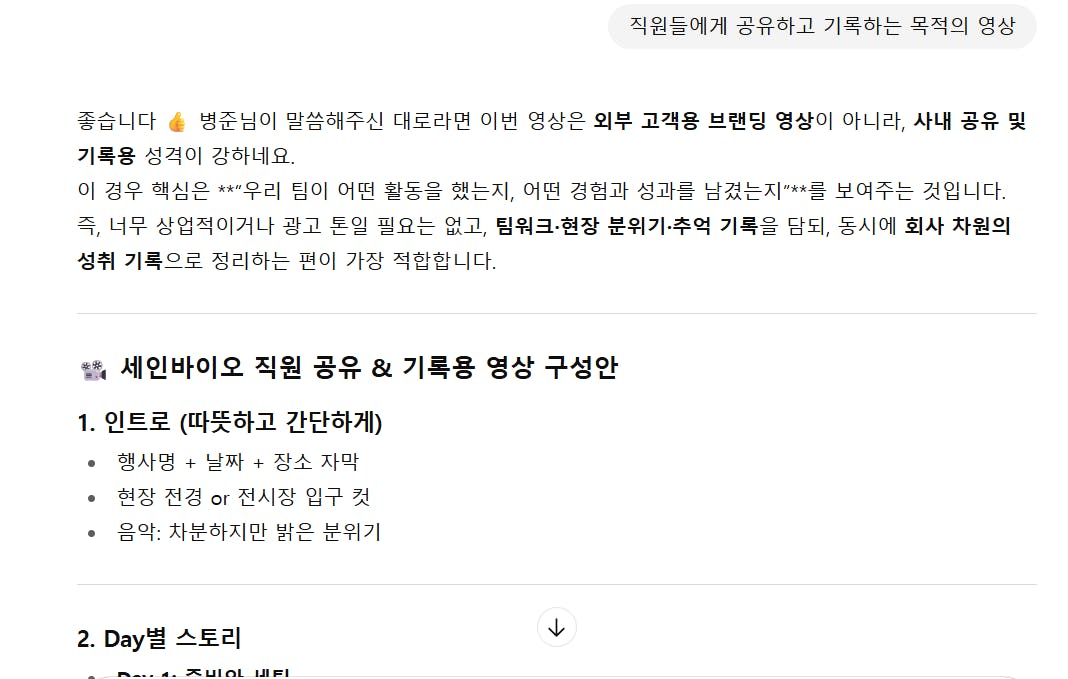
한국 텍스트가있는 페이지의 스크린 샷
내용 확정 후 google vids 에 넣을 영어 프롬프트 작성 요청
마지막에 스터디장님이 가르쳐 주신대로 "Please create a storyboard for the above advertising proposal, using Korean text and narration." 문장 추가하여 한글로 변환할 수 있도록 함
Create a 3-minute highlight video that combines photos and video clips taken during the "2025 Daegu International Livestock Expo," showcasing the participation of SEINBIO (Nutritional Strategy Team).
The purpose of the video is for internal sharing with all employees, focusing on both documentation and entertainment.

Structure:
1. Intro (10–15s)
   - Show SEINBIO logo animation, event title, date, and venue.
   - Use energetic and uplifting background music.
   - Quick montage of the exhibition hall and booth setup.

2. Day 1 – Preparation
   - Shots of booth installation, team members preparing equipment.
   - Add humorous captions such as:
     * "Energy level: 100% (for now…)"
     * "Booth setup completed! (sweat not included)"
     * "Already thinking about snacks…"

3. Day 2 – Main Event
   - Show crowded booth scenes with customers.
   - Highlight product displays, brochures, and demonstrations.
   - Captions:
     * "SEINBIO booth, the hottest spot in Daegu 🔥"
     * "Professional mode: ON"
     * "This is exactly what I was looking for 👍"
   - Add fast cuts, zooms, and lively background music to enhance excitement.

4. Funny & Human Moments
   - Include team reactions: smiling, funny faces, candid moments.
   - Captions:
     * "Model pose activated"
     * "Brain freeze for 3 seconds…"
     * "SEINBIO smile attack 😁"

5. Day 3 – Closing
   - Booth takedown, team cleaning up, casual moments.
   - Captions:
     * "Energy still full… (not really)"
     * "Mission complete ✅"
   - Group photo with text overlay:
     * "SEINBIO Nutritional Strategy Team, Mission Clear!"

6. Ending (10–15s)
   - Montage of best moments.
   - Closing messages:
     * "This Expo was the achievement of all SEINBIO employees."
     * "Together, we grow as SEINBIO."
     * "See you at the next Expo ✨"
   - Fade out with SEINBIO logo and light music.

Style & Tone:
- Mix corporate professionalism with humor and warmth.
- Use upbeat, modern background music (pop/EDM).
- Balance clean transitions (fade in/out) with fun captions for entertainment.
- Keep the pacing dynamic but not overwhelming.
Please create a storyboard for the above advertising proposal, using Korean text and narration.
Google vids에 위의 프롬프트 넣고 영상 생성
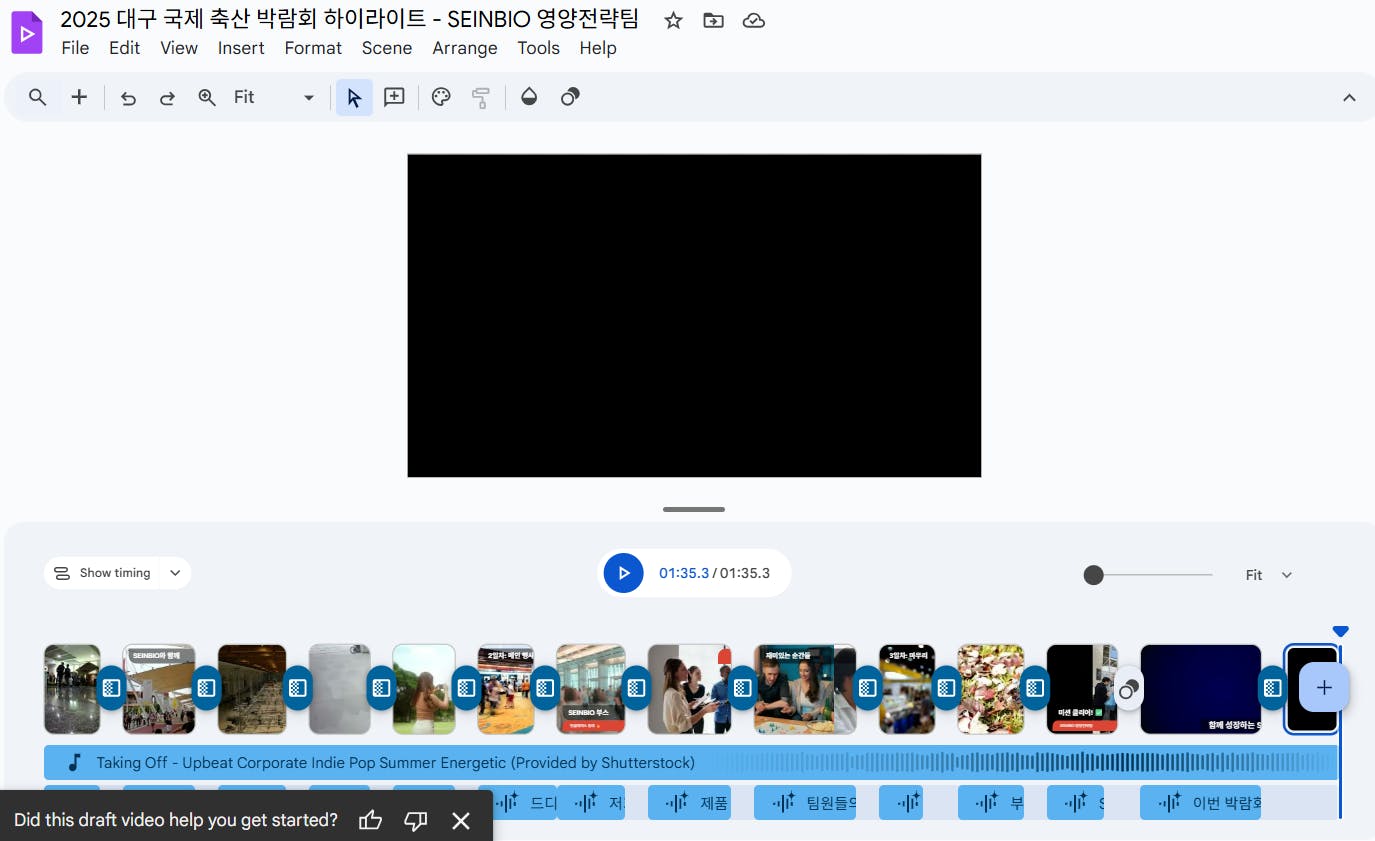
한국어 텍스트가있는 비디오 편집기의 스크린 샷
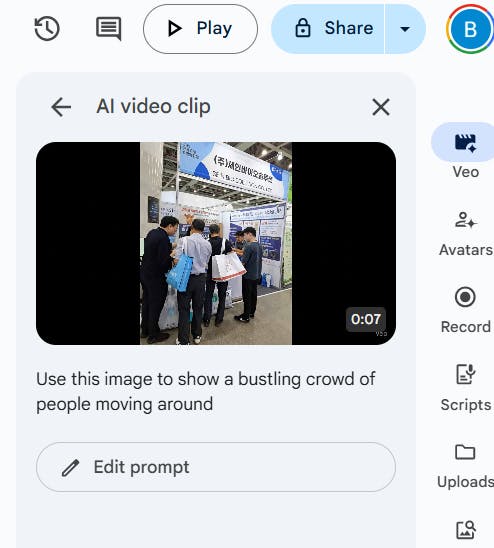
수정하고 싶은 부분 veo 기능 활용하여 이미지 첨부 후 영상 생성 후 클립 수정
AI 비디오 클립 앱의 스크린 샷
결과와 배운 점
배운 점과 나만의 꿀팁을 알려주세요.
과정 중에 어떤 시행착오를 겪었나요?
도움이 필요한 부분이 있나요?
앞으로의 계획이 있다면 들려주세요.
google vids를 활용하려면 영어로 언어를 바꾸고 프롬프트도 영어로만 입력해야 한다는 것을 스터디를 통해서 배울 수 있었고, 원하는 영상이 나오게 하기 위해서는 프롬프트를 굉장히 정교하게 입력해야 한다는 것을 알 수 있었습니다.
박람회 참석으로 출장을 가게 되는 바람에 스터디에 참석하지 못해서 녹화본을 보고 거의 따라한다는 느낌으로 영상을 만들어 보았습니다. 한글 자막이 엉터리로 변환되고 팀 이름이 다른 이름으로 바뀌는 등의 오류가 계속 발생되었는데 스터디에 실시간으로 참석해서 같이 했다면 궁금한 것들을 바로바로 문의할 수 있었을텐데 그러지 못했다는 것이 많이 아쉽습니다.
제가 원하는 것은 박람회나 행사에서 찍은 영상들과 이미지들을 AI tool에 넣었을 때 AI가 사진과 영상 내용들을 분석해서 알아서 최종 영상을 만들어 주는 것이 가능해지는 것입니다. 아직까지는 제가 원하는 방향으로 영상을 만드려면 Capcut을 활용해서 일일이 자막을 넣고 사진을 배치할 수 밖에 없는 거 같은데 이 부분에서 도움을 받을 수 있는 부분이 있을지 궁금합니다.
AI를 잘 활용하려면 결국에는 반복해서 써보고 많이 해보는 방법밖에는 없는 거 같습니다. 많이 써보면서 열심히 숙달하도록 하겠습니다.
도움 받은 글 (옵션)
참고한 지피터스 글이나 외부 사례를 알려주세요.
(내용 입력)
