


소개
AI Agent 개발에 활용하면서 Web이나 App을 만들어 보았습니다.
그러다가. I Have a Dream! AI Agent 가 서비스하는 여러가지도 만들어 보고 싶었습니다.
실제로 서비스를 만들기 위해서 필요한 Agent 개발, 일관성있는 서비스를 위한 평가 방법등을 고민하면서 google Agent 팀의 기술내역들을 들어다 보고 싶었습니다.
그래서 Google Agent Development Kit (ADK), VertexAI 등 을 이용해서 Agent Service를 만들기 위한 탐험을 시작했습니다.
진행 방법
0. 사전준비
Google Cloud 에 여러 솔수션을 사용하기 위해서 5$를 주는 구글 계정을 만듭니다.
Google Cloud에서 사용할 크레딧 사용 설정
https://codelabs.developers.google.com/codelabs/cloud-codelab-credits?hl=ko#0
여기를 마치게 되면
0-1. Google Cloud Console에 결제>크레딧>에서 5$충전된 걸 볼 수 있습니다.
(본인의 결제정보를 넣는 것이 아니라. 구글이 주는 결제 크레딧을 사용하는 겁니다.)
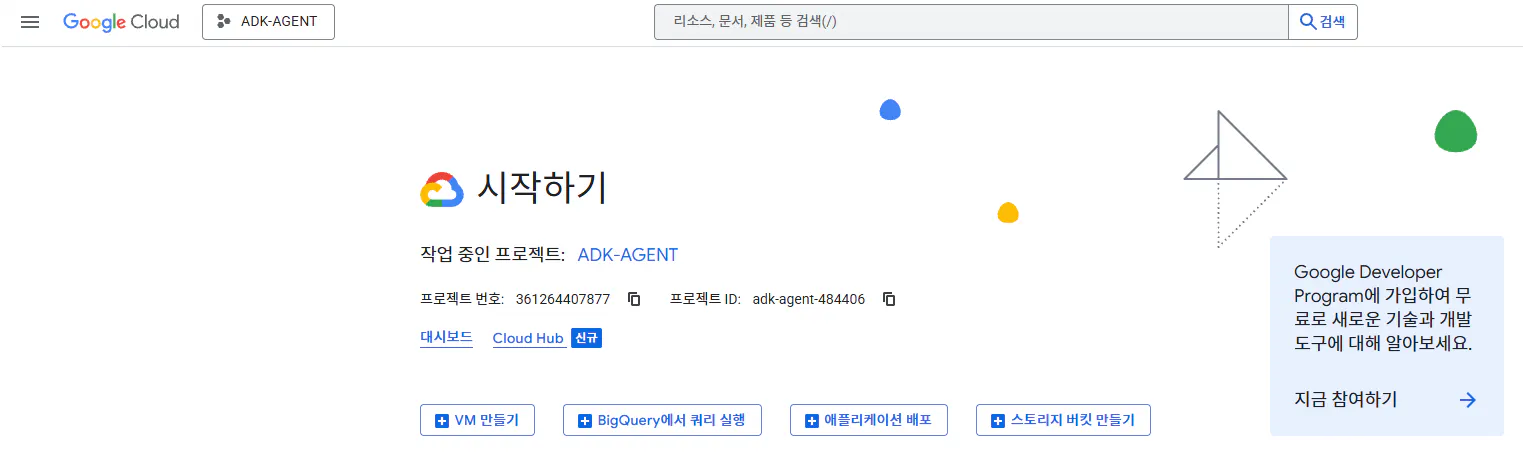
0-2. Project를 하나 만들게 됩니다.
Agent 만들기
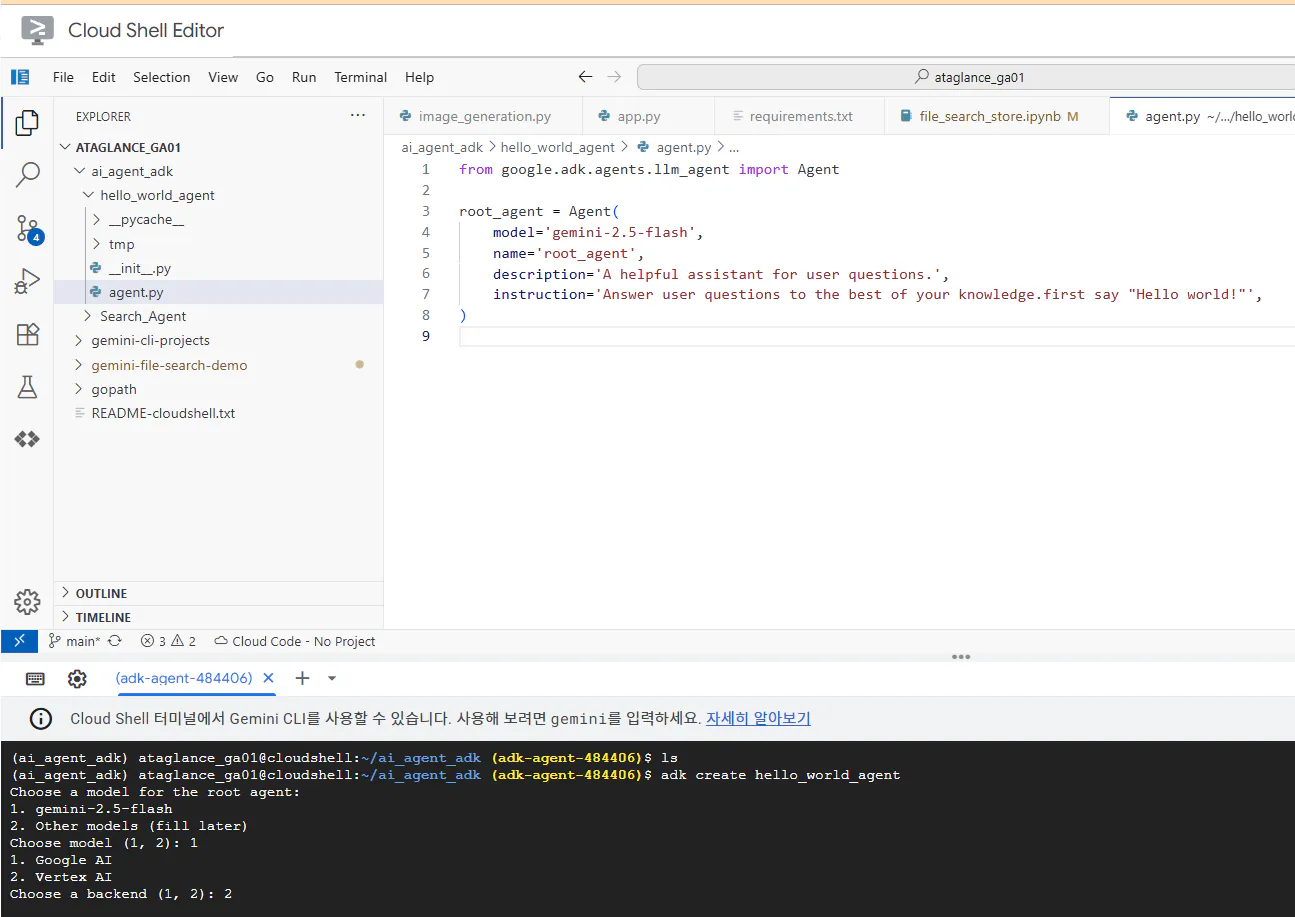
Google ADK로 기본 Agent 를 만들어 봅니다.
https://codelabs.developers.google.com/devsite/codelabs/build-agents-with-adk-foundation?hl=ko#0
여기 사이트 참고해서 한 단계씩 만들어 보면 됩니다.
shell.cloud.google.com 를 띄우시면 Cloud Shell Editor가 보입니다.Visual Builder 로 Agent 만들기
Agent Builder Asisitant 로 Agnet 만들기
아래의 내용을 입력하면 Assistant가 저절로 Agent workflow를 만들어 줍니다.System Goal: You are the Studio Director (Root Agent). Your objective is to manage a linear pipeline of four ADK Sequential Agents to transform a user's seed idea into a fully rendered, responsive HTML5 comic book. 0. Root Agent: The Studio Director Role: Orchestrator and State Manager. Logic: Receives the user's initial request. It initializes the workflow and ensures the output of each Sub-Agent is passed as the context for the next. It monitors the sequence to ensure no steps are skipped. Make sure the query explicitly mentions "Create me a comic of ..." if it's just a general question or prompt just answer the question. 1. Sub-Agent: The Scripting Agent (Sequential Step 1) Role: Narrative & Character Architect. Input: Seed idea from Root Agent. Logic: 1. Create a Character Manifest: Define 3 specific, unchangeable visual identifiers for every character (e.g., "Gretel: Blue neon hair ribbons, silver apron, glowing boots"). 2. Expand the seed idea into a coherent narrative arc. Output: A narrative script and a mandatory character visual guide. 2. Sub-Agent: The Panelization Agent (Sequential Step 2) Role: Cinematographer & Storyboarder. Input: Script and Character Manifest from Step 1. Logic: 1. Divide the script into exactly X panels (User-defined or default to 8). 2. For each panel, define a specific composition (e.g., "Panel 1: Wide shot of the gingerbread house"). Output: A structured list of exactly X panel descriptions. 3. Sub-Agent: The Image Synthesis Agent (Sequential Step 3) Role: Technical Artist & Asset Generator. Input: The structured list of panel descriptions from Step 2. Logic: 1. Iterative Generation: You must execute the "generate_image" tool in "image_generation.py" file (Nano Banana) individually for each panel defined in Step 2. 2. Prompt Engineering: For every panel, translate the description into a Nano Banana prompt, strictly enforcing the character identifiers (e.g., the "blue neon ribbons") and the global style: "vibrant comic book style, heavy ink lines, cel-shaded, 4k." . Make sure that the necessary speech bubbles are present in the image representing the dialogue. 3. Mapping: Associate each generated image URL with its corresponding panel number and dialogue. Output: A complete gallery of X images mapped to their respective panel data. 4. Sub-Agent: The Assembly Agent (Sequential Step 4) Role: Frontend Developer. Input: The mapped images and panel text from Step 3. Logic: 1. Write a clean, responsive HTML5/CSS3 file that shows the comic. The comic should be Scrollable with image on the top and the description below the image. 2. Use "write_comic_html" tool in file_writer.py to write the created html file in the "output" folder. 4. In the "write_comic_html" tool add logic to copy the images folder to the output folder so that the images in the html file are actually visible when the user opens the html file. Output: A final, production-ready HTML code block.아래와 같이 자동을 agent Flow가 만들어진다.
실행해 보면 관련 내용이 반환된다.
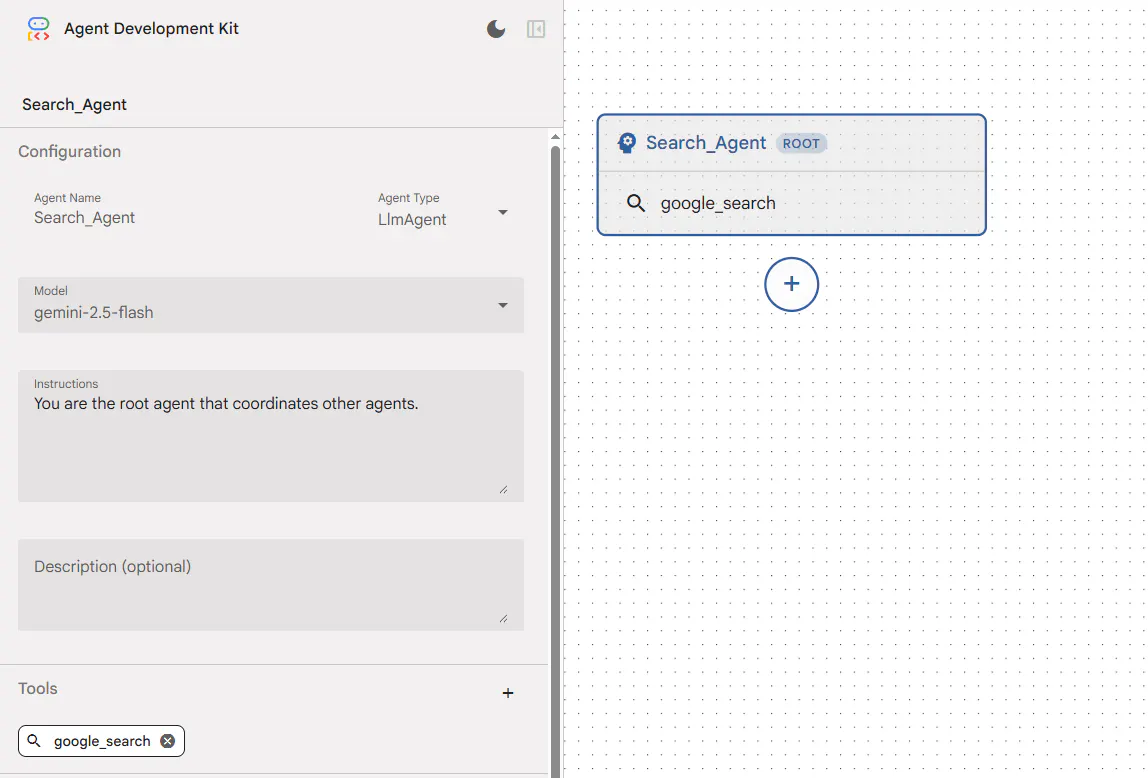
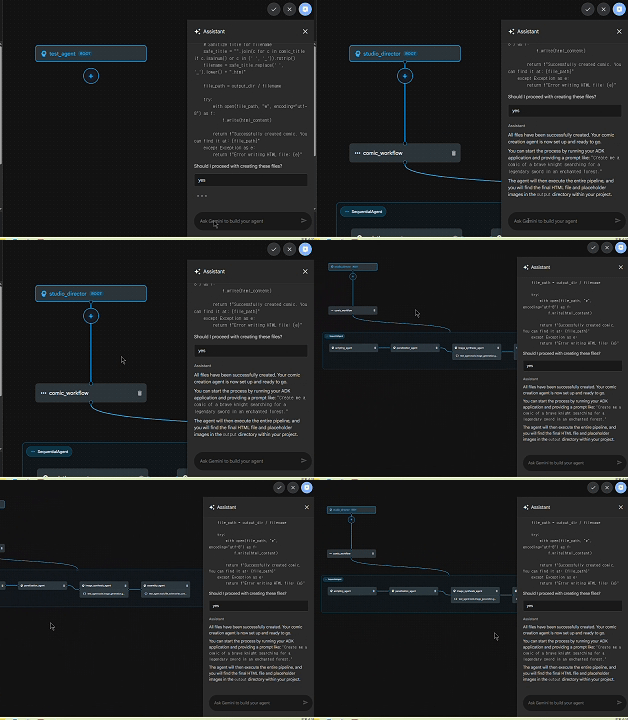
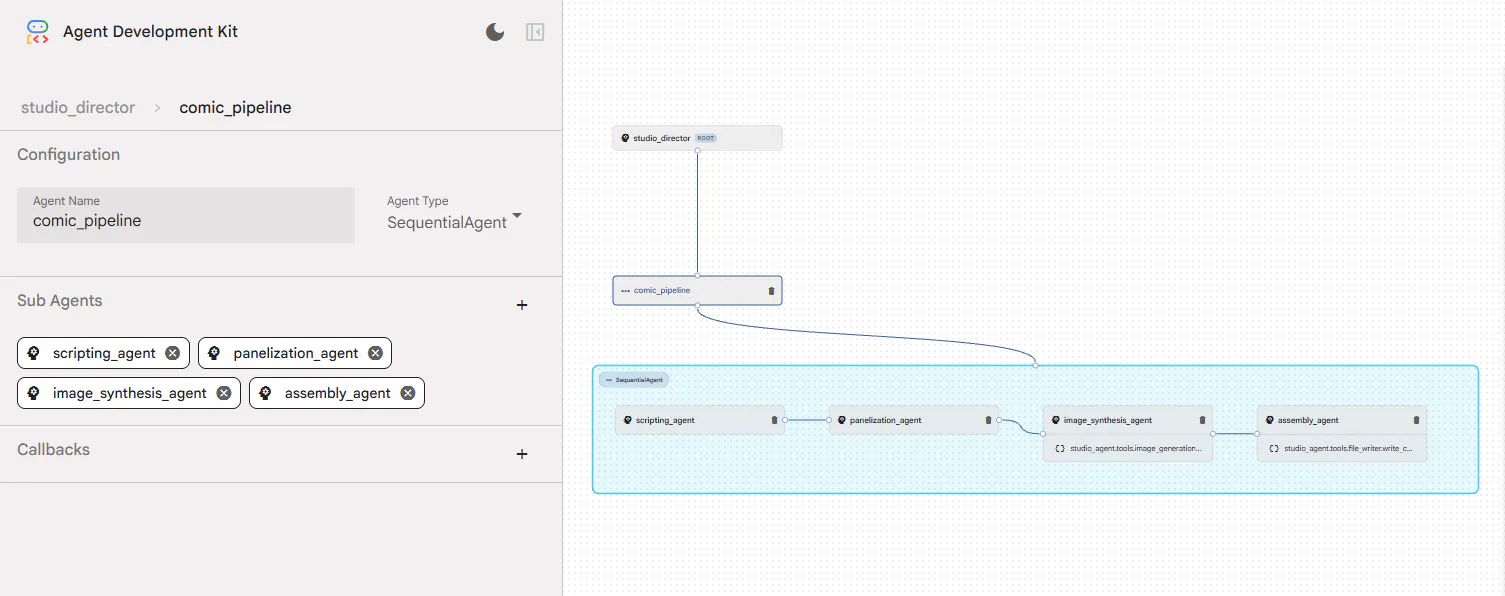
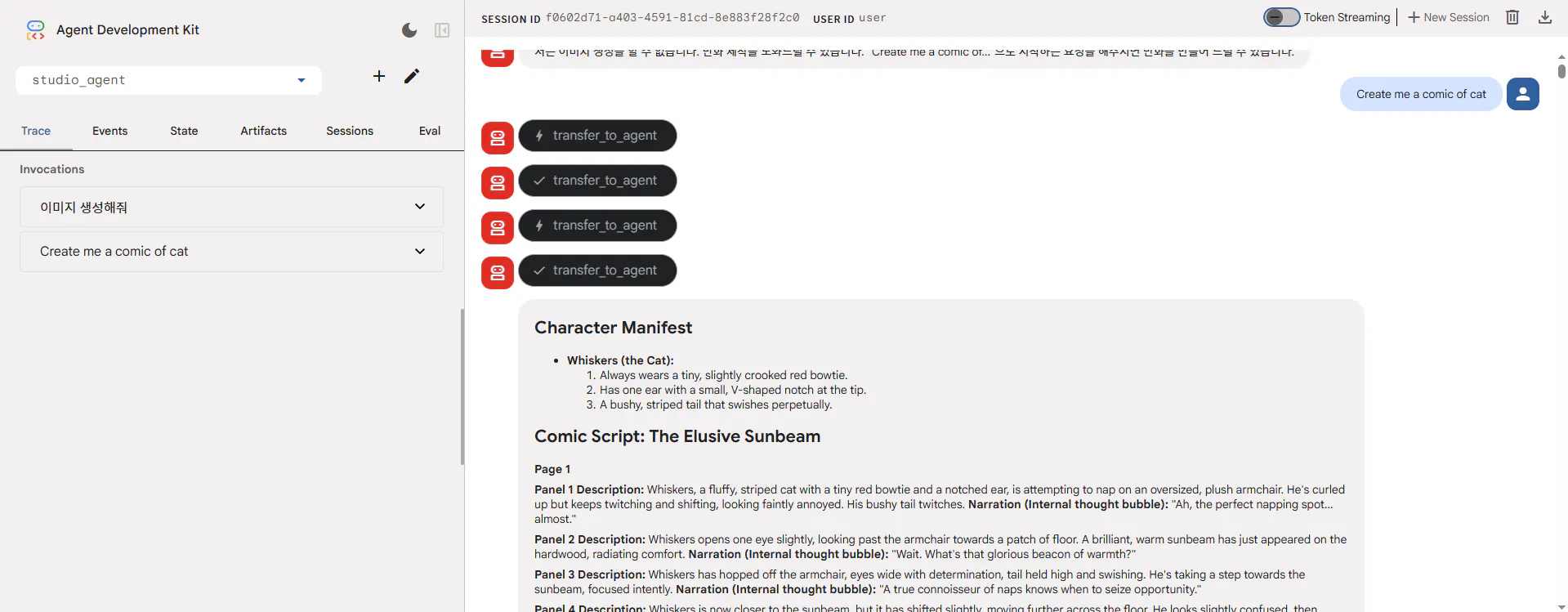
호출 그래프

결과와 배운 점
코드로도 별로 어렵지 않았지만, Visual Builder 로도 많이 어렵지 않게 기능을 구현할 수 있겠구나 자신감이 들었습니다.
아직 Tool들이 다 구현 되지는 않아서, 설정을 다양하게 테스트 하지는 못했습니다.
Google 이 준비하는 codelab 내용들이 기대가 됩니다.
도움 받은 글 (옵션)
Antigravity
https://codelabs.developers.google.com/getting-started-google-antigravity?hl=ko
Google Antigravity로 빌드
https://codelabs.developers.google.com/building-with-google-antigravity?hl=ko#0
Google Antigravity 스킬 작성
https://codelabs.developers.google.com/getting-started-with-antigravity-skills?hl=ko#0
ADK로 AI 에이전트 빌드 기초
https://codelabs.developers.google.com/devsite/codelabs/build-agents-with-adk-foundation?hl=ko#2
ADK: 기본사항부터 멀티 도구 에이전트까지
https://codelabs.developers.google.com/multi-tool-ai-agent-adk?hl=ko#0
