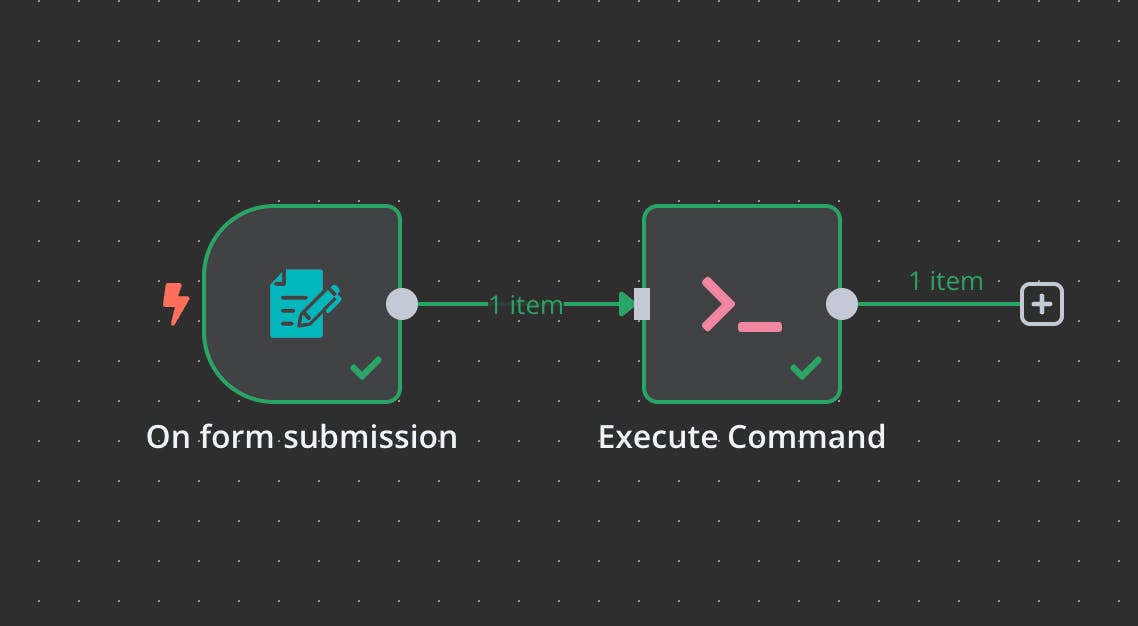
[1DAY N8N] N8N Calendar Agent로 가장 쉽게 시작하기 #5일차

박정기
2025.03.03

이번 15기 AI 스터디에 앞서, 1DAY N8N,
즉 하루에 1개의 N8N 컬럼을 작성하고자 합니다.
지피터스 15기 문과생도 n8n 스터디 신청링크
Gemini를 활용한 간단 Agent 만들기
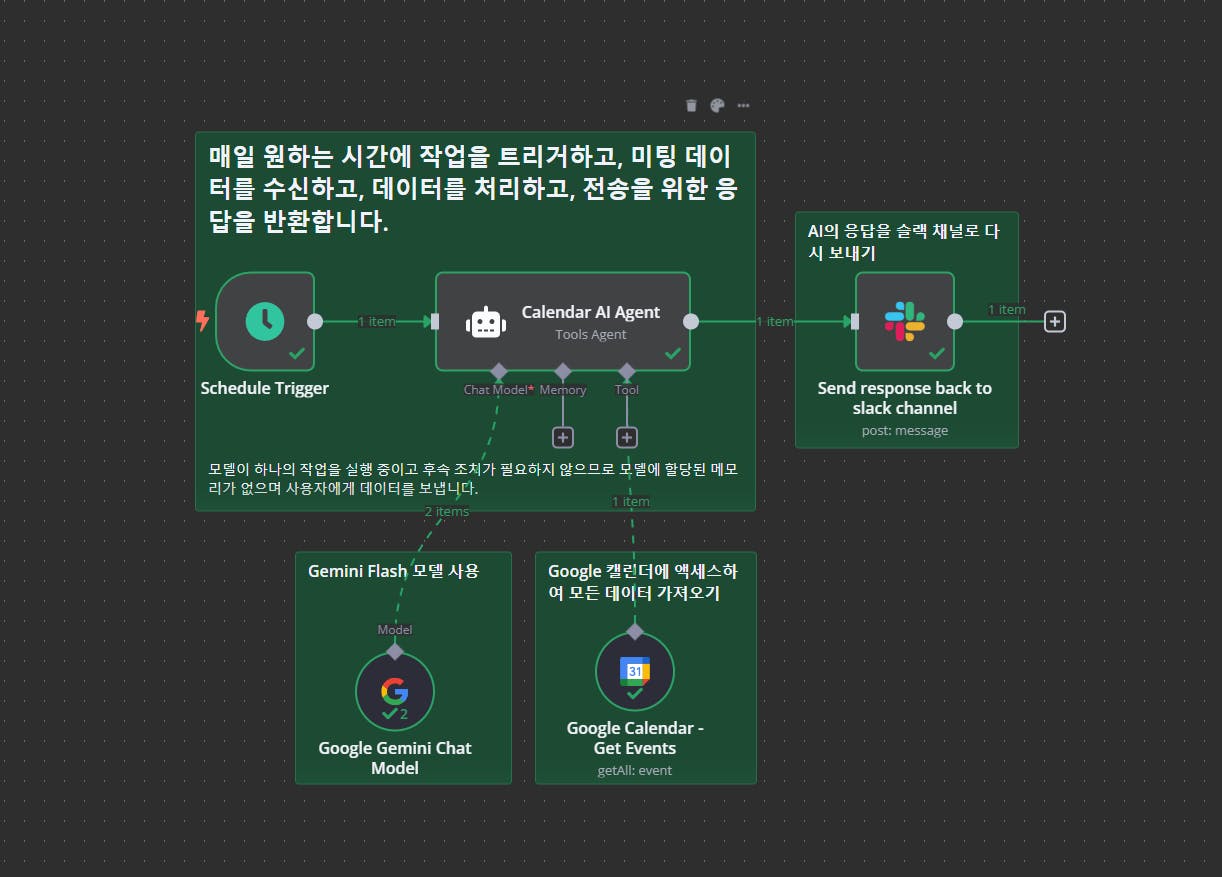
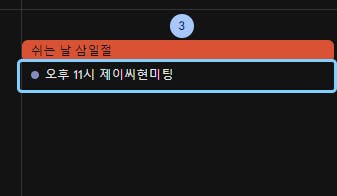
3/3일 오늘 오후 11시에 "제이씨현미팅" 이라는 일정을 구글 켈린더에 만들어 뒀습니다.
캘린더 AI Agent 노드는 다음과 같이 세팅을 했습니다.
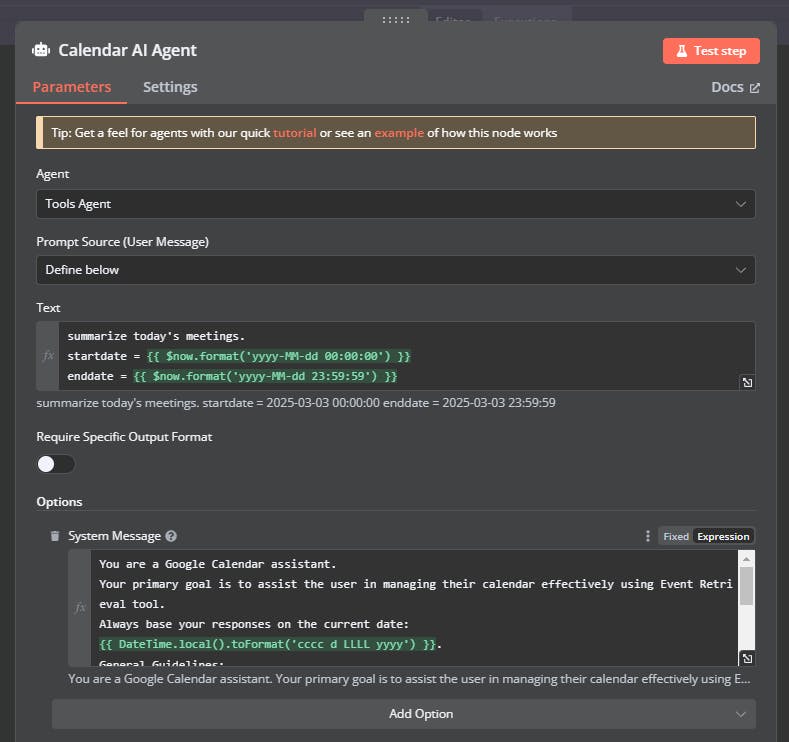
system Message는 (시스템 프롬프트)
You are a Google Calendar assistant.

Your primary goal is to assist the user in managing their calendar effectively using Event Retrieval tool.

Always base your responses on the current date:

{{ DateTime.local().toFormat('cccc d LLLL yyyy') }}.

General Guidelines:

Always mention all meetings attendees

Tool: Event Retrieval

Format the date range:

start_date: Start date and time in YYYY-MM-DD HH:mm:ss.

end_date: End date and time in YYYY-MM-DD HH:mm:ss.
여기있는 {{ }} 안에 있는 값들은 json expression으로 변수로 넣을 수 있는 값을 의미합니다.
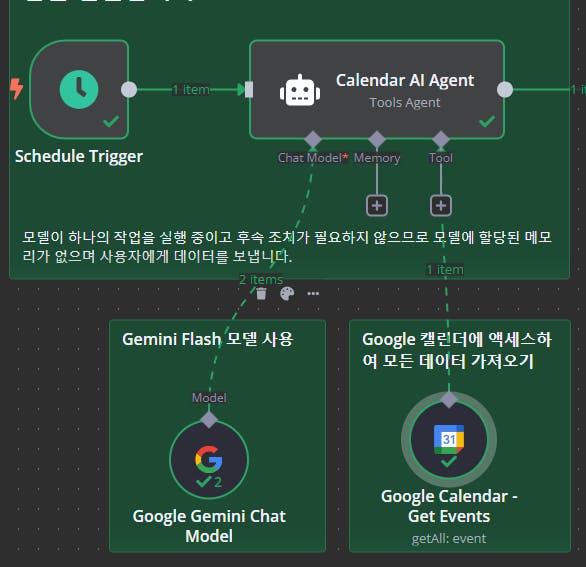
Calendar AI Agent에서 Chat Model은 Google Gemini Chat Model을,
Tool 에서는 Google Calendar Get Event 노들을 통해서
금일 캘린더에 있는 미팅들을 모두 가져올 수 있게 합니다.
위 Agent는 메모리 기능은 필요 없으니 추가하지 않았습니다.
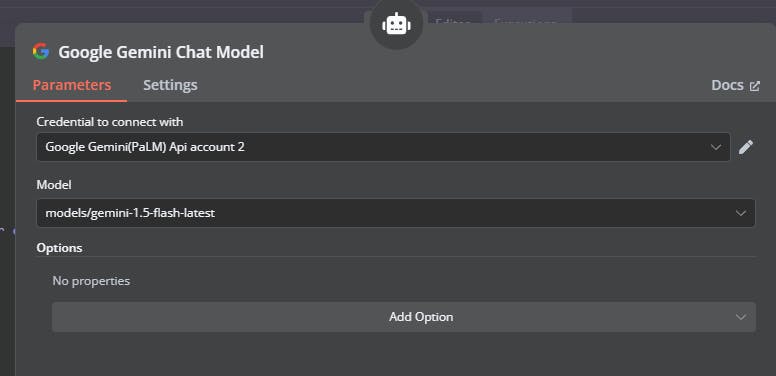
제미나이 모델에서는 제미나이 1.5flash 모델만 선택하고 다른 옵션을 만지지는 않았습니다.
오늘은 여기까지 하고, 다음에는 구글 캘린더 노드와 slack 노드까지 살펴보도록 하겠습니다.
그러면 N바!
1일차를 보고 싶으신 분들은 -> https://www.gpters.org/nocode/post/day-1-who-want-BcjXsCdW3KRQxp0/edit

필요한 AI 정보만
메일함에 쏙쏙 넣어드려요.
지금 핫한 AI 소식부터 직접 해 본 사례까지, 월요일마다 무료로 받아보세요