Firebase에서 가입 축하 이메일 자동으로 보내기
2024.02.20
Firebase에서 간단한 서버 기능을 사용해보기 위해 자동으로 가입 축하 이메일을 보내보기로 했습니다.
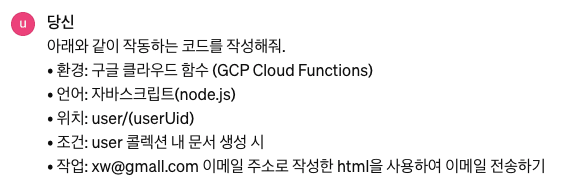
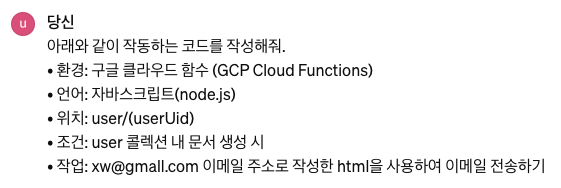
아래와 같이 ChatGPT에 원하는 요구사항을 적어줍니다.
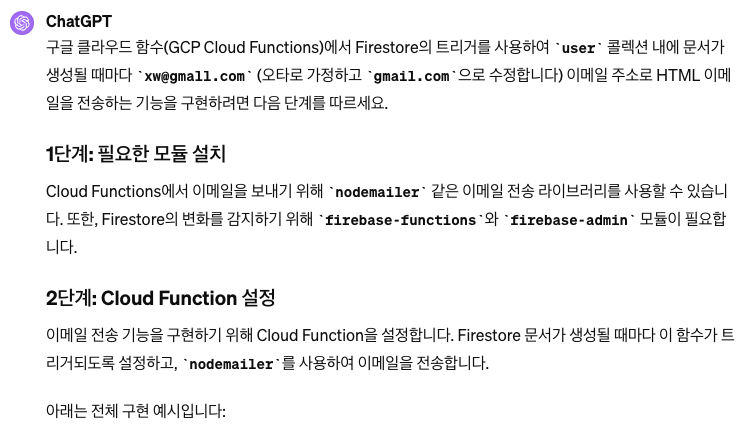
const functions = require('firebase-functions');
const admin = require('firebase-admin');
admin.initializeApp();

const nodemailer = require('nodemailer');

// nodemailer를 사용해 이메일을 전송하기 위한 설정
const transporter = nodemailer.createTransport({
  service: 'gmail', // 이메일 서비스 제공자
  auth: {
    user: '[email protected]', // 여러분의 gmail 주소
    pass: 'your-password' // 여러분의 gmail 비밀번호 또는 앱 비밀번호
  }
});

exports.sendEmailOnUserCreation = functions.firestore
  .document('user/{userId}')
  .onCreate((snap) => {
    const newUser = snap.data();

    const mailOptions = {
      from: '[email protected]', // 보내는 사람 주소
      to: '[email protected]', // 받는 사람 주소
      subject: '새로운 사용자 등록 알림', // 메일 제목
      html: `<p><strong>이름:</strong> ${newUser.name}</p>
             <p><strong>이메일:</strong> ${newUser.email}</p>
             <p>환영합니다!</p>` // 메일 본문 (HTML 형식)
    };

    return transporter.sendMail(mailOptions, (error, info) => {
      if (error) {
        console.log('Error sending email:', error);
      } else {
        console.log('Email sent:', info.response);
      }
    });
  });
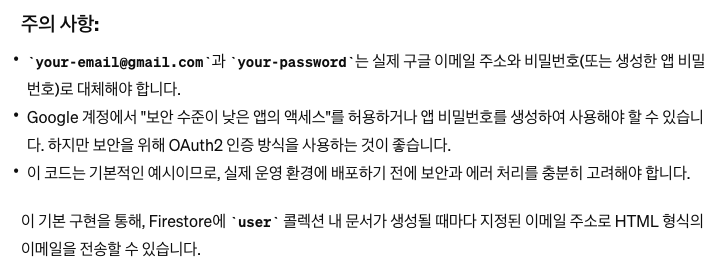
주의 사항이 너무 무서운 나머지, 관리자 계정의 이메일, 비밀번호를 사용하기로 했고, 제대로 동작하는 기능을 위해 firestore에서 유저의 이메일 주소를 받아오기로 했습니다.
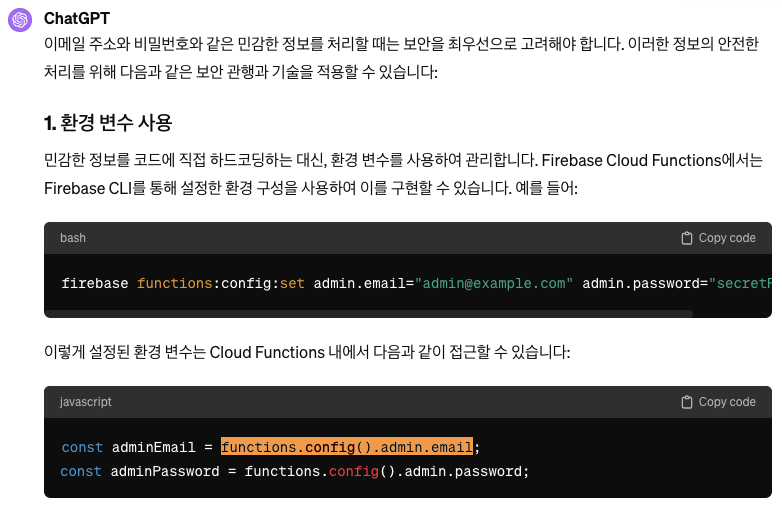
당연히 그냥 비밀번호를 올려버리면 안 되기 때문에, 앱 비밀번호를 만들어줍니다. 이 방법은 검색하면 쉽게 알 수 있습니다.
https://support.google.com/mail/answer/185833?hl=ko
아이디 / 패스워드는 코드에 심는게 아니라 별도 입력해줘야 하는데, firebase function에서는 config를 지원하기 때문에 써주면 됩니다.
% firebase functions:config:set admin.email="[관리자 이메일 주소]" admin.password="[앱 비밀번호]"

% firebase functions:config:get // 입력한 것 확인
{
  "admin": {
    "password": "[앱 비밀번호]",
    "email": "[관리자 이메일 주소]"
  }
}
관리자의 email 주소, 패스워드를 전송하기 위한 transporter는 아래와 같이 바꿔 줍니다.
const functions = require('firebase-functions');
const admin = require('firebase-admin');
const nodemailer = require('nodemailer');
admin.initializeApp();

// Define some parameters
const adminEmail = functions.config().admin.email;
const adminPassword = functions.config().admin.password;

// nodemailer를 사용해 이메일을 전송하기 위한 설정
const transporter = nodemailer.createTransport({
    service: 'gmail', // 이메일 서비스 제공자
    auth: {
        user: adminEmail, // 여러분의 gmail 주소
        pass: adminPassword // 여러분의 gmail 비밀번호 또는 앱 비밀번호
    }
});
유저 이름을 가져오는 코드는 아래와 같이 고쳐줍니다.
exports.sendEmailOnUserCreation = functions.firestore
    .document('user/{userId}')
    .onCreate((snap) => {
        const newUser = snap.data();
        const userName = newUser.name;
        const userEmailAddress = newUser.emailAddress;

        const mailOptions = {
            from: adminEmail, // 보내는 사람 주소
            to: userEmailAddress, // 받는 사람 주소
            subject: '새로운 사용자 등록 알림', // 메일 제목
            html: `<p><strong>이름:</strong> ${userName}</p>
             <p><strong>이메일:</strong> ${userEmailAddress}</p>
             <p>환영합니다!</p>` // 메일 본문 (HTML 형식)
        };

        return transporter.sendMail(mailOptions, (error, info) => {
            if (error) {
                console.log('Error sending email:', error);
            } else {
                console.log('Email sent:', info.response);
            }
        });
    });
nodemailer 패키지가 필요하기 때문에 먼저 터미널에서 설치해줍니다. deploy나 기타 동작을 할 때는 꼭 작업중인 폴더인 functions 경로에서 실행해줍시다!
functions % npm install nodemailer
npm WARN EBADENGINE Unsupported engine {
npm WARN EBADENGINE   package: undefined,
npm WARN EBADENGINE   required: { node: '18' },
npm WARN EBADENGINE   current: { node: 'v20.11.0', npm: '10.2.4' }
npm WARN EBADENGINE }

added 1 package, and audited 641 packages in 753ms

120 packages are looking for funding
  run `npm fund` for details

found 0 vulnerabilities
이걸 deploy 하면 끝이 납니다.
functions % firebase deploy --only functions

=== Deploying to '[프로젝트명]'...

i  deploying functions
Running command: npm --prefix "$RESOURCE_DIR" run lint

> lint
> eslint .

✔  functions: Finished running predeploy script.
i  functions: preparing codebase default for deployment
i  functions: ensuring required API cloudfunctions.googleapis.com is enabled...
i  functions: ensuring required API cloudbuild.googleapis.com is enabled...
i  artifactregistry: ensuring required API artifactregistry.googleapis.com is enabled...
✔  artifactregistry: required API artifactregistry.googleapis.com is enabled
✔  functions: required API cloudbuild.googleapis.com is enabled
✔  functions: required API cloudfunctions.googleapis.com is enabled
i  functions: Loading and analyzing source code for codebase default to determine what to deploy
Serving at port 8953

i  functions: preparing functions directory for uploading...
i  functions: packaged /Users/name/Workspace/tutorial_firebase/functions (81.44 KB) for uploading
✔  functions: functions folder uploaded successfully
i  functions: updating Node.js 18 (1st Gen) function addCreatedAt(us-central1)...
i  functions: updating Node.js 18 (1st Gen) function sendEmailOnUserCreation(us-central1)...
✔  functions[addCreatedAt(us-central1)] Successful update operation.
✔  functions[sendEmailOnUserCreation(us-central1)] Successful update operation.
i  functions: cleaning up build files...
⚠  functions: Unhandled error cleaning up build images. This could result in a small monthly bill if not corrected. You can attempt to delete these images by redeploying or you can delete them manually at https://console.cloud.google.com/gcr/images/[프로젝트명]/us/gcf

✔  Deploy complete!

Project Console: https://console.firebase.google.com/project/[프로젝트명]/overview
이제 이메일 주소가 있다면 자동으로 이메일을 보낼 수 있을겁니다. firestore에서 손수 데이터를 넣어줍니다.(문서추가)
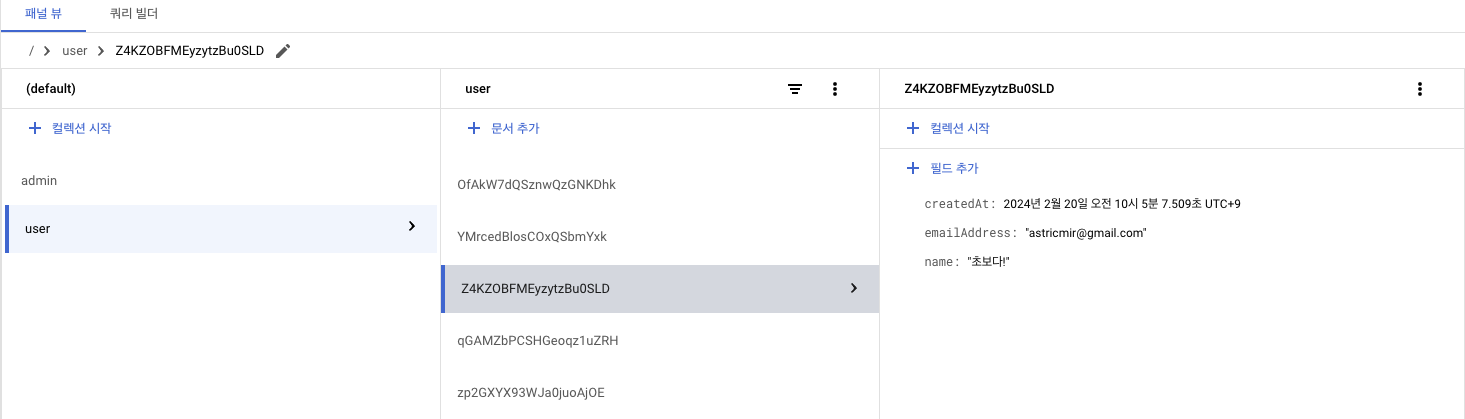
이렇게 메일이 잘 왔습니다!
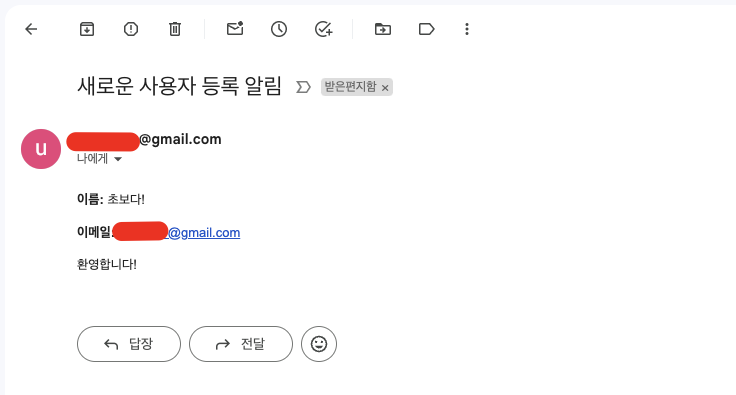
한 번에 쫙 해낸 것 같지만, 사실 구현보다는 에러와 트러블슈팅이 더 많았습니다. 그래도 원래 목적했던 firebase 배우기라는 목적은 잘 당성한 것 같아 기쁩니다. ^^
#9기풀스택
로그인하고 댓글을 남겨 주세요




필요한 AI 정보만
메일함에 쏙쏙 넣어드려요.
지금 핫한 AI 소식부터 직접 해 본 사례까지, 월요일마다 무료로 받아보세요

@윤누리 감사합니다!