


소개
지난 7월에 S 전자 캠페인 3,000개 제작& 운영 하면서 쉬운 기능이 적용된 신규? 서비스로 만들어봐? 라고 생각함.
: 지난 2주동안 간단한 서비스 만들어봄.. (계속 진행 중) + Next Job ....Hosting (Digital Ocean 등)
진행 방법
1. 기능(화면 설계) Figma
2. Claude code, Cursor 등 활용 바이브 코딩
3. 바이브 코딩이 Cli -> Lovable 로 변경
4. Lovable 에서 화면기반 구현 -> github
5. (향후)호스팅 서버 -> 서비스 런칭
Claude code.... Limit 걸리면 다른 CLI cursor, Kiro 등 다양한 툴 활용
다시... lovable.dev, replit 등 사용하면서 개발 중심이 아닌 서비스 구현 (화면) 중심으로 방향 전환
1. Figma 로 주요 기능 화면 설계
- 서비스 중 Popup 의 구현 방향? 화면 여러개 만들어 보기
- 서비스 랜딩 페이지 ? 캠페인 구현은 어떤걸 해 볼까 구현해 보기
링크 보기 : https://www.figma.com/design/I2W5vxd8dnWZ9s8qwLX36e/Popups-Figma-Templates-%7C-BRIX-Templates--Community-?node-id=1-5&t=iqMGEgEHECbuDcdP-1
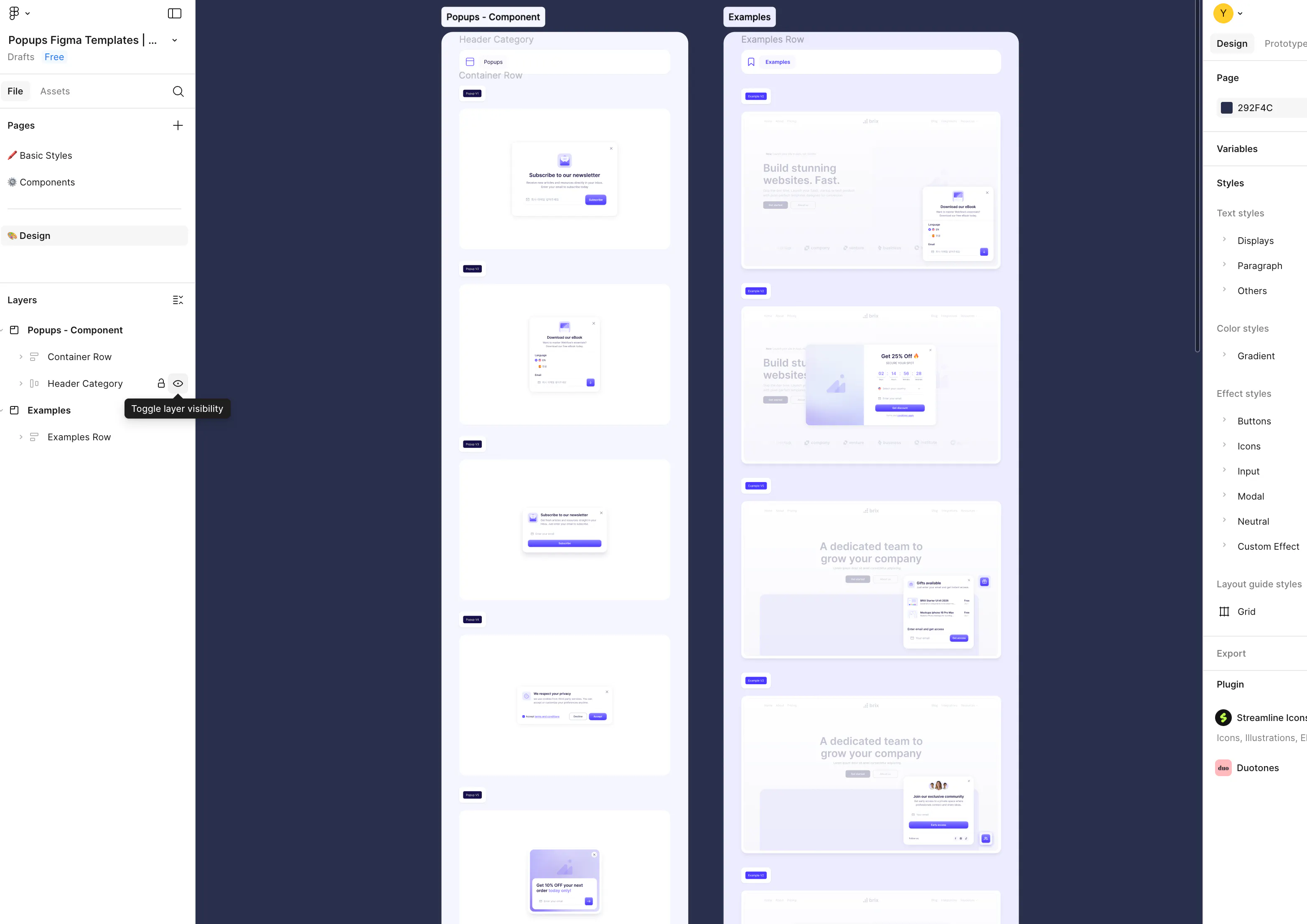
다양한 요소가 포함된 웹페이지의 스크린샷
2. Cursor, Claude code, Kiro 등 써보면서 개발해 보는 내용입니다
아래 화면은 Cursor -> Claude code
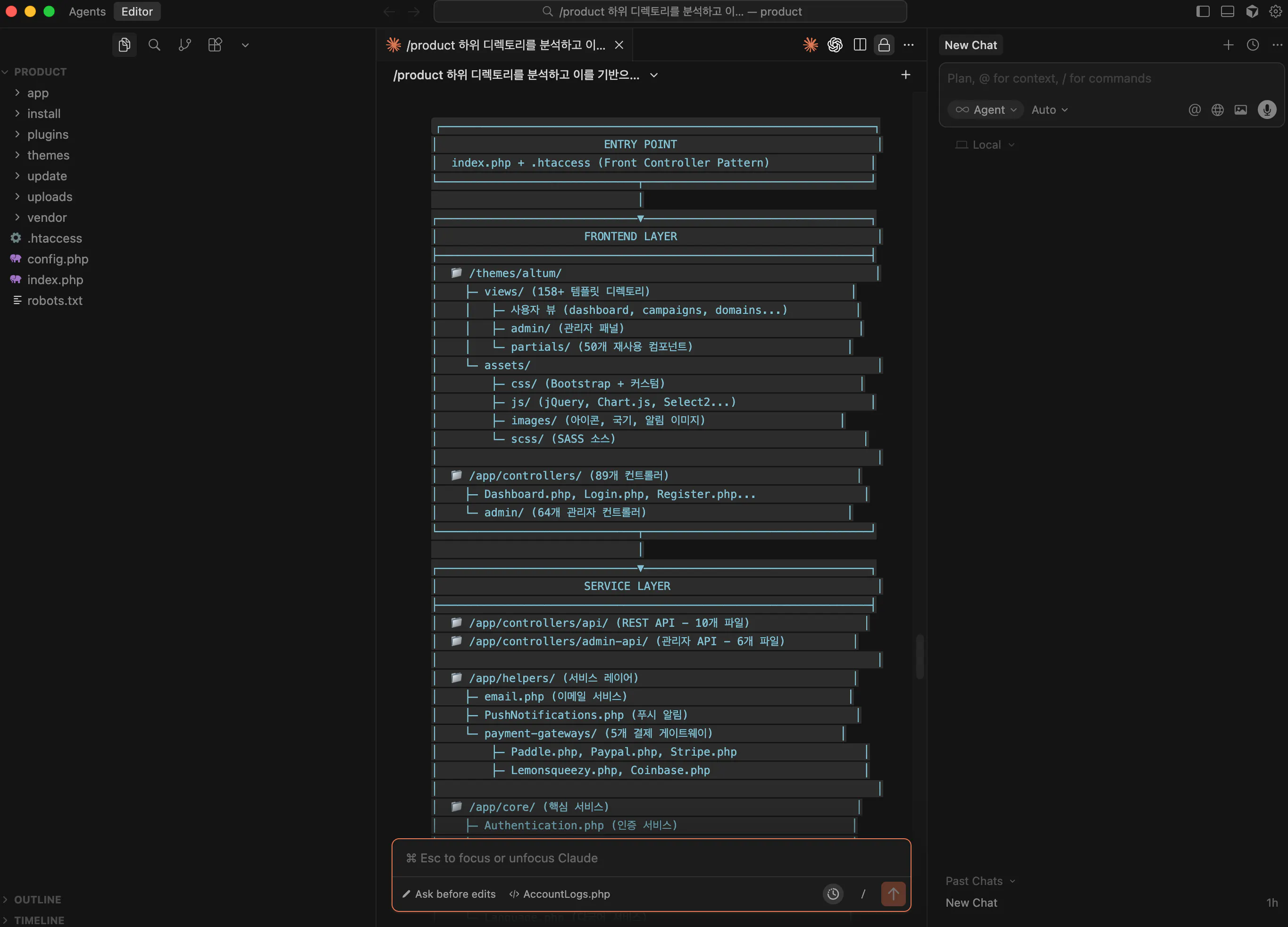
위 개발 폴더 설명을 드리지면 Product 하위 폴더가 실제 서비스가 구현되는 ...폴더이고
- App 코어 로직
- themes 주요 화면
- plugins 부가기능
- install/update 설치 업데이트
- uploads/vendor 는 서비스 구현시 사용되는 외부 동적 resource
개발은 AI 가 했는데 폴더 구조?가 궁금해서 chatgpt 한테 폴더 구조 설명해 달라고 함 ㅡ,ㅡ
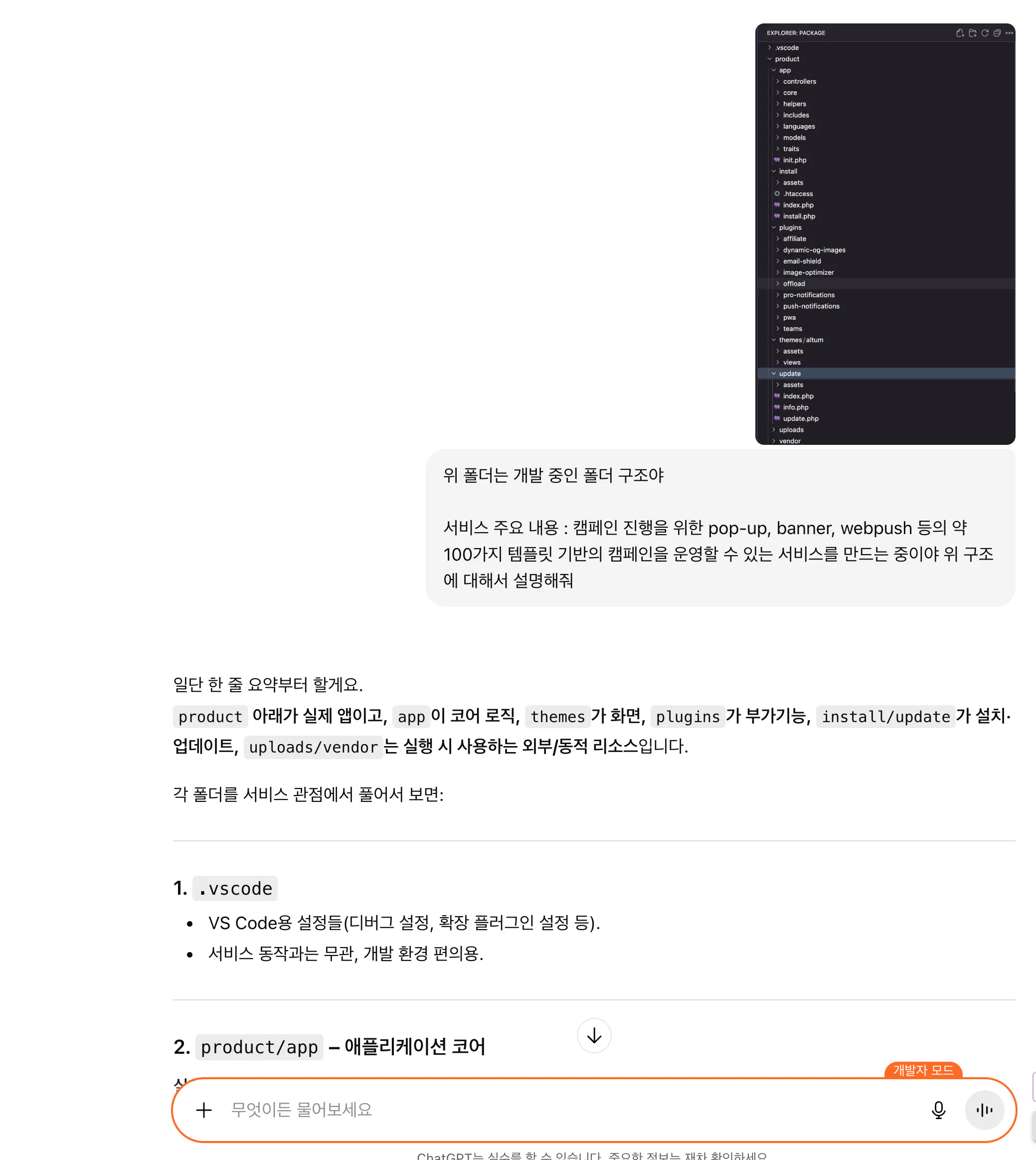
한국사이트 스크린샷
프롬프트 포함 질문 결과 내용 링크
https://chatgpt.com/share/691b0059-bbb4-8003-a80c-b7adea12fc62
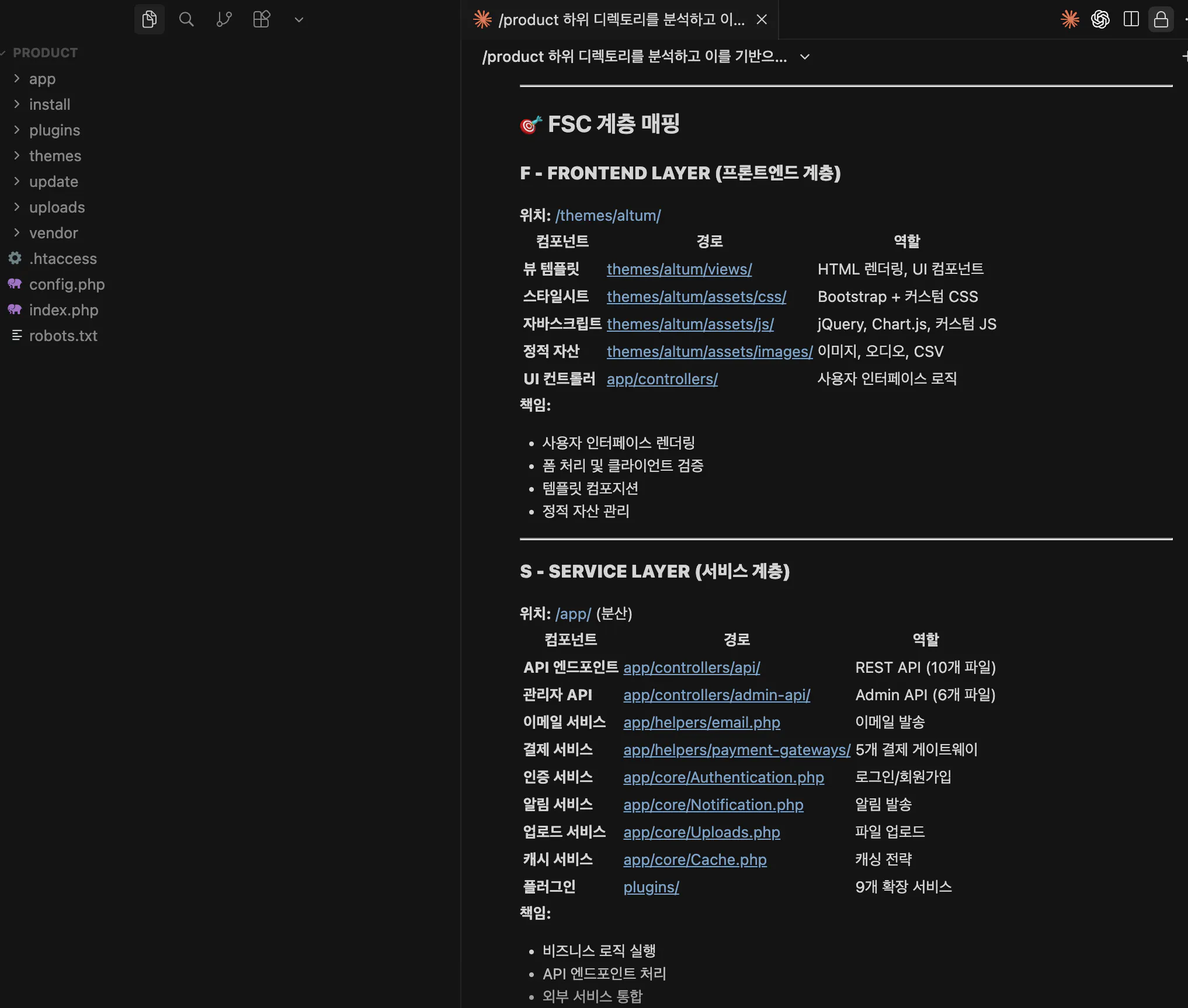
Claude code 내에서 폴더 구조 - 아키텍처를 요약 (각 폴더를 분석하고 아키텍처 구조로 설명해 달라고 함)
1) 전체 개요
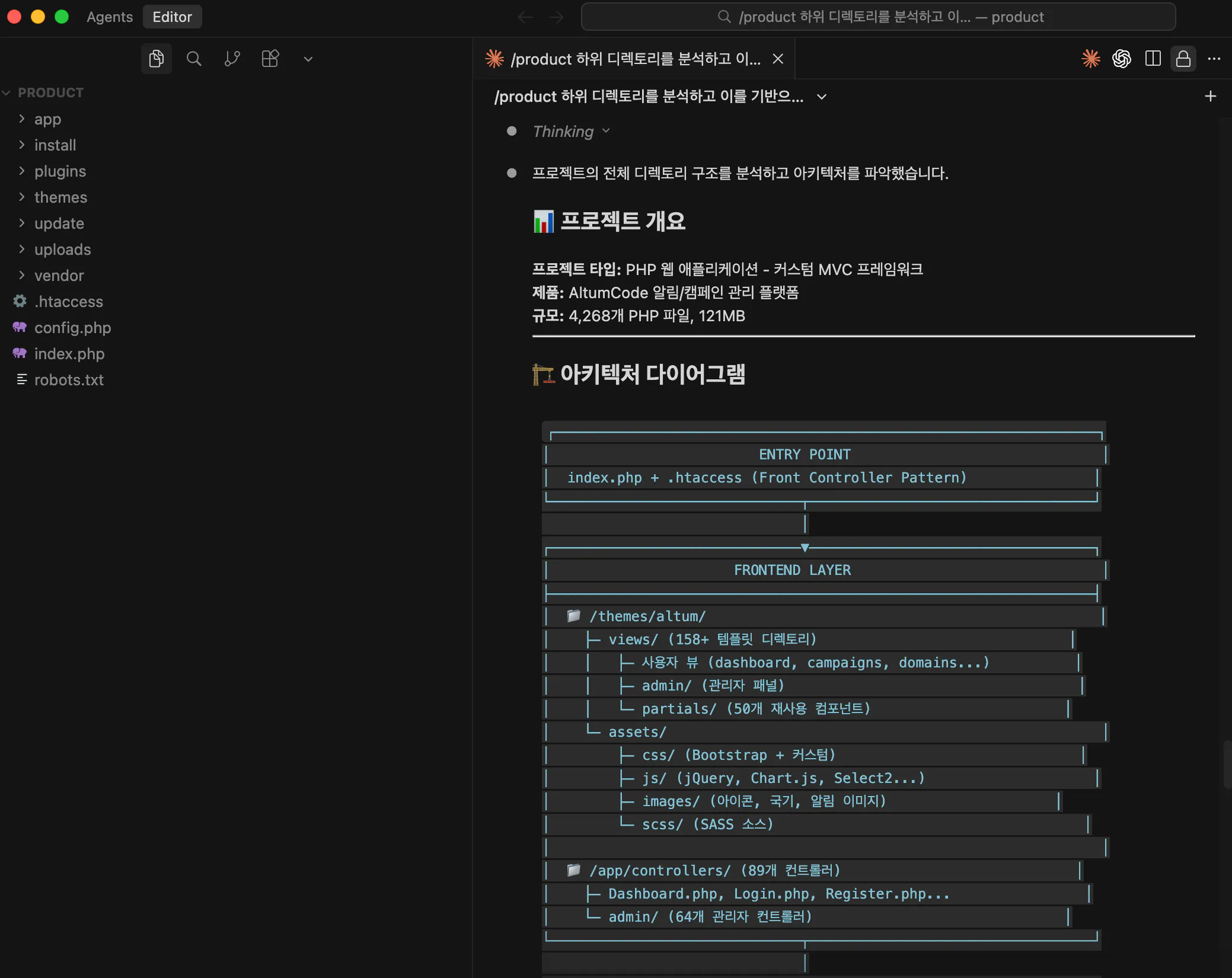
2) Service layer
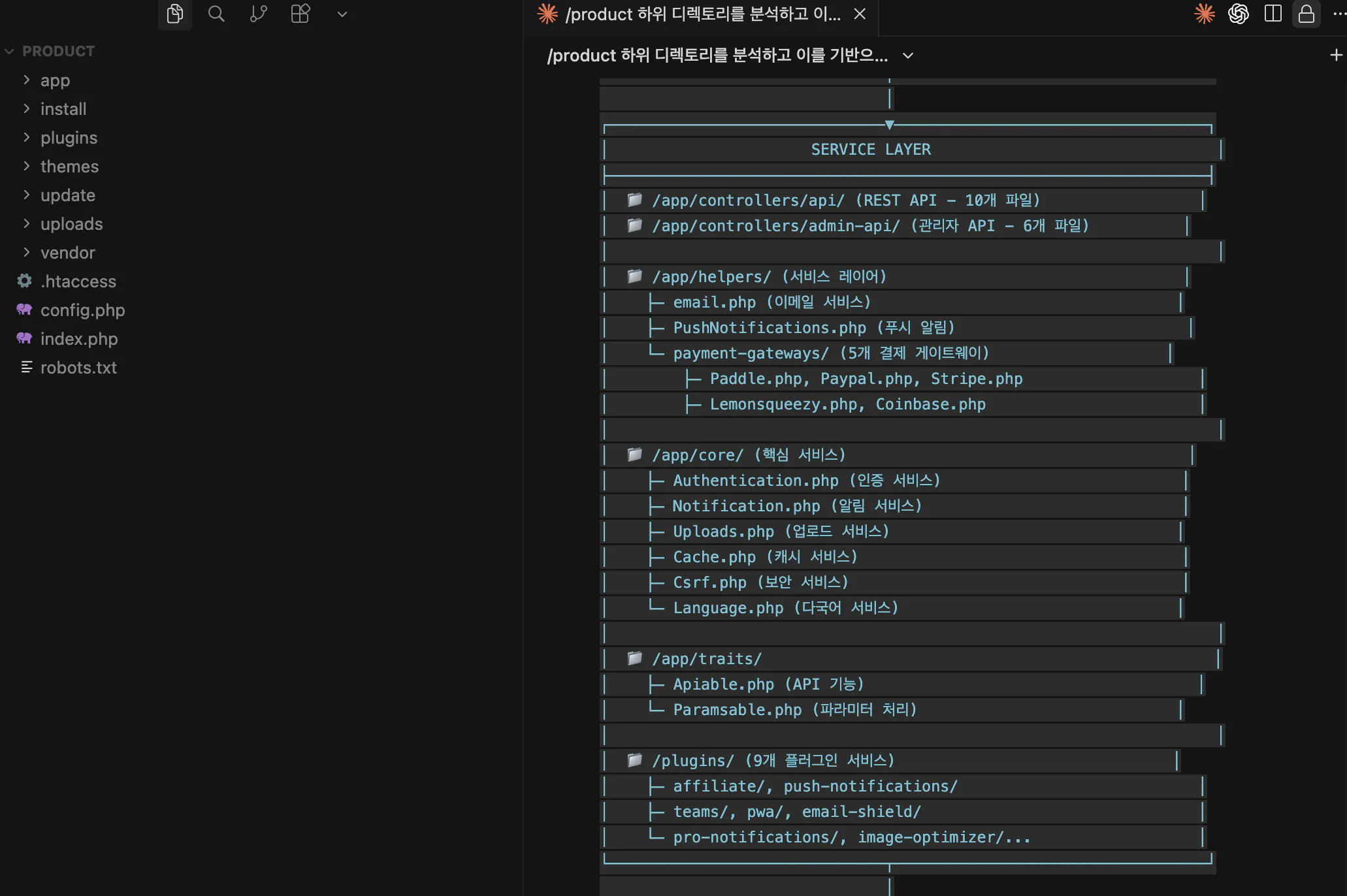
항목 목록을 보여주는 화면의 스크린샷
3) Core layer
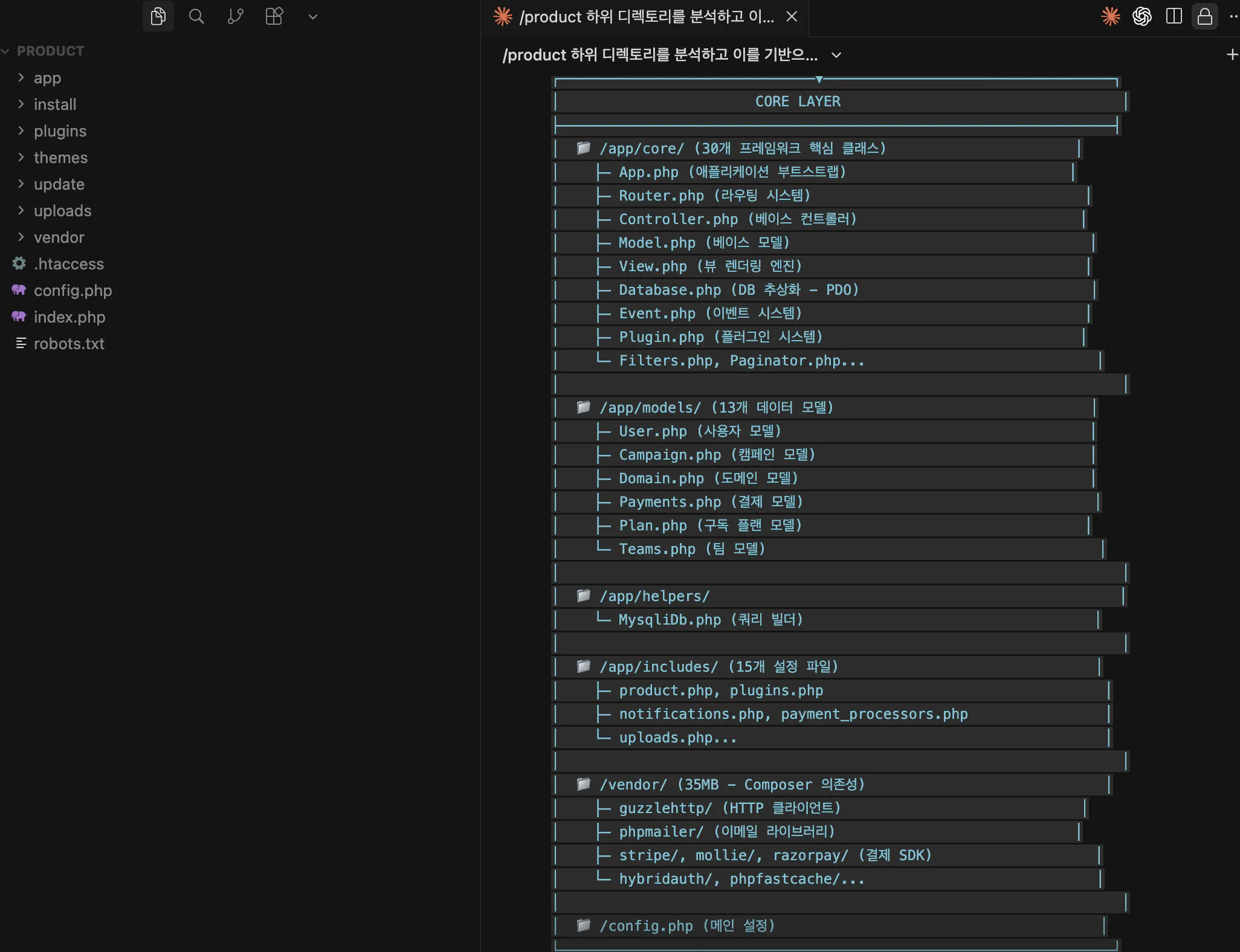
컴퓨터에 있는 파일 목록의 스크린샷
4)FSC view
5) Domin 구매 : godaddy.com
list 중 thcampaign.com <- 활용 예정
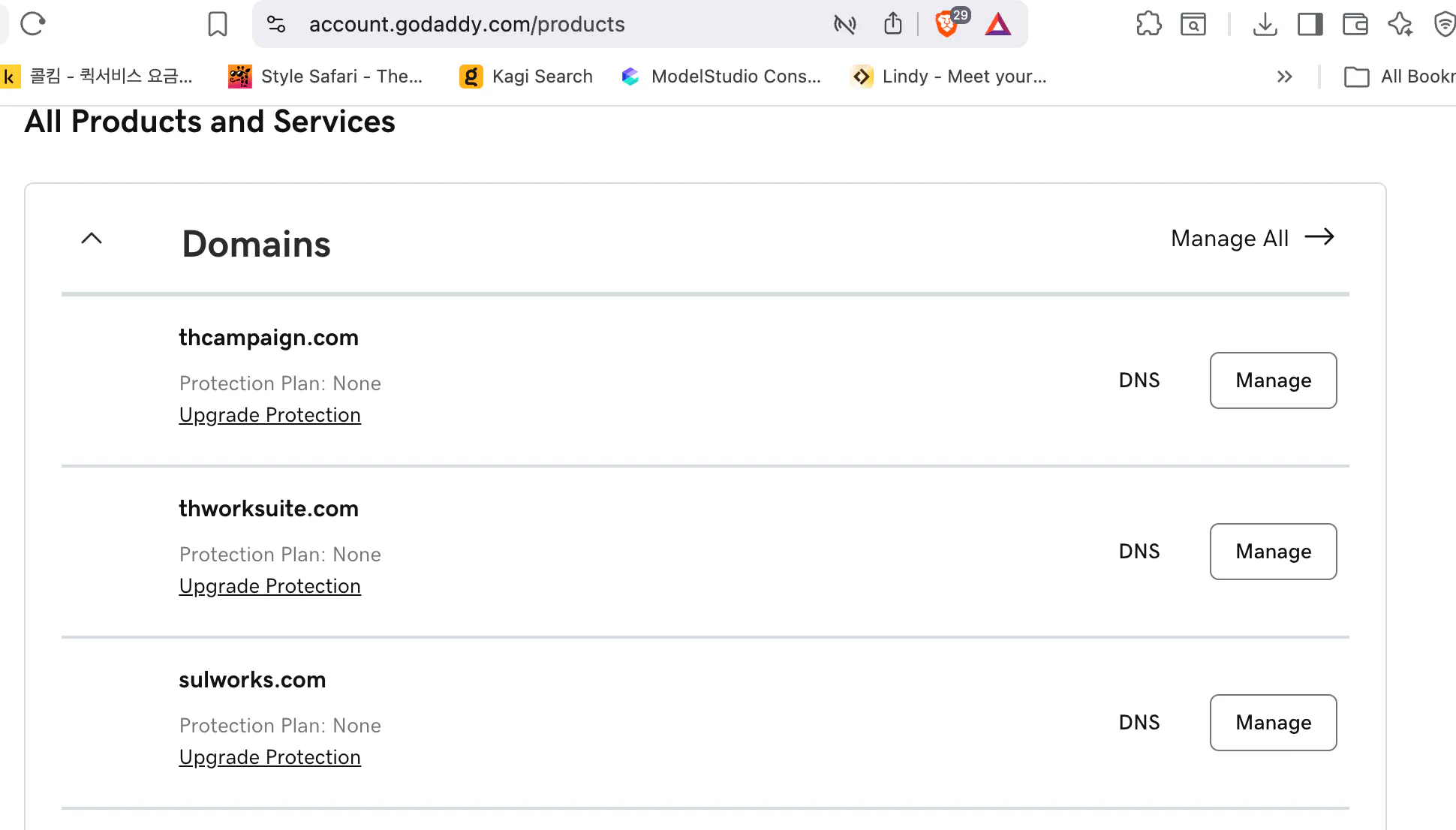
제품 및 서비스 페이지의 스크린샷
Cursor, Claude 코드 기반으로 구현해 보니 뭔가? 답답해서 다른 바이브 코딩 툴도 활용해 봄...
3. Lovavle.dev 로 간략 서비스 구현을 시켜봤어요 :
Prompt
Campaign Automation Overview Bzenage provides a robust platform for automating marketing campaigns across push notifications, email, SMS, and in-app messaging, enabling businesses to orchestrate messaging across multiple channels from a unified interface.
Key Features of Campaign Automation:
- Visual Workflow Automation (Journeys):
Bzengage's Journeys builder allows marketers to automate complex, multi-step campaigns using a visual workflow. This tool connects with customers across various channels and responds to user behaviors in real time, reducing manual effort and increasing campaign efficiency.
Journeys can consolidate multiple individual campaigns into a single, automated workflow, improving engagement and retention rates.
Segmentation and Targeting:
Users can segment their audience based on attributes such as activity, location, and interests, allowing for hyper-personalized and timely messaging.
Segmentation enables marketers to deliver relevant content at the right moment in the customer journey, increasing engagement and conversion rates.
Cross-Channel Orchestration:
Bzengage supports orchestrating campaigns across push, email, SMS, and in-app messaging, ensuring consistent and personalized communication tailored to user preferences. Integration with Automation Platforms (e.g., ActiveCampaign): Bzengage integrates with platforms like ActiveCampaign, allowing users to trigger push notifications as part of broader automation workflows. Automations can be configured to send notifications based on user behavior, tags, or other triggers, and can leverage templates or custom messages for personalization. The integration supports both web and mobile push notifications, and allows for advanced segmentation using user tags and data filters.
Reporting and Optimization: Campaign performance and engagement metrics can be tracked within OneSignal, providing insights for ongoing optimization.
Example Use Cases: Automated abandoned cart reminders, promotional offers, and back-in-stock alerts. Re-engagement campaigns for inactive users to reduce churn. Real-time responses to user actions, such as purchases or app activity.
프롬프트 입력
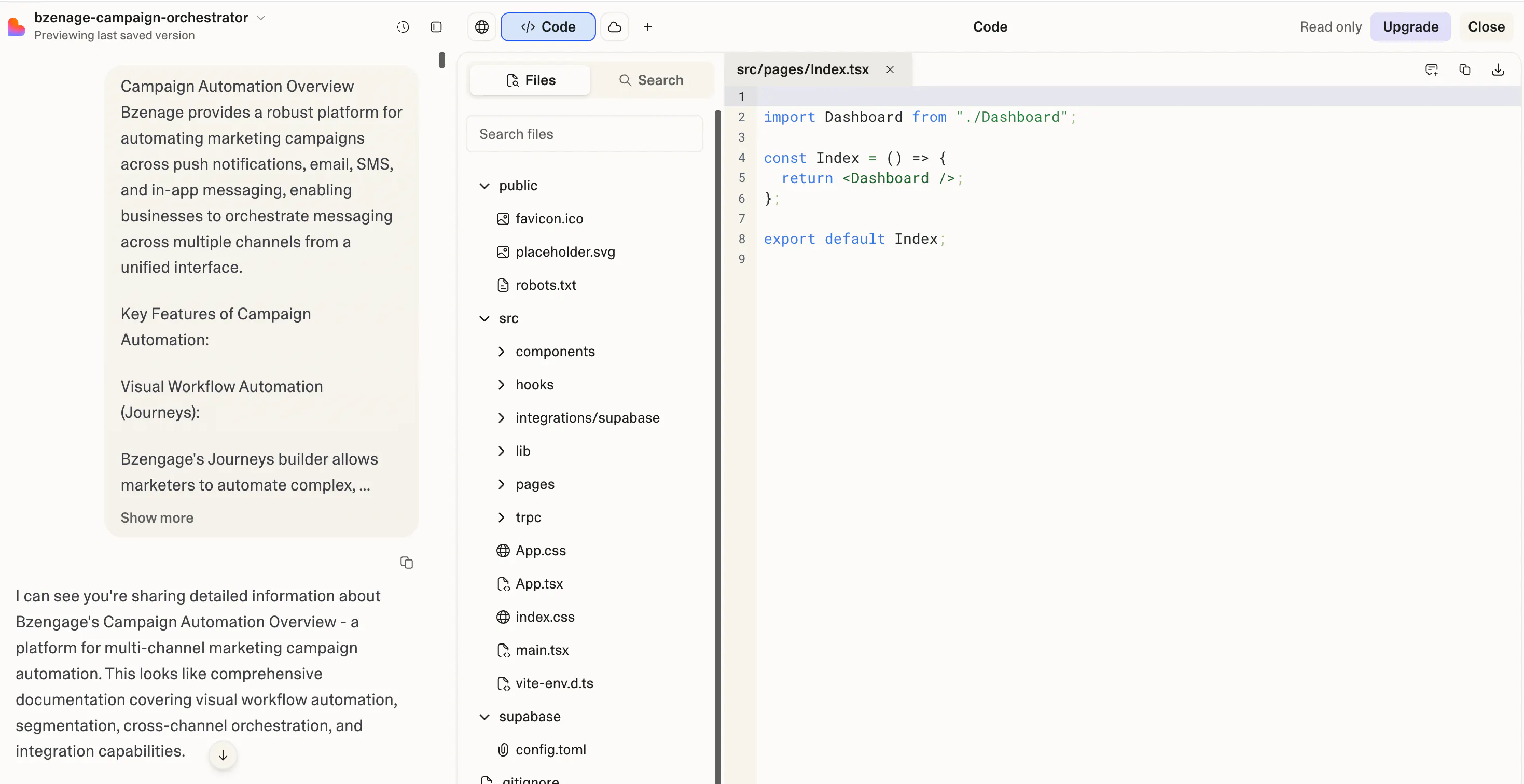
웹 브라우저의 코드 편집기 스크린샷
lovable 로 대충 기능(내가 원하는 기능이 반영된 화면...) 만들어 보기
- (처음 페이지) 캠페인 만들기
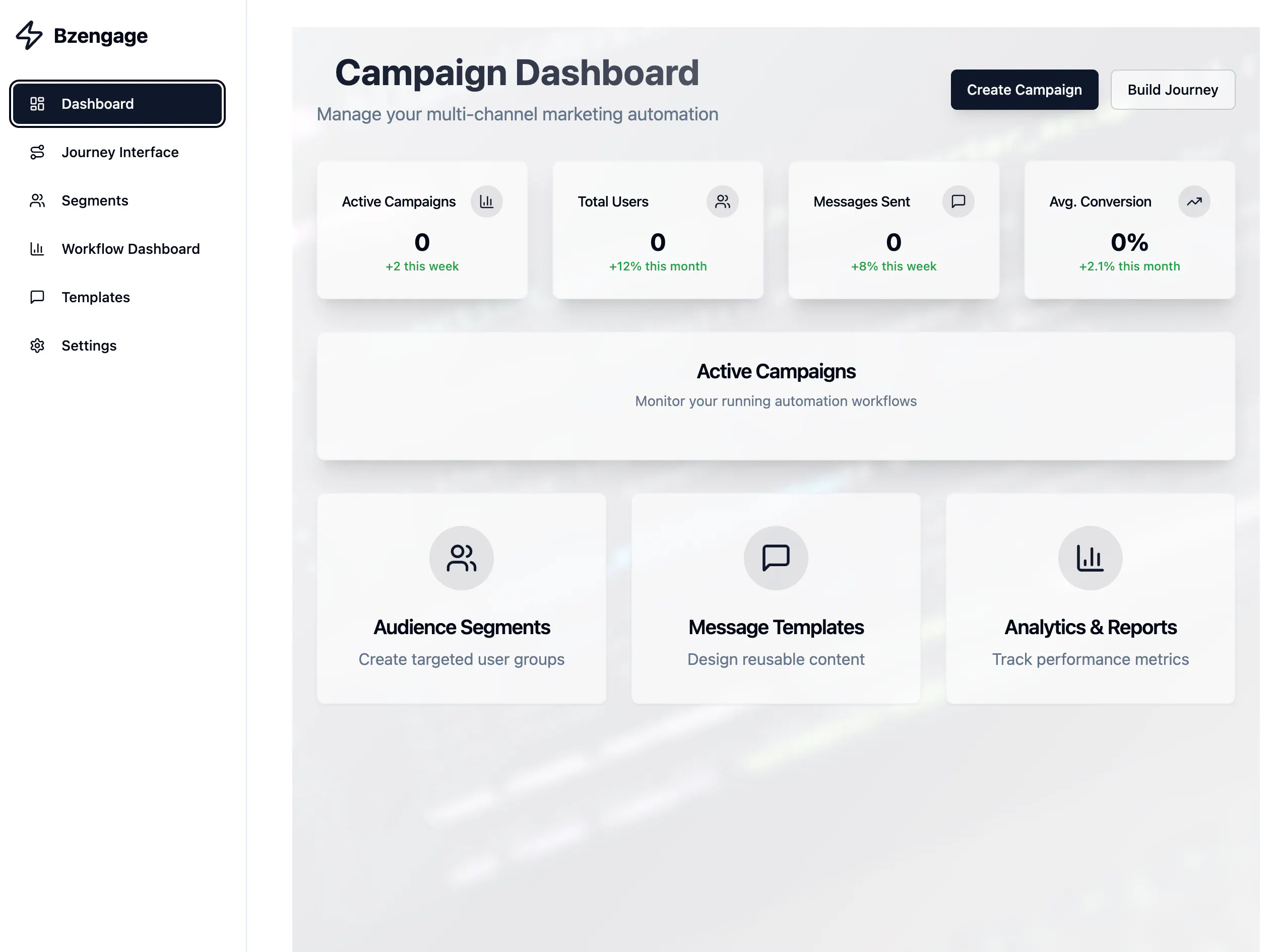
캠페인 대시보드가 화면에 표시됩니다.
캠페인 생성하기
Trigger 조건 : 로그인 유저, 장바구니 담기, 배너 링크 클릭하기, 30일간 구매 x
Channel : web push, sms, In-app
위 조건이 대략적으로 구현됨을 확인
Segment
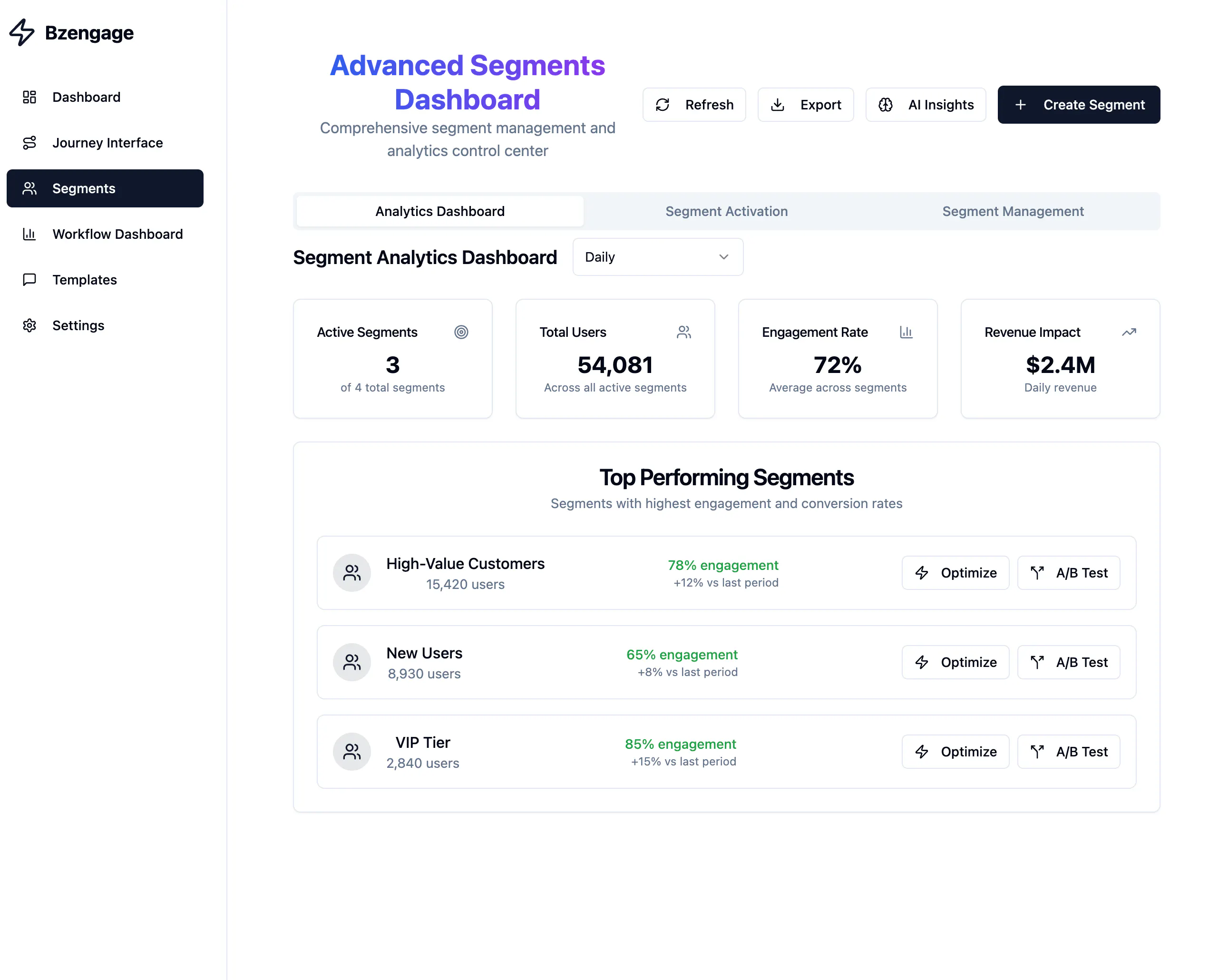
선불 결제 대시보드 스크린샷
Price plan
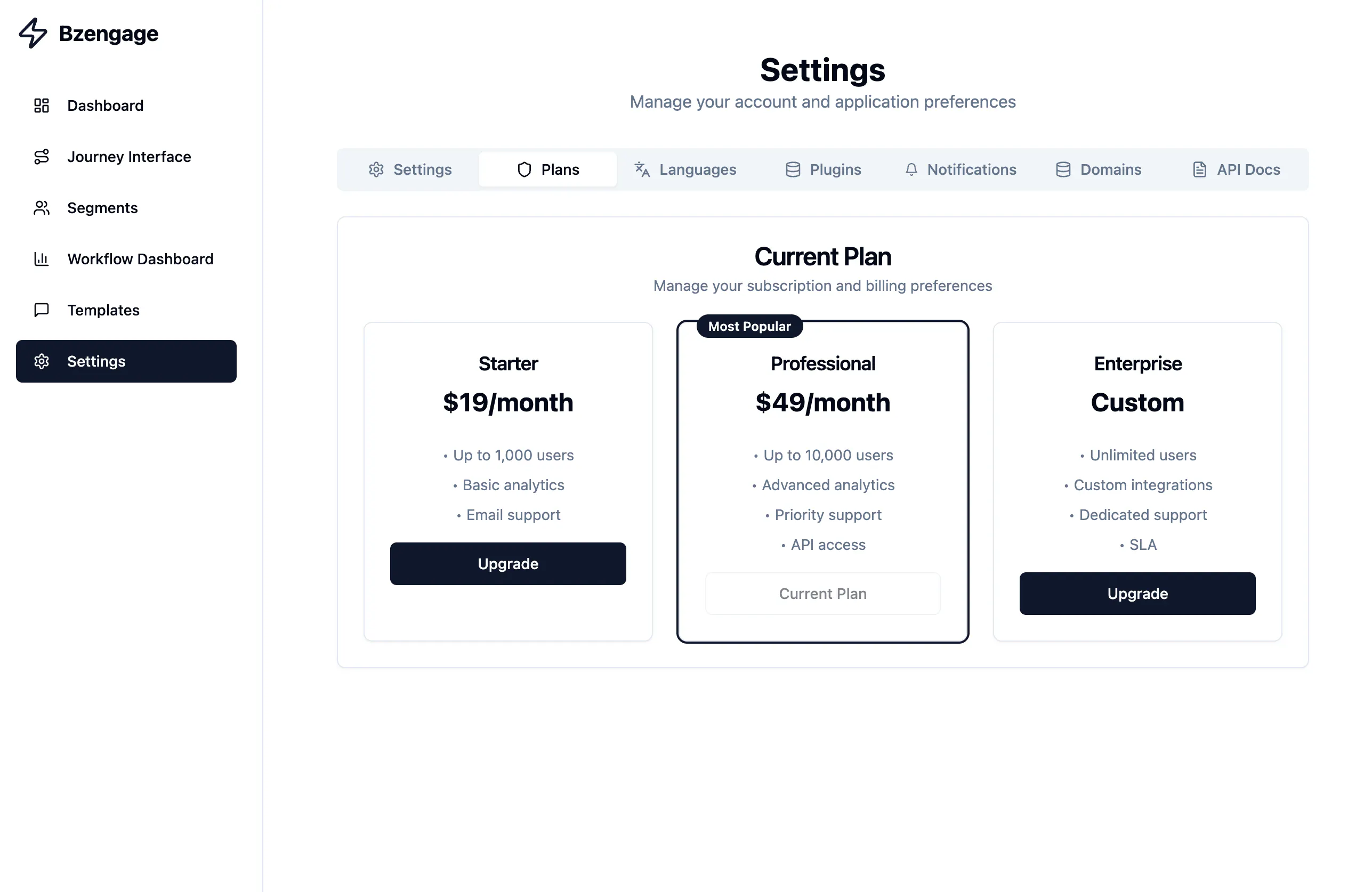
개력적인 서비스 기능 구현을 해 봄
lovable 에서 1차로 만든 코드를 github -> ㅇ이 내용을 기반으로 Rails 기반으로 다시 포팅해서 만들어 보려고 함
전 개발자가 아니다 보니. 화면을 바로 보면서 기능을 적용됬는지 아닌지 보는게 좋더라고요
만들어 본 내용 링크
https://preview--campaign-spark-blitz.lovable.app/
기능 정교화 하기 (Admin, 주요 내용)
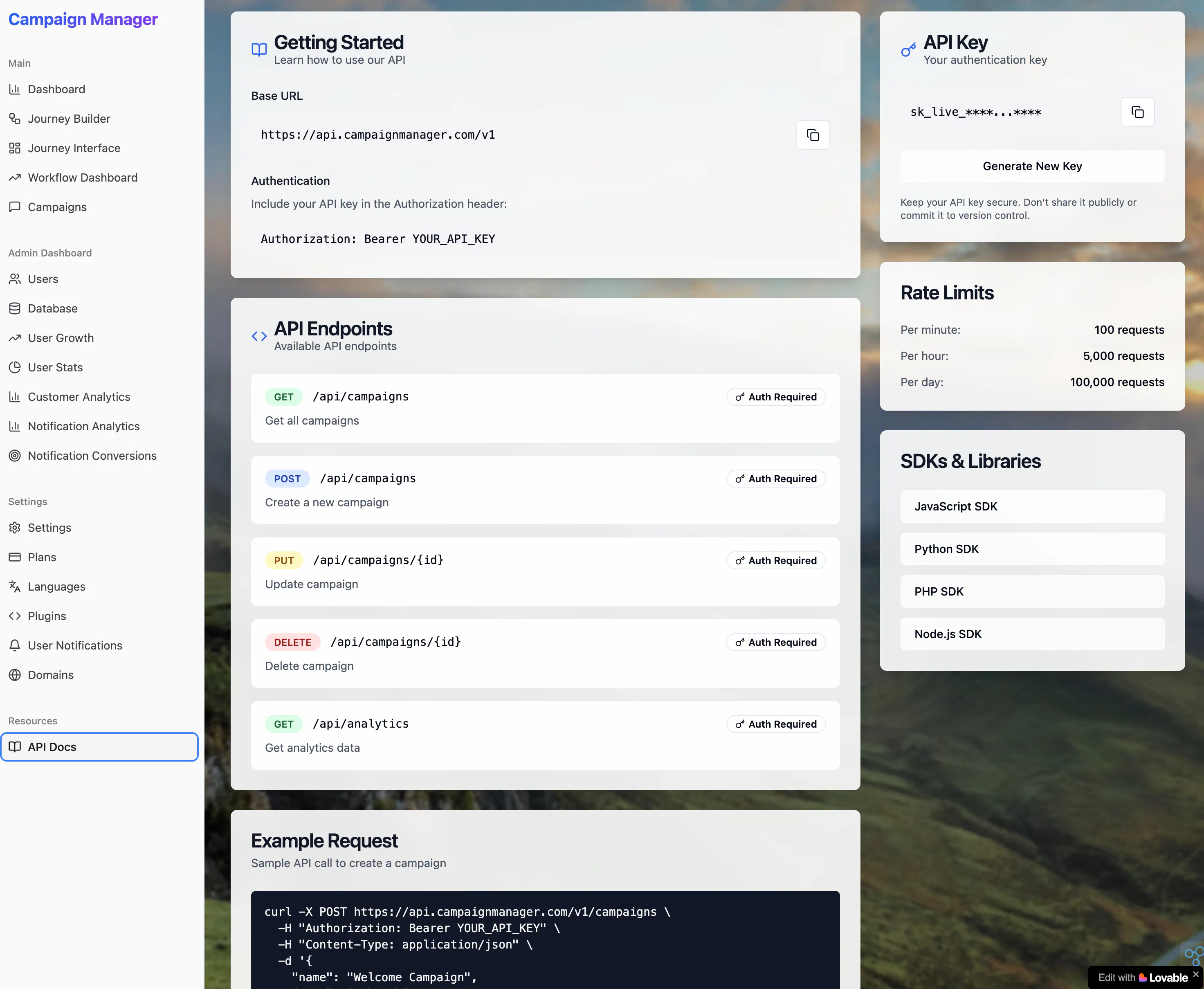
결과와 배운 점
배운 점과 나만의 꿀팁을 알려주세요.
잘 짜여진 않더라도 계속 기능을 추가해 가면서 원하는 기능을 빨리 만들어 보는게
내가 원하는 기능을 어떻게 빨리? 만들어 보는가가 중요함을 또 한번 깨달은 프로젝트 입니다.
위 화면 만드는데 여러 툴을 사용해 보고 머리속으로 구조화 한 시간은 1달 정도 걸린것 같아요
지난 주말 동안 구현한 것:
✨ 서비스 구성에 user 인터랙티브한 UI
✨ 대시보드, 관리자 기능, 캠페인 세부 구현 내용 API 구현 및 연동
✨ 캠페인 적용을 위한 step by step (Customer journey) 기능
내용 잡는데 1주일? 이상 고민했던 내용:
⭕️ 문제 정의 & 유저 시나리오
⭕️ 비즈니스 로직 구조화 & 상세화
