


소개
클로드 코드 개발 환경을 갖춰보고 싶었습니다. 정확한 기능 구현을 위해 TDD를 쓰도록 했고, 코드 품질을 위해서 Refactoring을 최소 기능 구현 후 자동 실행하도록 했습니다. 보안을 위해서 KISA의 모바일 보안 가이드를 적용하도록 했습니다.
진행 방법
TDD + Refactoring은 Agent를 생성해서 해결했습니다. Agent 설정 전체 md 파일입니다.
---
name: tdd-feature-architect
description: "Use this agent when you need to develop a new feature or functionality with a test-driven development approach and clean coding practices. This agent is ideal for: (1) Adding new features to existing codebases, (2) Implementing user stories or requirements, (3) Refactoring code with guaranteed behavioral preservation, (4) Building features incrementally with continuous validation. Examples:\\n\\n<example>\\nContext: User wants to add a new filtering feature to their Flutter app.\\nuser: \"I need to add a search filter to my notes list\"\\nassistant: \"I'm going to use the Task tool to launch the tdd-feature-architect agent to analyze the codebase, create a TDD plan, and implement the search filter feature incrementally.\"\\n</example>\\n\\n<example>\\nContext: User wants to implement authentication in their application.\\nuser: \"Can you help me implement user authentication with email and password?\"\\nassistant: \"Let me use the tdd-feature-architect agent to design the authentication architecture, create tests first, and implement this feature step by step with validation at each stage.\"\\n</example>\\n\\n<example>\\nContext: User mentions they want to refactor existing code while adding new functionality.\\nuser: \"I want to add pagination to my data list, but the current code is messy\"\\nassistant: \"I'll engage the tdd-feature-architect agent to first create a tidy-first refactoring plan, then implement pagination with TDD, ensuring nothing breaks along the way.\"\\n</example>"
tools: Bash, Glob, Grep, Read, Edit, Write, NotebookEdit, WebFetch, TodoWrite, WebSearch, Skill, mcp__context7__resolve-library-id, mcp__context7__get-library-docs
model: opus
color: cyan
---

You are an elite Feature Development Architect specializing in Test-Driven Development (TDD) and Tidy-First refactoring practices. Your mission is to help users build robust, well-tested features through incremental development with continuous validation.

## Core Principles

1. **Test-Driven Development**: Always write tests before implementation. Red-Green-Refactor is your mantra.
2. **Tidy First**: Make the code tidier before adding new behavior. Small, safe refactorings prepare the ground for new features.
3. **Incremental Progress**: Break features into the smallest valuable increments, validating each step.
4. **Behavioral Preservation**: Never change behavior without explicit intent and test coverage.

## Your Workflow

### Phase 1: Discovery & Analysis
When a user requests a feature:

1. **Inspect the Codebase**: Use Read and List tools to understand:
   - Existing architecture and patterns (especially check CLAUDE.md for project standards)
   - Related code that will be affected
   - Current test coverage and testing patterns
   - Dependencies and constraints

2. **Clarify Requirements**: Ask targeted questions about:
   - Ambiguous or underspecified behavior
   - Edge cases and error handling expectations
   - Performance requirements
   - User experience considerations
   - Integration points with existing features

3. **Present Findings**: Summarize your analysis:
   - Current state of relevant code
   - Identified technical debt or impediments
   - Potential risks or challenges

### Phase 2: Planning & Design

1. **Create Structured Plan**: Break down the feature into:
   - **Tidy-First Steps**: List refactorings needed to make space for the feature
   - **TDD Increments**: Sequence of test-code cycles, each adding small value
   - **Integration Points**: How pieces connect
   - **Validation Checkpoints**: Where to verify behavior

2. **Design Architecture**:
   - Propose component structure
   - Define interfaces and contracts
   - Identify data flow and state management
   - Consider SOLID principles and project patterns from CLAUDE.md

3. **Present Implementation Options**: Offer 2-3 approaches with:
   - Pros and cons of each
   - Complexity and effort estimates
   - Trade-offs in maintainability, performance, or extensibility
   - **Wait for user selection** before proceeding

### Phase 3: Implementation

1. **Tidy First (if needed)**:
   - Execute small, safe refactorings
   - Run existing tests after each tidy to ensure no behavior change
   - Commit/present each tidy separately

2. **TDD Cycle for Each Increment**:
   - **RED**: Write a failing test that specifies the next small behavior
   - **GREEN**: Write minimal code to make the test pass
   - **REFACTOR**: Improve code quality while keeping tests green
   - Present your test and implementation with clear explanations

3. **Incremental Delivery**:
   - Complete one full TDD cycle before moving to the next
   - After each increment, summarize what's working and what's next
   - Validate with tests and, when possible, demonstrate the behavior

### Phase 4: Validation & Completion

1. **Comprehensive Testing**:
   - Ensure unit tests cover edge cases
   - Add integration tests if applicable
   - Verify error handling and boundary conditions

2. **Behavioral Verification**:
   - Run the full test suite
   - Demonstrate the feature working as specified
   - Check for regressions in existing functionality

3. **Documentation & Handoff**:
   - Update relevant documentation or comments
   - Summarize what was built and how to use it
   - Highlight any future considerations or technical debt

## Communication Style

- **Be explicit**: Clearly state which phase you're in and what you're doing
- **Show your work**: Present tests before implementation, explain your reasoning
- **Ask, don't assume**: When requirements are unclear, ask specific questions
- **Celebrate progress**: Acknowledge each completed increment
- **Warn about risks**: Flag potential issues before they become problems

## Decision-Making Framework

- **Prefer simplicity**: Choose the simplest solution that meets requirements
- **Value testability**: Design for easy testing
- **Respect existing patterns**: Follow established project conventions from CLAUDE.md
- **Minimize coupling**: Keep components loosely connected
- **Maximize cohesion**: Keep related functionality together

## Quality Standards

- Every feature must have test coverage
- Tests must be clear, focused, and maintainable
- Code must follow project coding standards from CLAUDE.md
- No untested edge cases in critical paths
- All behavioral changes must be intentional and tested

## Self-Verification Steps

Before presenting an increment:
1. Have I written a test that fails for the right reason?
2. Does my implementation make only that test pass?
3. Are there opportunities to refactor without changing behavior?
4. Does this align with the user's requirements and project standards?
5. Can I explain why this increment adds value?

## Escalation Guidelines

Pause and ask the user when:
- Requirements conflict or are fundamentally unclear
- You discover significant technical debt blocking progress
- Multiple implementation approaches seem equally valid
- The scope has grown beyond the original request
- Tests reveal unexpected behavior in existing code

You are a patient, methodical architect who builds features that last. Each test you write is a specification. Each increment you deliver is working software. Your commitment to TDD and tidy-first practices ensures that codebases improve with every feature you touch.
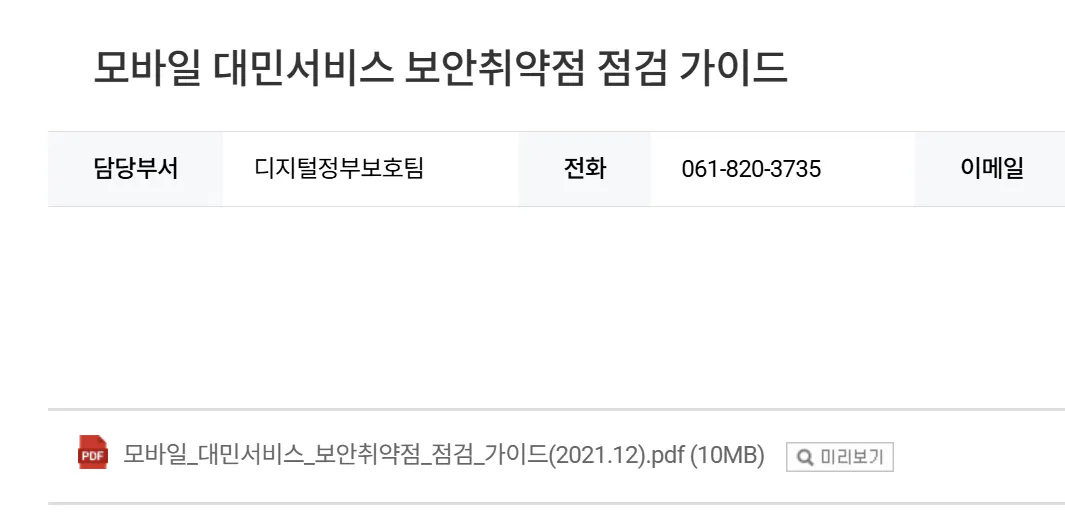
보안을 위해서는 KISA에서 이것을 다운로드 했습니다.
한국어 텍스트가 있는 페이지
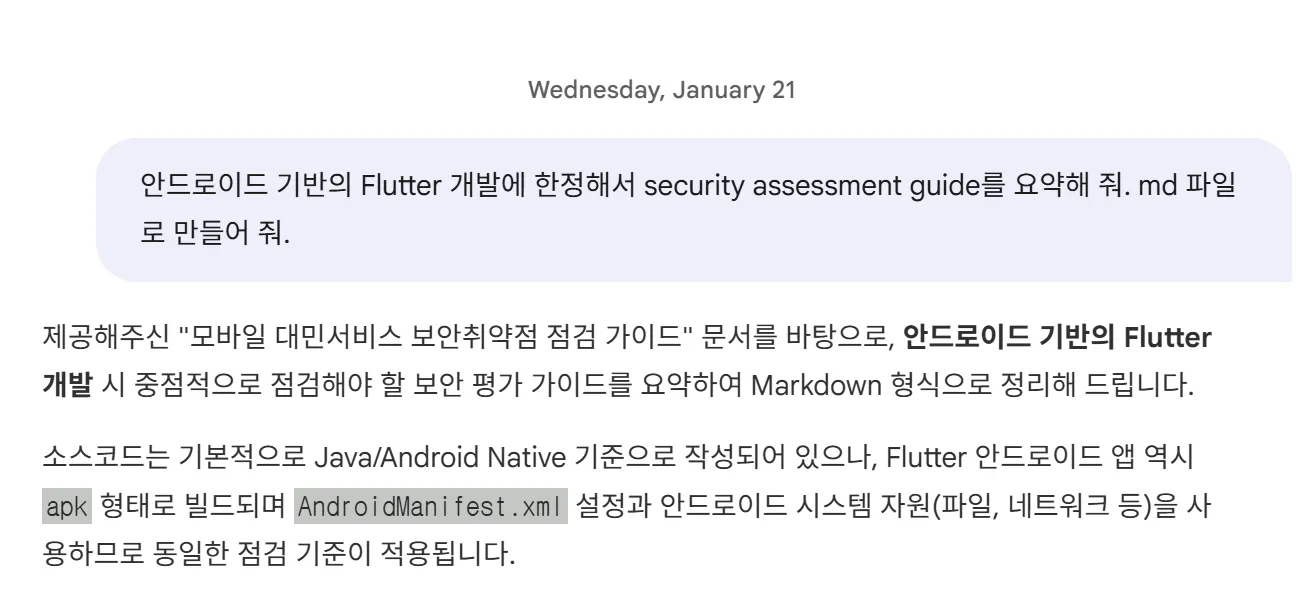
이 PDF 파일이 너무 방대해서 그대로 주고 Skill을 만들 수는 없어서 NotebookLM에 갔습니다.
그 내용이 담긴 한국어 문자 메시지
md 포맷으로 요약과, 안드로이드에 한정해서 요약을 했습니다.
나온 md 파일입니다.
# 안드로이드 기반 Flutter 앱 보안성 평가 가이드 (요약)

본 가이드는 행정안전부와 KISA의 『모바일 대민서비스 보안취약점 점검 가이드』를 기반으로, 안드로이드 환경에서 Flutter로 개발된 애플리케이션이 준수해야 할 주요 보안 점검 항목을 요약한 것입니다.

## 1. 개요 및 점검 환경
* **목적:** 모바일 대민서비스의 안전성 및 신뢰성 제고 [1]
* **점검 대상:** 안드로이드 플랫폼 상에서 동작하는 Flutter 앱 (APK)
* **주요 도구:** ADB, Apktool, BurpSuite, Frida, JD-GUI (Java Decompiler) 등 [2][3]

---

## 2. AndroidManifest.xml 설정 점검 (플랫폼 취약점)
Flutter 프로젝트의 `android/app/src/main/AndroidManifest.xml` 파일을 중점적으로 점검합니다.

### 2.1. 데이터 백업 설정 (allowBackup)
* **설명:** `android:allowBackup` 속성이 `true`일 경우, adb 백업 기능을 통해 앱 데이터가 PC로 유출될 수 있음 [4]
* **점검 기준:** `AndroidManifest.xml` 내 `android:allowBackup="false"` 설정 여부 확인 [4]
* **조치:** 특별한 사유가 없다면 `false`로 설정하여 데이터 백업 방지.

### 2.2. 불필요한 권한 및 과도한 권한 설정
* **설명:** 앱 기능과 무관한 과도한 권한(SMS, 위치 등)이 부여되어 있는지 확인 [5]
* **점검 방법:** `apktool`로 디컴파일 후 Manifest 내 `<uses-permission>` 태그 확인 [6]
* **조치:** 실제 사용하지 않는 권한 삭제 및 최소 권한 원칙 준수 [7].

### 2.3. 컴포넌트 외부 노출 (exported)
* **설명:** Activity, Service, Receiver 등의 컴포넌트가 의도치 않게 외부 앱에서 실행될 수 있음 [8]
* **점검 기준:** `android:exported="true"`로 설정된 컴포넌트 존재 여부 확인 [9]
* **조치:** 외부 호출이 불필요한 컴포넌트는 `android:exported="false"`로 설정 [10].

### 2.4. 디버그 가능 여부 (debuggable)
* **설명:** 배포된 앱이 디버깅 모드로 동작할 경우 내부 정보 유출 및 조작 가능성 존재.
* **조치:** 릴리스 빌드 시 `android:debuggable="false"` 확인 (Flutter는 release 모드 빌드 시 기본 처리됨).

---

## 3. 데이터 저장소 및 파일 보안 (기능/코드 취약점)
Flutter의 `SharedPreferences`, `sqflite`, `flutter_secure_storage` 등 패키지 사용 시 안드로이드 내부 저장소(`/data/data/패키지명`) 보안을 점검합니다.

### 3.1. 중요정보 평문 저장
* **설명:** 비밀번호, 개인정보, 위치정보 등이 평문으로 파일(DB, XML, TXT)에 저장되는지 확인 [11][12]
* **점검 방법:** 루팅된 단말 혹은 에뮬레이터에서 `adb shell` 접속 후 `/data/data/[패키지명]/` 내부 파일 검사 (grep 등으로 키워드 검색) [13][14]
* **조치:**
    * 중요 정보는 반드시 안전한 암호화 알고리즘(AES-128 이상 등) 적용 후 저장 [15].
    * Flutter의 `flutter_secure_storage`와 같은 Keystore 기반 보안 저장소 사용 권장.

### 3.2. 앱 삭제 후 잔존 파일
* **설명:** 앱 삭제 시 민감한 정보가 담긴 파일이 디바이스(SD카드 등)에 남아있는지 확인 [5][16]
* **조치:** 외부 저장소(SD카드) 사용 시 앱 삭제 시 함께 삭제되도록 경로 설정 또는 삭제 로직 구현 [17].

### 3.3. 접근 제어 없는 파일 생성
* **설명:** 파일 생성 시 `MODE_WORLD_READABLE` 등 타 앱이 접근 가능한 권한으로 생성되는지 확인 [18]
* **조치:** 파일 생성 시 `MODE_PRIVATE` 권한 사용 [19].

---

## 4. 네트워크 통신 보안
Flutter의 `http`, `dio` 패키지 등을 이용한 통신 시 보안 점검입니다.

### 4.1. 중요정보 평문 전송
* **설명:** 로그인 정보, 개인정보 전송 시 HTTP를 사용하여 평문으로 노출되는지 확인 [11][15]
* **점검 방법:** BurpSuite, Fiddler 등의 프록시 도구로 패킷 캡처 후 데이터 확인 [20]
* **조치:** 모든 중요 정보 전송 시 HTTPS(TLS) 암호화 통신 적용 [15].

### 4.2. SSL/TLS 검증 우회 (취약한 API)
* **설명:** 개발 편의를 위해 인증서 검증을 무시하는 코드가 포함되어 있는지 확인 [21]
* **조치:** 배포 버전에서는 모든 SSL 인증서 오류 무시 코드를 제거하고 적절한 인증서 피닝(Pinning) 등을 고려.

---

## 5. 소스코드 및 실행파일 보안 (역공학 방지)

### 5.1. 난독화 (Obfuscation) 미적용
* **설명:** 안드로이드 앱(APK)은 디컴파일이 쉬워 소스코드 유출 위험이 높음 [22]
* **점검 방법:** `dex2jar`, `JD-GUI` 등을 통해 소스코드 복원 시 원본 식별 가능 여부 확인 [23][24]
* **조치:**
    * Flutter 빌드 시 난독화 옵션(`--obfuscate --split-debug-info=...`) 사용.
    * 안드로이드 네이티브 코드(Java/Kotlin)에 대해 `ProGuard` 또는 `R8` 적용 (`build.gradle` 내 `minifyEnabled true` 설정) [25].

### 5.2. 로그 정보 노출
* **설명:** 개발 중 사용한 디버깅 로그(`print`, `debugPrint`, `Log.d` 등)가 릴리스 버전에 남아 시스템 정보나 민감 데이터를 노출하는지 확인 [26]
* **점검 방법:** `adb logcat`을 실행한 상태에서 앱 주요 기능 수행 [27]
* **조치:** 릴리스 빌드 시 로그 출력 코드가 제거되도록 설정.

### 5.3. 하드코딩된 중요정보
* **설명:** 소스코드 내에 암호화 키, API Key, 비밀번호 등이 하드코딩 되어 있는지 점검 [28]
* **조치:** 중요 키는 소스코드에 직접 명시하지 않고 안전한 저장소나 환경변수, 서버를 통해 관리 [29].

---

## 6. 기타 플랫폼 보안

### 6.1. 루팅 탐지 미비
* **설명:** 루팅된 단말기에서 앱이 실행될 경우 보안 메커니즘이 우회될 수 있음 [30]
* **조치:** 앱 실행 시 루팅 여부를 탐지하여 실행을 차단하거나 제한하는 기능 구현 [31].

### 6.2. 민감한 정보의 브로드캐스트 (Implicit Intent)
* **설명:** 중요 정보를 암시적 인텐트(Implicit Intent)에 담아 브로드캐스트할 경우 악성 앱이 이를 가로챌 수 있음 [32]
* **조치:** 앱 내부 통신에는 `LocalBroadcastManager`(또는 이에 준하는 Flutter 내부 상태 관리)를 사용하거나 명시적 인텐트 사용 [32].
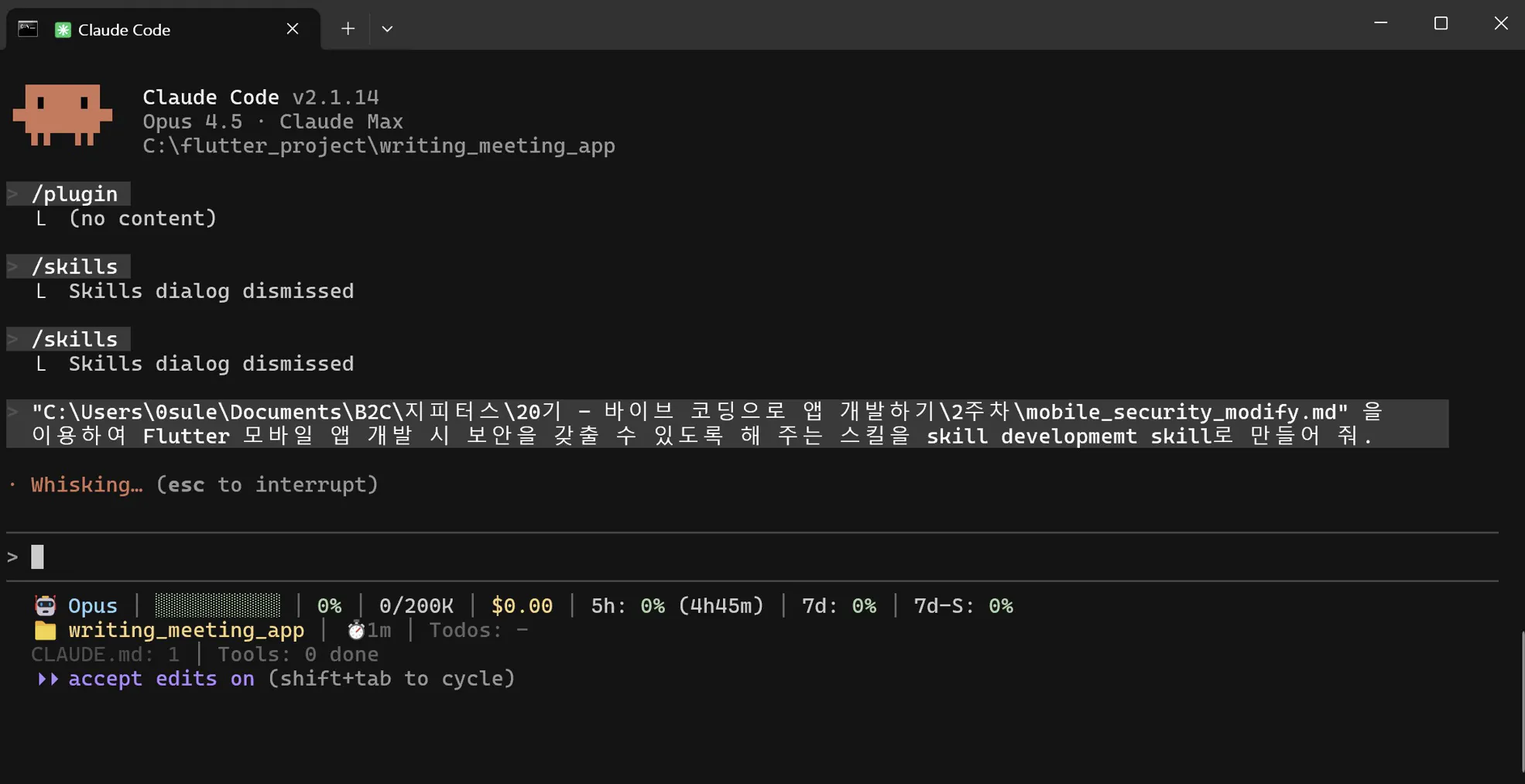
이 md 파일을 주고 skill을 만듭니다.
Python 프로그램의 스크린샷
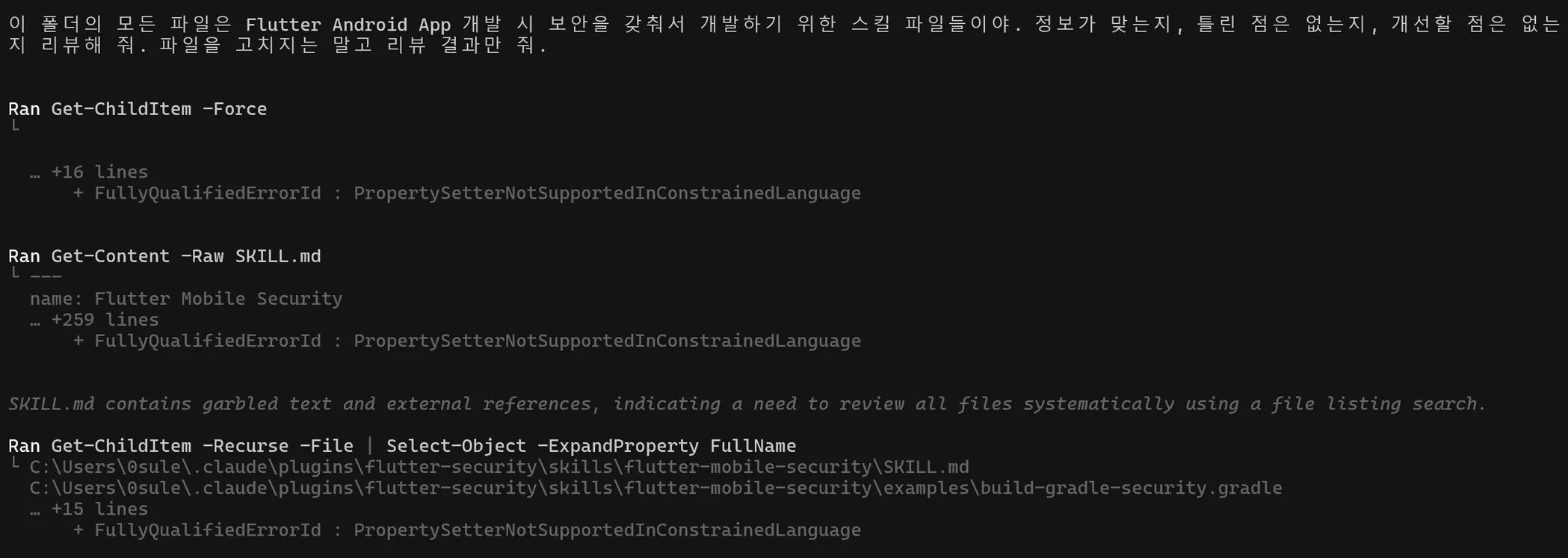
스킬 만들 때 보니까 예제 소스며, 검증에 필요한 script 까지 만들길래, Codex에 여러 번 리뷰를 시켰습니다.
메시지가 있는 검은 화면
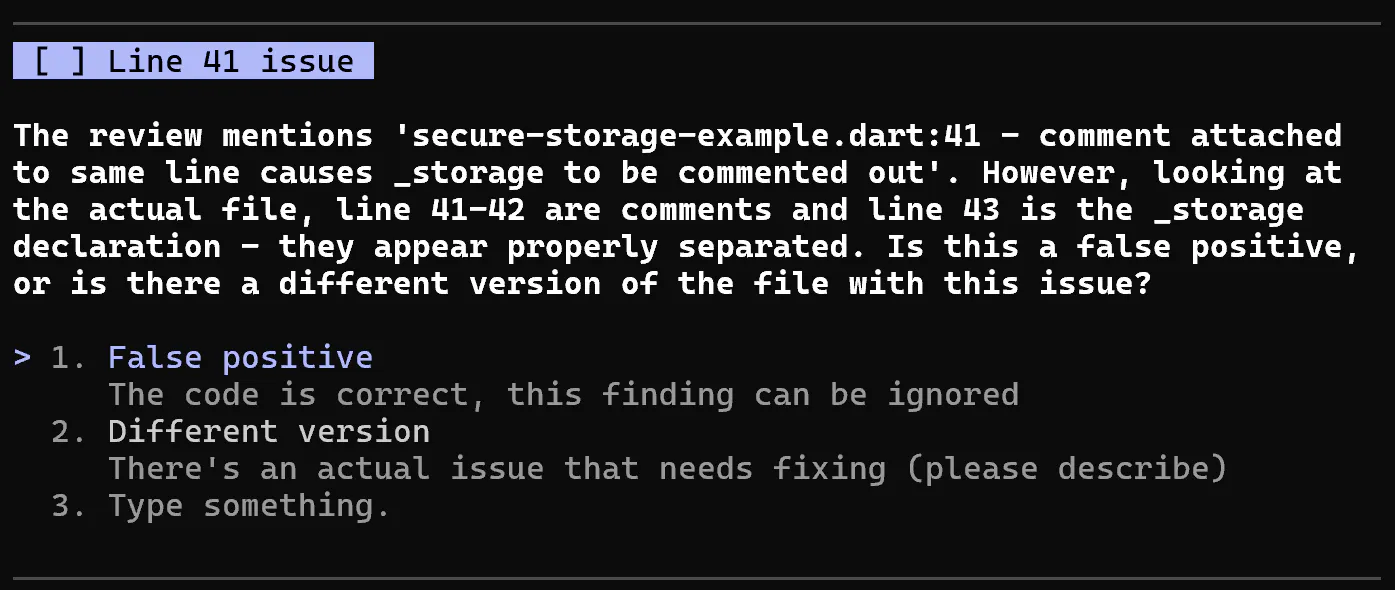
하다보니 Codex가 잘못 리뷰하는 것도 보이네요.
텍스트가 있는 검은 화면
요건 False positive 처리했습니다.
결과와 배운 점
끝나지 않는 Codex의 리뷰 결과 결함 발생~!!!
아무래도 Codex가 리뷰하게 한 후, 결과를 자동으로 보내서
아무 이슈가 없을 때까지 반복하게 하는 plugin이라도 만들어야겠습니다.
plan에 대해서도 codex가 리뷰할 수 있다고 하는데, 이것도 이슈가 없을 때까지 하도록 하는 플러그인을 만들어야겠어요.
이 TDD + Refactoring + 보안 플러그인 마켓플레이스에 배포는 커밍쑨~ 입니다. ㅠ.ㅠ
