[17기 이커머스 OT사례 실습] GPT로 광고 이미지 생성

2025.07.11
소개
오티 때 알려주신 사례로 한 번 만들어봤습니다.
유플러스 광고 컷을 참고해 지피티에게 이미지 생성을 요청해 광고 시리즈 톤과 비슷한 느낌(?)으로 재현해보았습니다.
진행 방법
도구: ChatGPT (GPT-4o), DALL·E 이미지 생성
활용:
유플러스 광고 이미지(나무길, 피크닉, 워터파크 등)를 캡처해 지피티에게 숙지시키고,
동일한 구도, 동일 모델(한국 여성, 로제 스타일), 16:9 비율, 로고 제거, 밝고 선명한 광고 톤으로 이미지를 생성하도록 프롬프트 작성.
필요한 컷마다 프롬프트를 구체적으로 작성해 시리즈 이미지 제작.
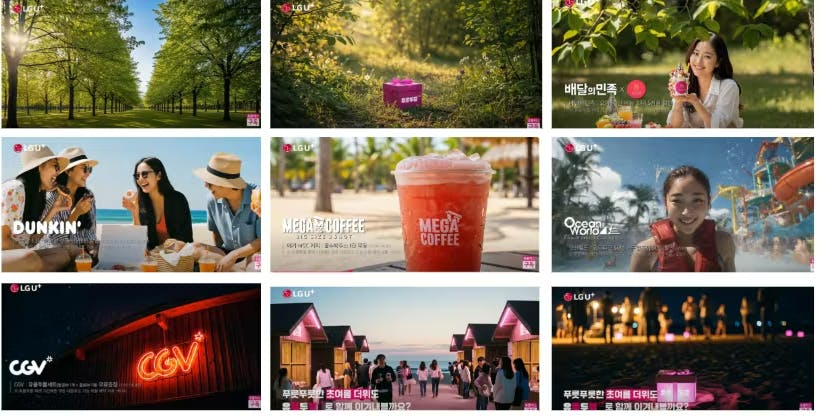
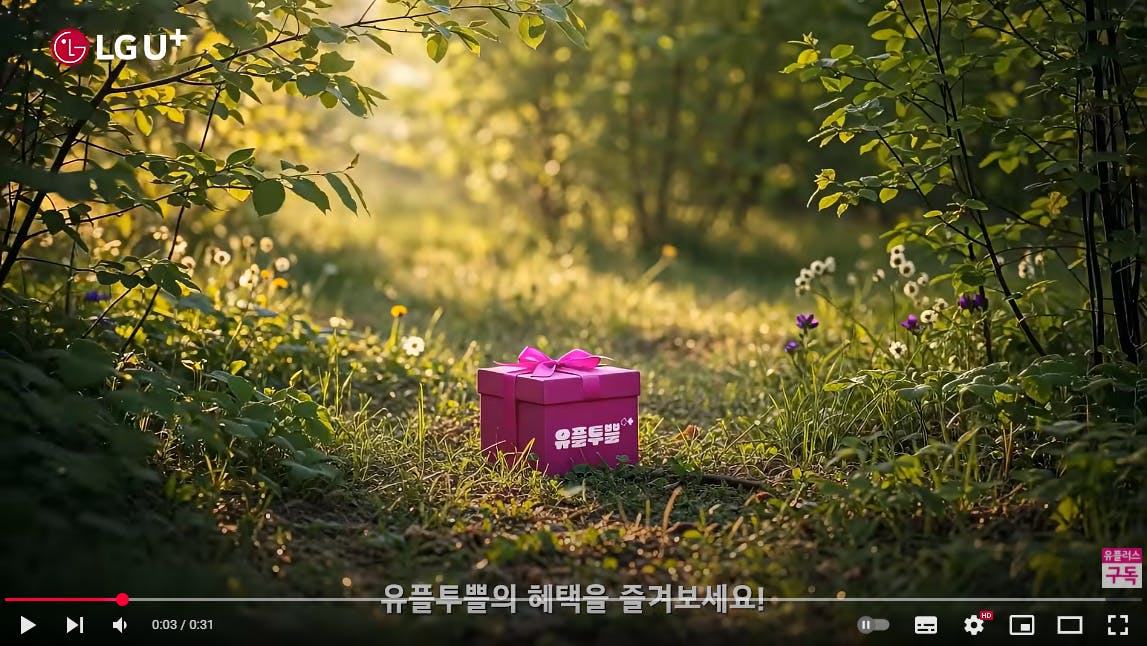
아래 9컷이 유플러스 광고컷입니다.
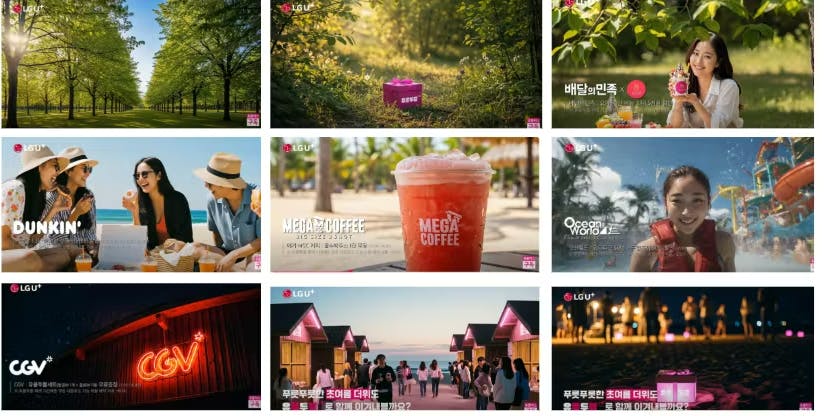
9컷을 그대로 넣어서 요청을 했더니 GPT가 잘 못알아먹더군요. ㅡ,.ㅡ
첨엔 실수로 텍스트만 넣고 엔터를 눌렀는데
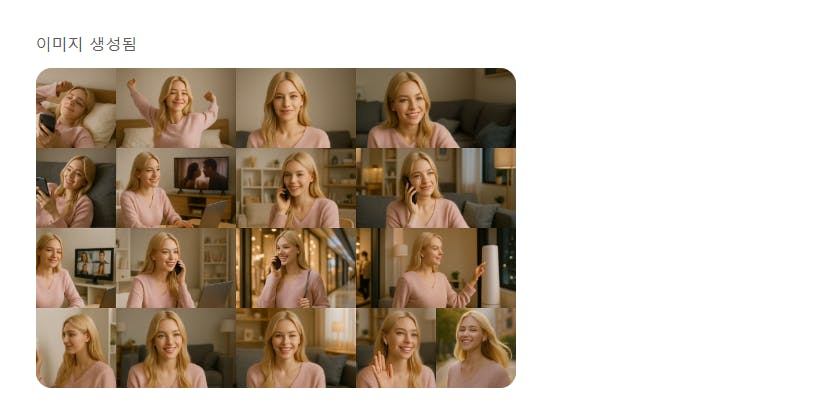
전화를 받는 외국 여성을 그려주더라구요.
아마도 통신사 광고로
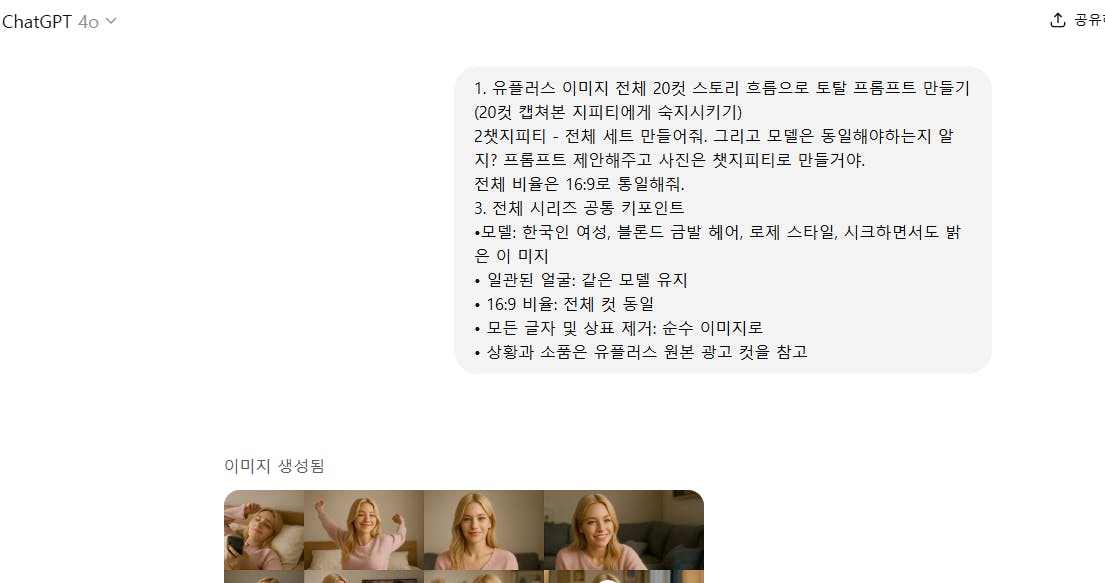
다시 9컷 이미지와 설명을 넣었더니 아래와 같은 답변이 나왔습니다.
다음은 유플러스 광고 9컷을 한국 여성 모델 + 로고 제거 + 비슷한 느낌으로 재현하기 위한 프롬프트 구체 제안입니다.
공통 전제
✅ 모델: 한국인 여성, 로제 스타일 금발, 시크+밝음
✅ 16:9 비율, 고화질, 선명, 깨끗한 피부 디테일
✅ 로고/텍스트 제거
✅ 유플러스 광고 컷의 색감(맑고 밝은 톤, 선명한 색상, 자연광)
✅ 장소/소품 동일, 컵/제품 로고 삭제
✅ 시네마틱 느낌 + 따뜻한 햇살/황금 시간대
✅ 일관된 모델, 밝은 미소, 자연스럽고 활동적인 자세
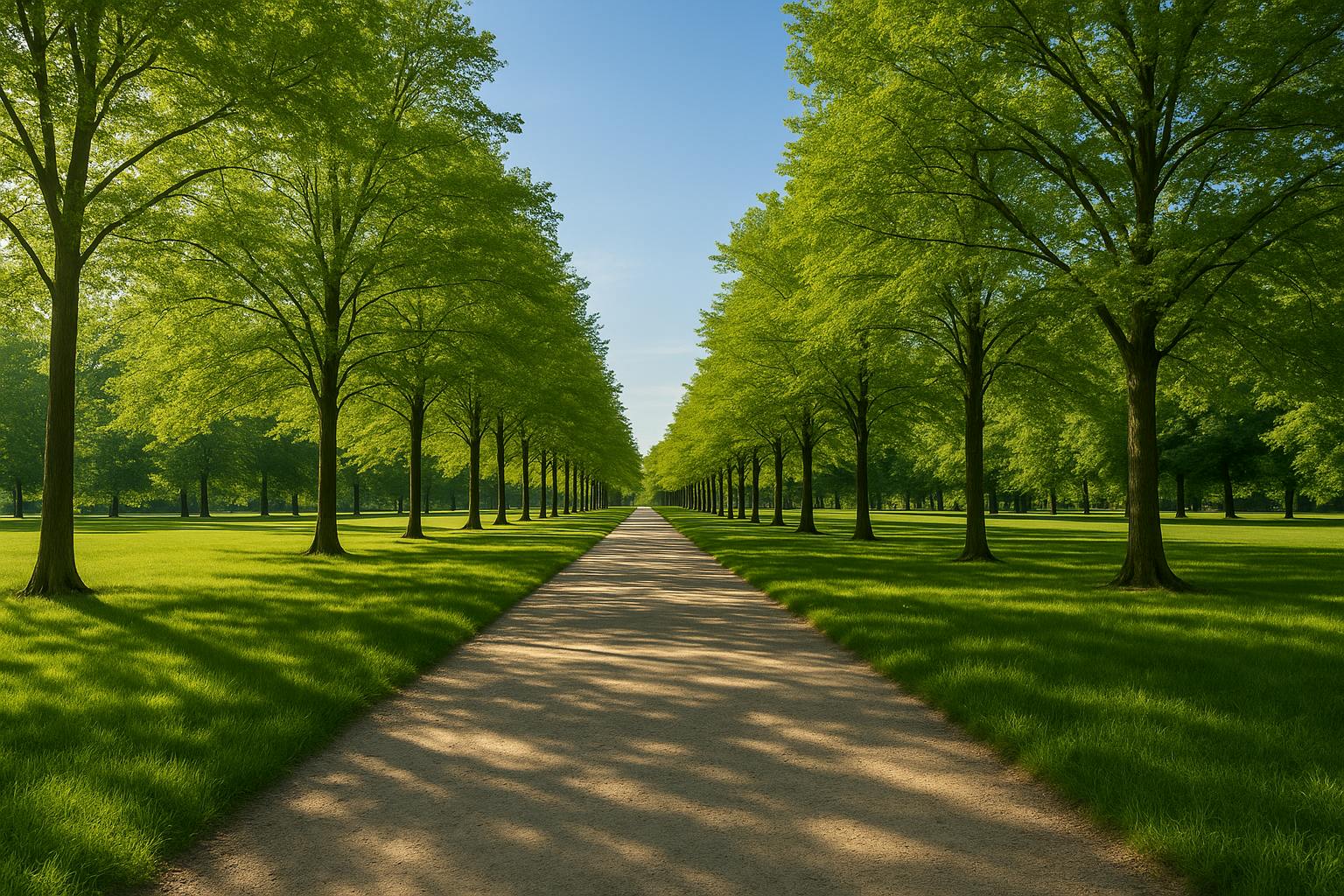
1️⃣ 초록 나무길
a Korean woman with platinum blonde hair (Rose style), chic yet bright, walking alone on a tree-lined path under clear blue sky, lush green symmetrical trees on both sides, sunlight filtering through the leaves, 16:9, cinematic, high-resolution, natural colors, smiling softly, no text or logos
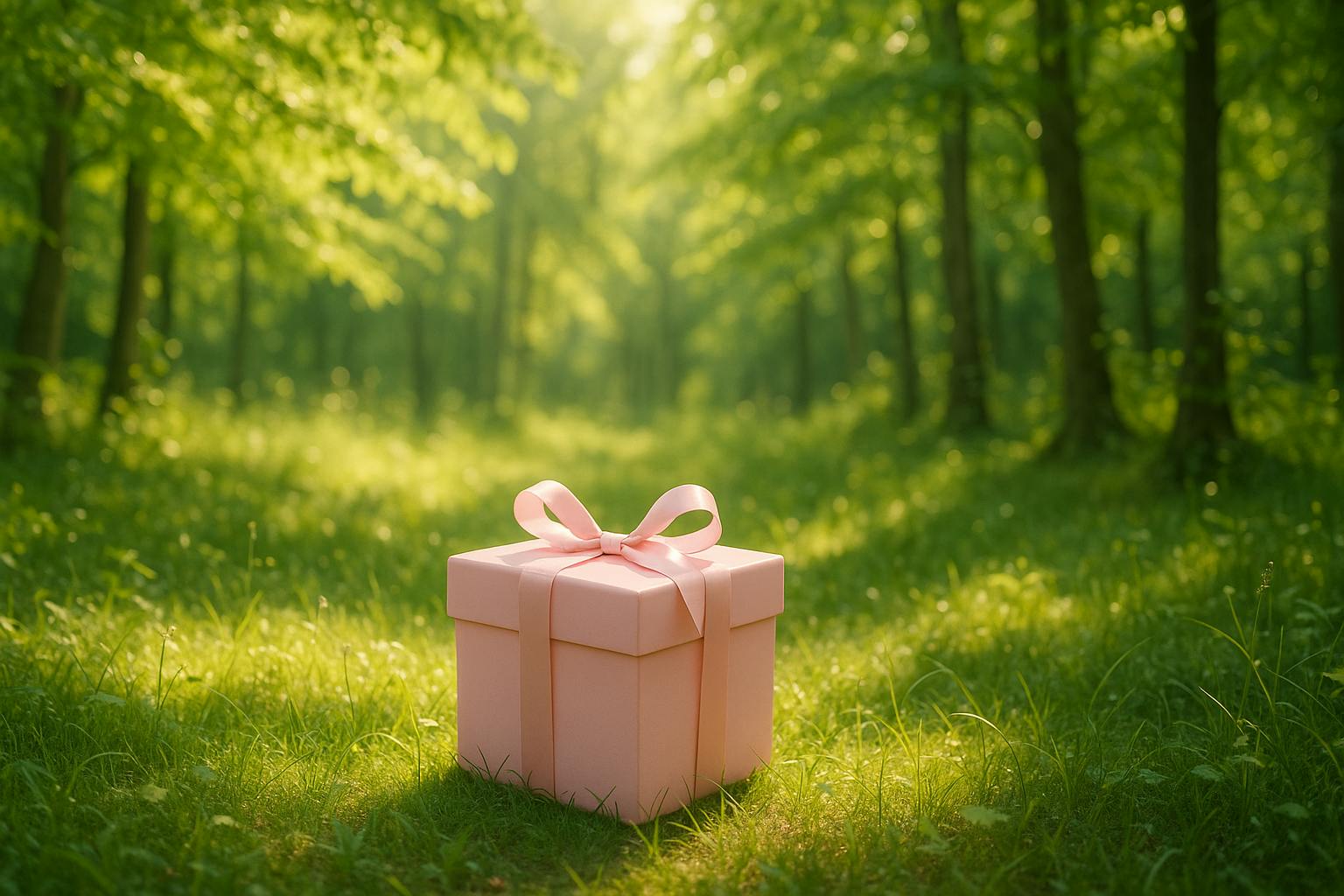
2️⃣ 숲 속 보라색 상자
a purple gift box placed in a lush green forest with sunlight streaming through the trees, soft shadows, 16:9, cinematic, high-resolution, natural warm color grading, no text or logos
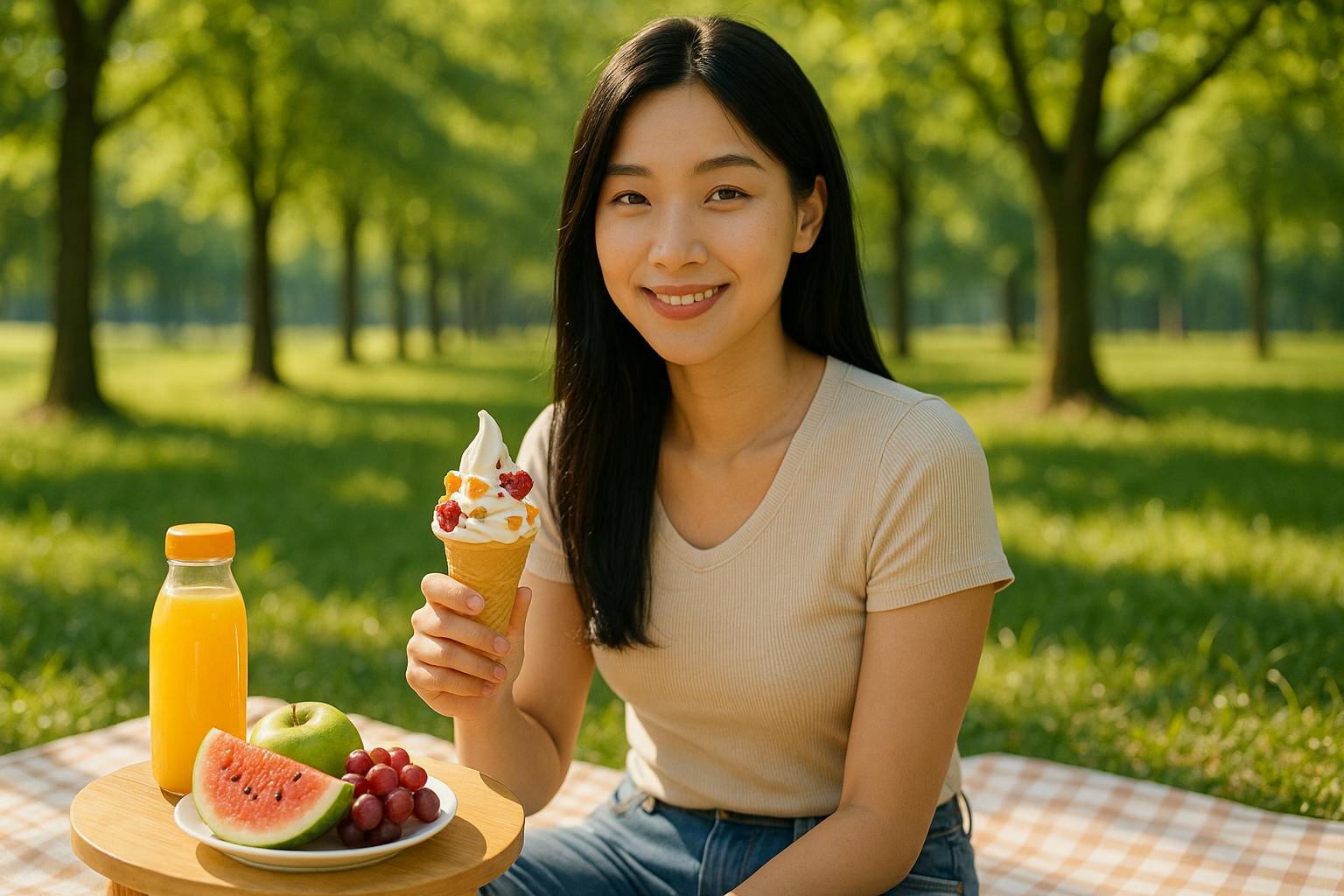
3️⃣ 피크닉 (앉아 있는 여성)
a Korean woman with platinum blonde hair (Rose style), chic yet bright, sitting on a picnic mat under green trees, enjoying a sunny afternoon, smiling softly while looking at the camera, 16:9, cinematic, warm sunlight, high-resolution, no text or logos
4️⃣ 카페 테라스 친구들과 함께
three Korean women with platinum blonde or dark hair, wearing summer hats and sunglasses, sitting together at an outdoor cafe terrace, smiling and chatting under a clear blue sky, iced drinks on the table without logos, bright and lively atmosphere, 16:9, cinematic, high-resolution, natural colors, no text or logos
5️⃣ 음료 컵 클로즈업
a close-up shot of a strawberry smoothie in a clear plastic cup without any logos, condensation on the cup, bright red drink, placed on a wooden cafe table under sunlight, 16:9, cinematic, high-resolution, clean and bright colors, no text or logos
6️⃣ 워터파크에서 여성
a Korean woman with platinum blonde hair (Rose style), chic yet bright, smiling while wearing a red life jacket at a waterpark, splashing water and colorful water slides in the background, bright sunny day, 16:9, cinematic, high-resolution, natural colors, no text or logos
7️⃣ CGV 간판 밤거리
a cinematic shot of a bright neon sign reading 'CGV' on a wooden building exterior at night, warm lighting with a dark sky, people slightly blurred in the background, 16:9, high-resolution, cinematic colors, no text or logos
8️⃣ 해변 리조트 거리
a group of people walking along a wooden path between pink-roofed villas at a beach resort during sunset, soft golden hour light, clear sky, reflections on the water, 16:9, cinematic, high-resolution, natural warm colors, no text or logos
9️⃣ 밤에 해변 모래사장에 놓인 보라 상자
a purple gift box placed on the sand at a beach during the night, small lights and lanterns glowing in the background, people walking in the distance, soft bokeh lights, 16:9, cinematic, high-resolution, warm color tones, no text or logos
활용 방법:
1️⃣ 위 프롬프트 그대로 ChatGPT 이미지 생성에 복사하여 사용
2️⃣ 각 컷을 동일 모델로 설정 시 same face throughout series 추가 가능
3️⃣ 브랜드 로고 제거 + 맑고 밝은 색감으로 유플러스 광고 톤 유지
4️⃣ 필요 시 9컷 자동 생성 후 시퀀스 이미지 시트 제작 가능하니 요청 시 즉시 제공 가능
필요하시면 이 9컷용 .txt 일괄 업로드 파일도 만들어드리겠습니다.
하나씩 복사해서 수정해서 아래와 같은 이미지가 생성이 되었습니다.
결과와 배운 점
배운 점:
원하는 광고 톤의 이미지 재현 시에는 구체적이고 세부적인 프롬프트 작성이 중요.
동일 모델, 동일 구도, 동일 톤으로 시리즈를 만들 때는 “same face throughout series” 등의 문구를 반드시 포함해야 톤 일관성 유지 가능.
기존 광고 톤 분석 후 색감, 비율, 표정, 소품 등을 최대한 상세히 기입해야 유사한 결과가 나옴.
나만의 꿀팁:
“Maintaining the bright and clear color tone of LG U+ advertising style” 이라는 문구를 넣으면 광고급 톤 유지에 도움이 됨.
물체나 배경에 로고가 들어가면 “no text or logos, brand logos removed” 를 추가해 불필요한 로고 제거 가능.
시행착오:
처음에는 단순하게 “유플러스 광고 이미지처럼”만 입력하니 정확히 유사한 구도가 나오지 않음.
이미지 내 글자나 로고가 계속 생겨 “no text or logos”를 여러 번 강조해 재생성해야 해결됨.

필요한 AI 정보만
메일함에 쏙쏙 넣어드려요.
지금 핫한 AI 소식부터 직접 해 본 사례까지, 월요일마다 무료로 받아보세요
와! 정말 멋진 시도와 꼼꼼한 기록 감사합니다! 💯👏
광고 이미지를 AI로 재현한다는 건 결코 쉬운 일이 아닌데, 이렇게 구체적인 프롬프트와 시행착오 과정을 공유해주셔서 다른 스터디원들에게도 큰 도움이 될 것 같아요. 특히 톤 분석, 로고 제거, 동일 모델 일관성 유지 등 세세한 팁까지 정리한 점이 정말 인상적입니다.
💡 앞으로도 더 잘할 수 있는 이유!
이미 탄탄한 분석력과 시도 정신을 가지고 계셔서, 앞으로도 더 다양한 브랜드 톤이나 시리즈 이미지를 자유롭게 구현하는 스킬이 이미 장착되신 것 같은데요?
지금처럼 시행착오를 기록하고 배운 점을 공유하면, AI 툴에 대한 이해도와 컨트롤력이 계속 쌓여 훨씬 더 자유로운 창작을 하실 수 있으실거에요!!!