


출장 보고서를 영상으로 업데이트하기 ✈️🎬
소개
보름 전 다녀온 유럽 출장을 간단히 젠스파크로 보고서 형태로 정리했었는데, 이번에는 내일 오전 회의를 위해 그 경험을 스케치 영상으로 기록하고 싶었습니다. 단순 문서 보고가 아닌, 사진·영상·스토리텔링이 결합된 형태라면 동료들과 더 재미있게 공유할 수 있을 거라 기대했기 때문입니다.
진행 방법
사용한 도구
Gemini
사례글 작성을 돕는 Gem을 직접 만들어 활용했습니다.
Gem과 티키타카하며 글의 뼈대를 잡고, 어떤 흐름으로 전개할지 구체화했습니다.
Google Vids
출장 중 촬영했던 사진, 짧은 동영상, 요약 메모, 출장보고서를 구글 드라이브에 업로드.
Vids가 이를 분석해 학회 일정, 주요 발표 내용, 현장 분위기 등을 담은 자동 생성 영상을 제안하기를 기도했으나 방법을 못찾음
<이후의 계획>유럽 잠수고압의학회 출장 보고라는 주제를 입력하여 도입(출장 목적) → 본론(주요 내용) → 결론(시사점) 구조의 스토리보드를 짜기자동 생성된 영상 위에 직접 녹음한 음성 해설을 입히고, 배경 음악·자막을 손쉽게 추가.
문서처럼 여러 명이 동시에 편집할 수 있어 협업이 매끄러웠습니다.
주제: 유럽 잠수고압의학회 출장 보고
목표: 학회 주요 발표 내용과 현장 분위기를 요약하여 구성원들과 공유할 영상 제작
형식: 스케치 영상 (도입-본론-결론 구조)
그래서 틀었습니다.
1. 제미나이로 영상 기획 (콘티 - 스토리보드) 생성하기
먼저 영상의 뼈대가 되는 기획안(콘티)을 제미나이를 통해 만들기
체계적인 기획안은 완성도 높은 결과물로 이어지는 가장 중요한 첫 단계니까
제미나이 프로에 접속하여 새로운 채팅을 시작
영상의 전체적인 흐름과 각 장면의 상세 내용을 요청하는 프롬프트를 입력합니다. 현재 구글 비즈가 영어 기반으로 더 안정적으로 작동하므로, 장면별 상세 내용은 영어로 작성
핀란드 헬싱키를 소개하는 영상의 플로우를 기획해줘. 장면의 상세 내용은 한글과 영어로 작성해줘.
제미나이가 생성한 영상 제목, 기획 의도, 그리고 장면별 상세 설명이 포함된 '영상 플로우 기획안'을 "veo3 프롬프트 생성기"에서 씬 개수만큼 총 5개 프롬프트 생성
2. 구글 비즈(Vids)로 영상 자동 제작하기
이제 구글 비즈에서 실제 영상을 제작했습니다.
웹 브라우저에서 구글 비즈(docs.google.com/videos) 접속합니다.
화면 중앙의
+ 새 동영상 시작버튼을 클릭하여 새 프로젝트를 시작합니다.시작 옵션 화면이 나타나면 제일 처음 보이는
VEO3를 선택하여 클릭합니다.프롬프트 입력란에 앞서 제미나이가 생성했던 '영상 플로우 기획안'의 장면별 상세 설명(Shot Description) 부분을 모두 복사하여 붙여넣습니다.
Scene 1: A cinematic opening at dawn in Helsinki with a timelapse of the sun rising over the calm Baltic Sea as the silhouette of a ferry quietly passes by, followed by the empty Senate Square with the majestic Helsinki Cathedral bathed in soft morning light, then the title text appears on screen reading "Helsinki: Where Design Meets Nature", filmed with a wide-angle cinematic lens and gentle camera pans, accompanied by tranquil ambient sounds of waves and birds with soft atmospheric music, in a poetic and serene visual style.
Scene 2: A morning sequence showing the mystical interior of Temppeliaukio Rock Church flooded with natural light, cutting to the vibrant Market Square where merchants sell fresh berries and seafood as people taste warm food, followed by the classic interior of the Old Market Hall and the stylish window displays of the Design District with people browsing Finnish design products, shot with a steady handheld camera for intimacy, layered with natural market chatter, footsteps, and a soft instrumental score, blending vibrancy with elegance.
Scene 3: An afternoon escape into nature featuring a ferry ride to Suomenlinna Fortress with a panoramic view of the Helsinki skyline from the sea, transitioning to the old stone walls and cannons where people picnic on grassy fields, then the iconic Sibelius Monument surrounded by rustling leaves in sunlight, finishing at the cozy red wooden Cafe Regatta where people enjoy cinnamon rolls and coffee outdoors, filmed with warm cinematic color grading and sweeping drone shots, accompanied by the sound of sea breeze, laughter, and light acoustic music for a peaceful atmosphere.
Scene 4: A cultural evening at the modern design sauna Löyly with people relaxing on its wooden terrace or diving into the Baltic Sea, then the stunning slow-motion view of the sun setting in deep red hues over the water with the city silhouette, ending with softly lit streets of Helsinki where people enjoy dinner at restaurants, filmed with cinematic close-ups and drone shots, with the crackling of firewood, sea splashes, gentle city sounds, and emotive Nordic-inspired music, creating an intimate yet grand ambiance.
Scene 5: A poetic closing at night in Helsinki with the illuminated Helsinki Cathedral at Senate Square standing in serene grandeur under the dark sky, then the final text fades in reading "Find Your Helsinki", filmed with a slow dolly-in and soft-focus lens, accompanied by distant church bells, the hush of the night, and a gentle orchestral finale, leaving a lingering sense of calm and wonder.
배경에 보트가있는 도시의 이미지
교회 사진이 담긴 웹 페이지의 스크린 샷
하지만, 이유를 알 수 없는 이유로 장면을 잇는 +(플러스) 버튼이 활성화 되지 않아서 장면을 잇지 못하고 끝냈다. 이후 계정을 바꿔 다시 진행해서 완성하였다.
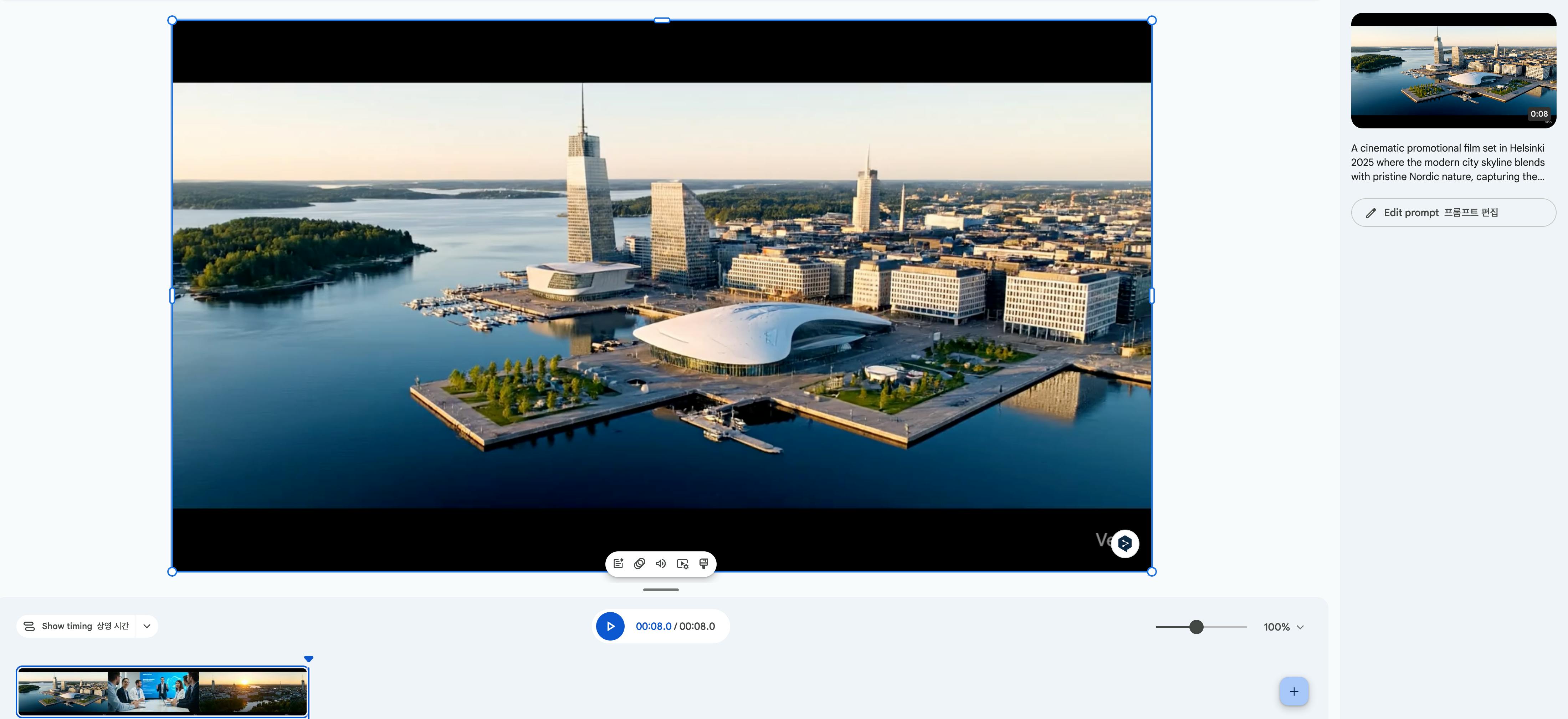
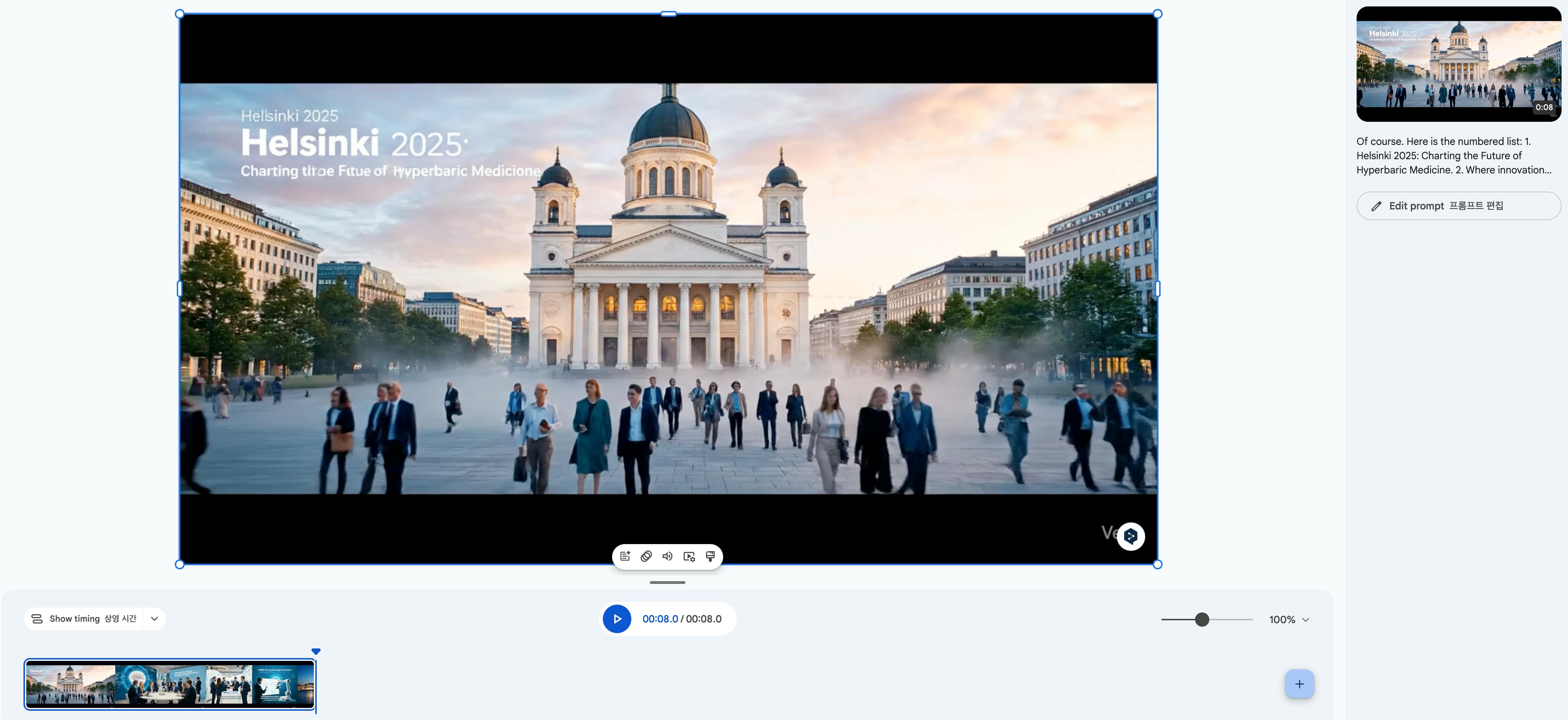
https://docs.google.com/videos/d/1kDoQo6Fo1_EGHqA9Lhce7o_Xrt8oScP2AjKlDXfb3d8/edit?usp=sharing
결과와 배운 점
미리 준비하는 습관의 중요성을 실감했습니다. 자료 정리를 출장 직후 바로 했더라면 훨씬 수월했을 텐데, 시간이 지나면서 기억이 희미해져 추가 리서치가 필요했다.
그럼에도 불구하고 늦었어도 다시 하는 것 자체가 의미 있었습니다. 결과물이 남아야 다음 번에 더 개선할 수 있습니다.
"어떤 경우에 어떤 도구가 있는지 안다"는 것만으로도 선택지가 넓어지는 걸 체감했습니다.
앞으로의 계획
학회 관련 세부 내용을 좀 더 차분히 영상으로 정리해 사례글에도 함께 녹여볼 예정입니다.
영상 제작 워크플로를 표준화해서, 팀 차원에서도 쉽게 재활용할 수 있는 방법을 탐색해 보겠습니다.
