24시간 챗봇

2026.08.03
소개
시도하고자 했던 것과 그 이유: 24시간 365일 무중단으로 안정적으로 응답하는 FastAPI 기반 금융 & 부동산 실시간 통합 API 서버를 구축하고자 했습니다.
요청이 들어올 때 외부 API를 동기로 직접 호출하면 Latency가 길어지고 외부 API 장애 시 메인 서버까지 마비되는 문제가 발생할 수 있습니다. 이를 해결하기 위해 비동기 인메모리 캐시(In-Memory Cache) + APScheduler 백그라운드 주기 갱신 구조를 설계하여, 모든 엔드포인트가 외부 호출 블로킹 없이 O(1) 수준의 빠른 속도로 안전하게 응답하도록 만들었습니다.
진행 방법
어떤 도구를 사용했고, 어떻게 활용하셨나요?
Core Framework & Server: Python 3.12, FastAPI, Uvicorn
Background Scheduler & Cache: APScheduler (AsyncIOScheduler), Custom DataCache with TTL & Stale Handling
Data Collection:
yfinance(KOSPI, KOSDAQ, S&P500, NASDAQ, 환율, 주요 종목 및 REITs), public macro data (금리, CPI, GDP)Testing & Containerization:
pytest,pytest-asyncio,Docker,Docker Compose
📌 사용한 프롬프트 전문
text/goal Outcome:
24/7 무중단으로 동작하는 FastAPI 기반 API 서버를 구축한다.
엔드포인트는 다음을 반드시 제공한다:
- /health
- /real-estate (한국 부동산 시세/거래/지역 요약)
- /stocks (주요 지수 + 개별 종목 시세)
- /economy (주요 경제지표: 금리, 환율, CPI, GDP 등)
- /dashboard (위 3개 데이터를 통합한 실시간 요약)
모든 데이터는 캐시 + 스케줄러로 주기적으로 갱신되며, 서버는 재시작 없이 24시간 이상 안정적으로 응답한다.
Verification surface:
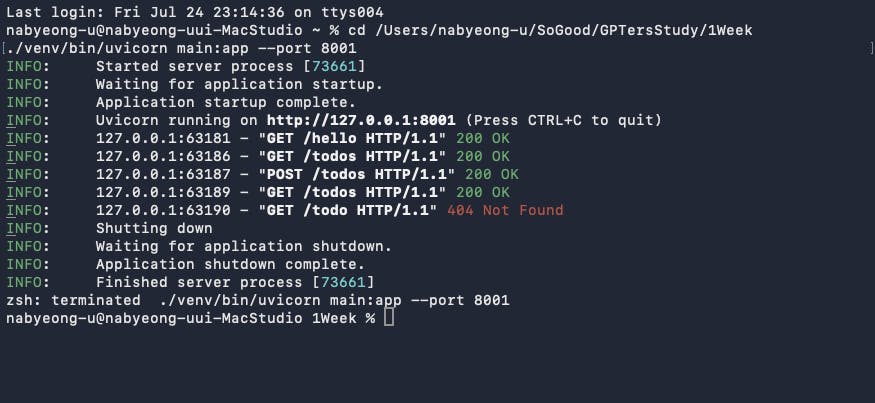
1. uvicorn main:app --host 0.0.0.0 --port 8000 로 서버 기동
2. curl -s http://localhost:8000/health | jq → status: "ok", uptime 표시
3. curl -s http://localhost:8000/real-estate | jq → 유효한 JSON + 최신 타임스탬프
4. curl -s http://localhost:8000/stocks | jq → KOSPI/KOSDAQ/주요종목 데이터
5. curl -s http://localhost:8000/economy | jq → 금리·환율·지표 데이터
6. curl -s http://localhost:8000/dashboard | jq → 통합 요약
7. 서버 기동 후 최소 30분 이상 무중단 + 스케줄러 로그 정상
8. pytest -q 통과 (health, 캐시, 엔드포인트 테스트 포함)
9. docker compose up -d 후 동일 엔드포인트 정상 응답
💻 주요 핵심 코드
1. 비동기 캐시 및 Stale 폴백 처리 (cache.py)
pythonimport asyncio
from datetime import datetime, timezone
from typing import Any, Dict, Optional
class CacheEntry:
def init(self, data: Any, ttl_seconds: float):
self.data = data
self.updated_at = datetime.now(timezone.utc)
self.ttl_seconds = ttl_seconds
self.is_stale = False
self.last_error: Optional[str] = None
def to_dict(self) -> Dict[str, Any]:
return {
"data": self.data,
"updated_at": self.updated_at.isoformat(),
"stale": self.is_stale,
"last_error": self.last_error,
}
class DataCache:
def init(self):
self._store: Dict[str, CacheEntry] = {}
self._lock = asyncio.Lock()
async def get(self, key: str) -> Optional[Dict[str, Any]]:
async with self._lock:
entry = self._store.get(key)
return entry.to_dict() if entry else None
async def set(self, key: str, data: Any, ttl_seconds: float = 300) -> None:
async with self._lock:
self._store[key] = CacheEntry(data=data, ttl_seconds=ttl_seconds)
async def mark_stale(self, key: str, error_message: str) -> Optional[Dict[str, Any]]:
async with self._lock:
entry = self._store.get(key)
if entry:
entry.is_stale = True
entry.last_error = error_message
return entry.to_dict()
return None
global_cache = DataCache()
2. 백그라운드 주기 갱신 스케줄러 (scheduler.py)
pythonimport logging
from apscheduler.schedulers.asyncio import AsyncIOScheduler
from apscheduler.triggers.interval import IntervalTrigger
from cache import global_cache
from services.stocks_service import fetch_stocks_data
logger = logging.getLogger("scheduler")
scheduler = AsyncIOScheduler()
async def update_stocks_job():
try:
data = await fetch_stocks_data()
await global_cache.set("stocks", data, ttl_seconds=240)
except Exception as e:
logger.error(f"Error in update_stocks_job: {e}", exc_info=True)
await global_cache.mark_stale("stocks", str(e))
def start_scheduler():
scheduler.add_job(
update_stocks_job,
trigger=IntervalTrigger(seconds=120),
id="stocks_job",
replace_existing=True,
max_instances=1,
)
scheduler.start()
3. FastAPI 엔드포인트 (main.py)
pythonfrom contextlib import asynccontextmanager
from fastapi import FastAPI
from cache import global_cache
from scheduler import start_scheduler, stop_scheduler, run_initial_refresh
@asynccontextmanager
async def lifespan(app: FastAPI):
start_scheduler()
await run_initial_refresh()
yield
stop_scheduler()
app = FastAPI(title="24/7 Financial API", lifespan=lifespan)
@app.get("/stocks")
async def get_stocks():
cached = await global_cache.get("stocks")
return {
"status": "ok",
"stale": cached.get("stale", False) if cached else False,
"updated_at": cached.get("updated_at") if cached else None,
"data": cached.get("data") if cached else None,
}
4. Docker 배포 구성 (docker-compose.yml)
yamlservices:
api:
build:
context: .
dockerfile: Dockerfile
container_name: fastapi-24hour-app
ports:
- "8000:8000"
environment:
- HOST=0.0.0.0
- PORT=8000
- LOG_LEVEL=INFO
restart: always
결과와 배운 점
배운 점과 나만의 꿀팁:
Request 경로에서 외부 HTTP 호출 완전 제거: 요청 핸들러 안에서
httpx나requests를 직접 부르면 외부 서버 장애 시 내 서비스의 핑(Ping) 및 응답 타임아웃이 연쇄적으로 연동됩니다. 요청 경로는 캐시 읽기(Sub-millisecond)만 수행하고, 외부 호출은 스케줄러가 독립된 스레드/루프에서 처리하는 구조가 24시간 무중단 서버의 핵심입니다.max_instances=1설정: 외부 네트워크가 느려질 때 작업이 중복으로 쌓여 메모리 폭증이나 스레드 고갈이 일어나는 것을 방지하려면 APScheduler 등록 시max_instances=1을 반드시 명시해야 합니다.asyncio.to_thread활용:yfinance처럼 동기(Sync) 블로킹 API를 async 파이프라인에서 사용할 때asyncio.to_thread()로 감싸주면 메인 이벤트 루프가 멈추지 않고 원활히 동작합니다.
과정 중에 어떤 시행착오를 겪었나요?
pytest환경에서async def기반 엔드포인트 및 캐시 함수를 검증할 때pytest-asyncio플러그인 미설치 및 설정 누락으로 인해PytestUnknownMarkWarning및 비동기 함수 실행 에러가 발생했습니다.pytest.ini에asyncio_mode = auto설정을 추가하고pytest-asyncio를 적용하여 8개 테스트 케이스를 모두 깔끔하게 통과시켰습니다.
도움이 필요한 부분이 있나요?
현재 인메모리(In-memory) 캐시 구조로 단일 서버 배포에 최적화되어 있으나, 추후 멀티 노드/분산 환경으로 확장할 경우 Redis + Redis Pub/Sub 기반 캐시 레이어로 전환하는 방안 검토가 필요합니다.
앞으로의 계획이 있다면 들려주세요:
대시보드 데이터의 변동성이 클 때 웹소켓(WebSocket) 또는 SSE(Server-Sent Events)를 통해 프론트엔드로 실시간 푸시 알림을 전달하는 모듈을 추가 확장할 계획입니다.
도움 받은 글 (옵션)

필요한 AI 정보만
메일함에 쏙쏙 넣어드려요.
지금 핫한 AI 소식부터 직접 해 본 사례까지, 월요일마다 무료로 받아보세요